> For the complete documentation index, see [llms.txt](https://help.verkada.com/llms.txt). Markdown versions of documentation pages are available by appending `.md` to page URLs; this page is available as [Markdown](https://help.verkada.com/guest/ja/xue-xiao/integrate-clever-with-verkada-guest.md).
# Clever を Verkada Guest と統合
Verkada Guest と Clever のシームレスに統合を設定
Clever は、学校管理者、教師、生徒に広く使われている IDプロバイダ (IdP) です。Verkada Guest には Clever との連携機能があり、2つの製品間で生徒名簿と情報を同期できます。これにより、以下を含む Student Guest タイプを使用できます:
* **遅刻到着** (学校に遅れて到着する生徒を追跡)
* **生徒のお迎え** (生徒が保護者に引き取られた時刻を追跡)
* **自主サインアウト** (生徒が早退した時刻を追跡)
***
## Clever を Verkada Guest と同期するように設定する
### Clever の設定
{% stepper %}
{% step %}
**Clever アカウントで、Clever ダッシュボード > アプリケーション > アプリケーションの追加 ページに移動します。**
{% endstep %}
{% step %}
**「Verkada Guest」を検索します。**
{% endstep %}
{% step %}
**アプリのリクエスト > アプリケーションのリクエストをクリックします。**
その後、Verkada がリクエストを受け取り、承認されると通知します。
{% endstep %}
{% step %}
**承認されたら、Clever アカウントに移動し、Guest と名簿情報を共有します。Guest では、統合したいサイトに対して Clever から保護者と生徒の情報のみが必要です。**
{% endstep %}
{% endstepper %}
### Command の設定
{% stepper %}
{% step %}
**Verkada Command で、All Products > Workplace > Guest に移動します。**
{% endstep %}
{% step %}
**左側のパネルで、Guest Settings アイコンをクリックします。**
{% endstep %}
{% step %}
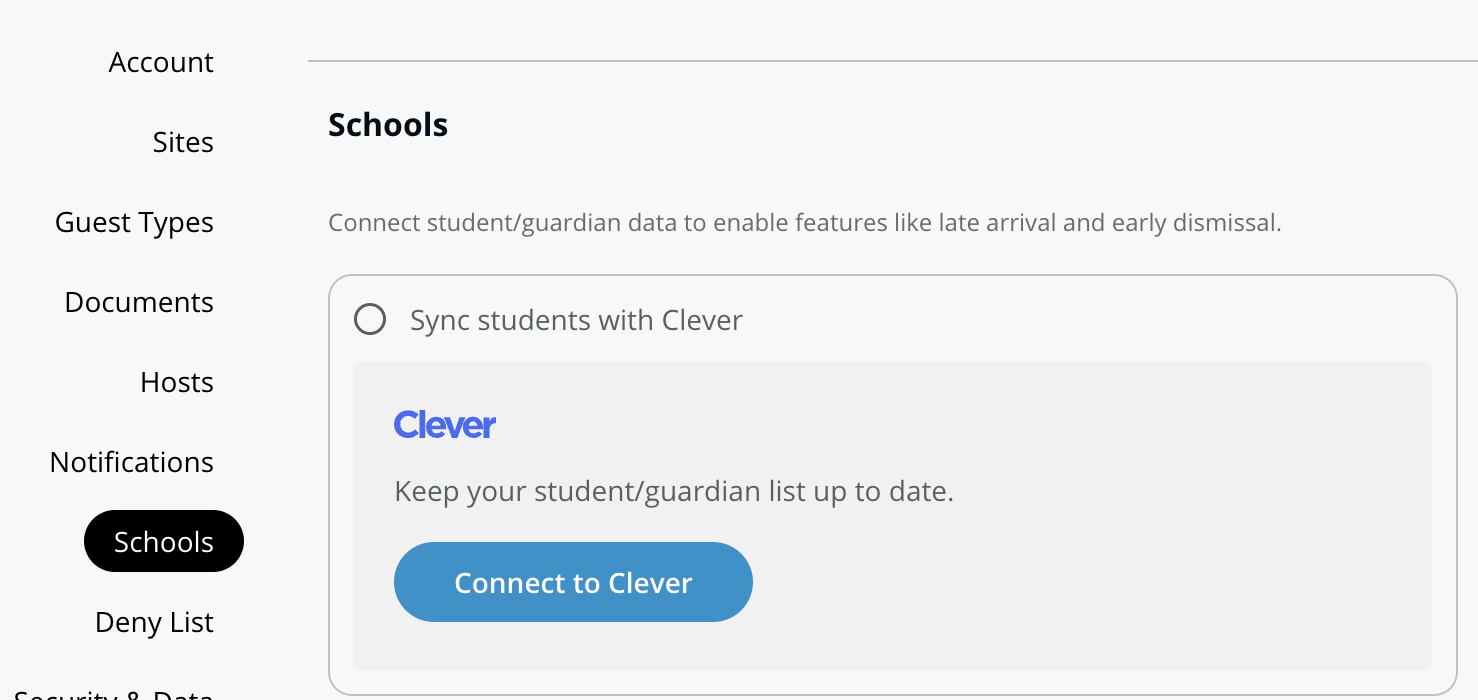
**オーガナイゼーション' で、学校の設定にアクセスするには Schools を選択します。**
{% endstep %}
{% step %}
**Clever と生徒を同期するオプションを選択します。**
{% endstep %}
{% step %}
**求められたら、学校の学区 ID 番号を入力します。**
{% endstep %}
{% step %}
**Clever の学校を Verkada Guest の特定のサイトに割り当てます。これにより、学校と Guest サイトがリンクされます。**
{% endstep %}
{% endstepper %}
{% hint style="warning" %}
Clever から Verkada Guest アプリに対して行われたリクエストの承認には、最大 24 時間かかる場合があります。
{% endhint %}
***
{% hint style="info" %}
**実際の動きを見ますか?** こちらをチェック [ビデオチュートリアル](https://www.youtube.com/watch?v=WFUluswVNJ0).
{% endhint %}
---
# Agent Instructions
This documentation is published with GitBook. GitBook is the documentation platform designed so that both humans and AI agents can read, navigate, and reason over technical content effectively. Learn more at gitbook.com.
## Querying This Documentation
If you need additional information that is not directly available in this page, you can query the documentation by asking a question.
Perform an HTTP GET request on the following URL with the `ask` and `goal` query parameters:
```
GET https://help.verkada.com/guest/ja/xue-xiao/integrate-clever-with-verkada-guest.md?ask=&goal=
```
`ask` is the immediate question: it should be specific, self-contained, and written in natural language.
`goal` is what the user is ultimately trying to achieve, the reason they need the answer. Sharing it helps GitBook give you a better, more relevant answer. A goal is most helpful when it describes the outcome the user wants rather than restating the question. For example, with `ask=how do I create an API token`, a goal like `automate deployments from our CI pipeline` lets GitBook tailor the answer to that use case.
The response will contain a direct answer to the question and relevant excerpts and sources from the documentation.
Use this mechanism when the answer is not explicitly present in the current page, you need clarification or additional context, or you want to retrieve related documentation sections.