> For the complete documentation index, see [llms.txt](https://help.verkada.com/llms.txt). Markdown versions of documentation pages are available by appending `.md` to page URLs; this page is available as [Markdown](https://help.verkada.com/incident-response/ja/hajimeni/incident-response-portal.md).
# インシデント対応ポータル
緊急時後の被災者の把握を簡素化します
インシデント対応ポータルは、従業員が対応中のレスポンスにおける避難者の所在を確認できるWebページです。どのWorkplace従業員でも、勤務先サイトで進行中のレスポンスに対して操作するためにインシデント対応ポータルへアクセスできます。
***
## インシデント対応ポータル
レスポンスが以下で開始されると **インシデント** または **ドリルモード** で、従業員への通知が有効になっている場合、サイト内のすべてのWorkplace従業員に、インシデント対応ポータルへアクセスするためのマジックリンクがメールおよび/またはSMSで届きます。従業員はいつでも以下でログインすることもできます [unite.my.verkada.com](https://unite.my.verkada.com).
***
## People Statusページ
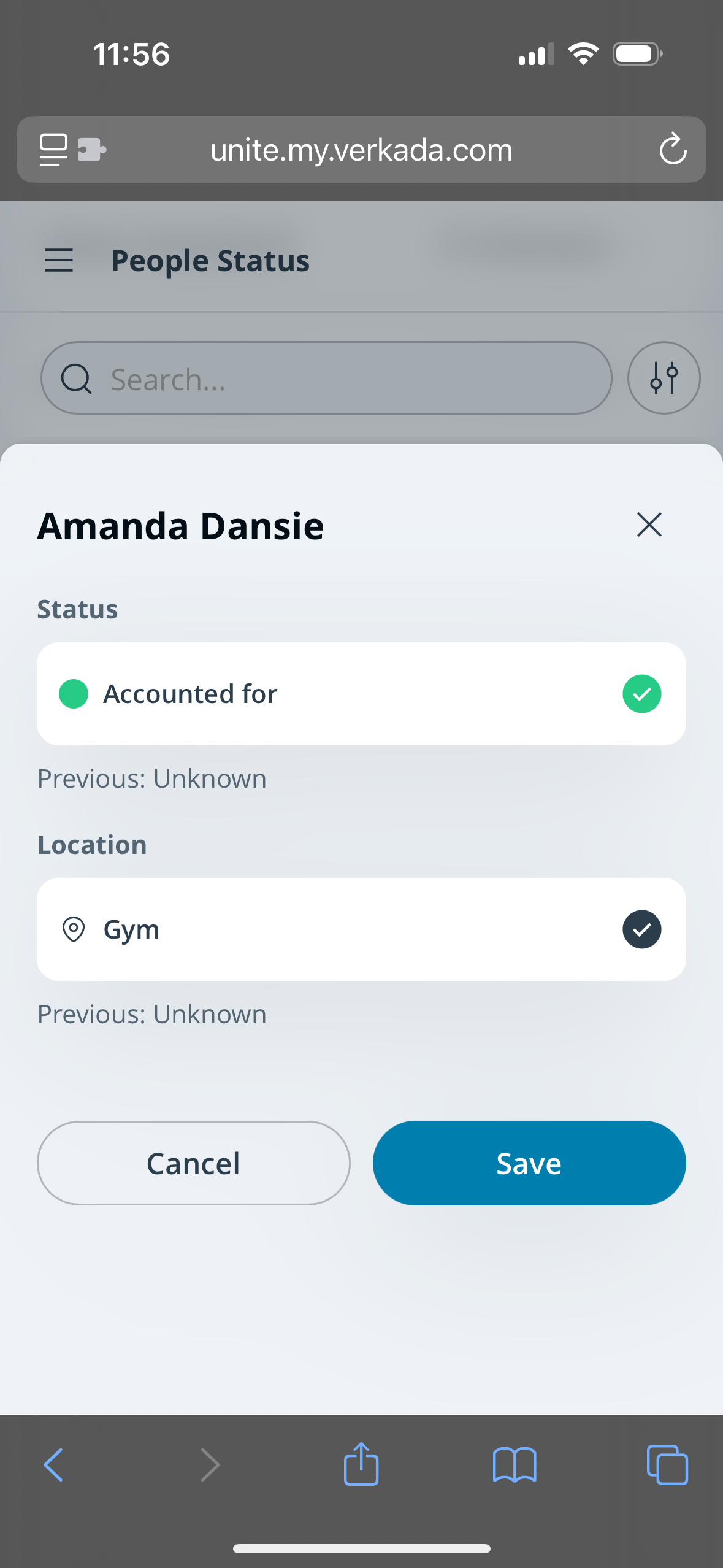
避難者を名前で検索し、そのステータスと所在地を表示または更新できます。避難者のステータスまたは所在地を更新するには:
{% stepper %}
{% step %}
**以下にログインします** [**unite.my.verkada.com**](https://unite.my.verkada.com)**.**
{% endstep %}
{% step %}
**(任意)を適用** [**フィルター**](#h_457b70e469)**.**
{% endstep %}
{% step %}
**避難者を選択します。**
a. 1つの **ステータス**を選択します。\
b. 1つの **所在地**を選択します。\
c. 以下をクリックします **保存**.
{% endstep %}
{% endstepper %}
### フィルター
Workplace従業員は、People Statusページの検索バーとフィルターを使用して、特定の避難者を見つけることができます。フィルターには次が含まれます:
{% stepper %}
{% step %}
**避難者のステータス**
{% endstep %}
{% step %}
**避難者の所在地**
{% endstep %}
{% step %}
**教師とセクション(SIS連携を利用しているK12顧客向け)**
{% endstep %}
{% step %}
**自分が編集**
{% endstep %}
{% endstepper %}
***
## 保護者サインインページ
従業員には **保護者サインイン** ページが表示されます。これは [再会が有効](/incident-response/ja/she-ding/create-response-templates.md)なレスポンステンプレート用です。ここから、従業員は保護者をサインインして確認できます:
{% stepper %}
{% step %}
**以下にログインします** [**unite.my.verkada.com**](https://unite.my.verkada.com)**.**
{% endstep %}
{% step %}
**保護者サインインページを選択します。**
{% endstep %}
{% step %}
**場所を選択します。**
{% endstep %}
{% step %}
**下部で、保護者をサインインを選択します。**
{% endstep %}
{% step %}
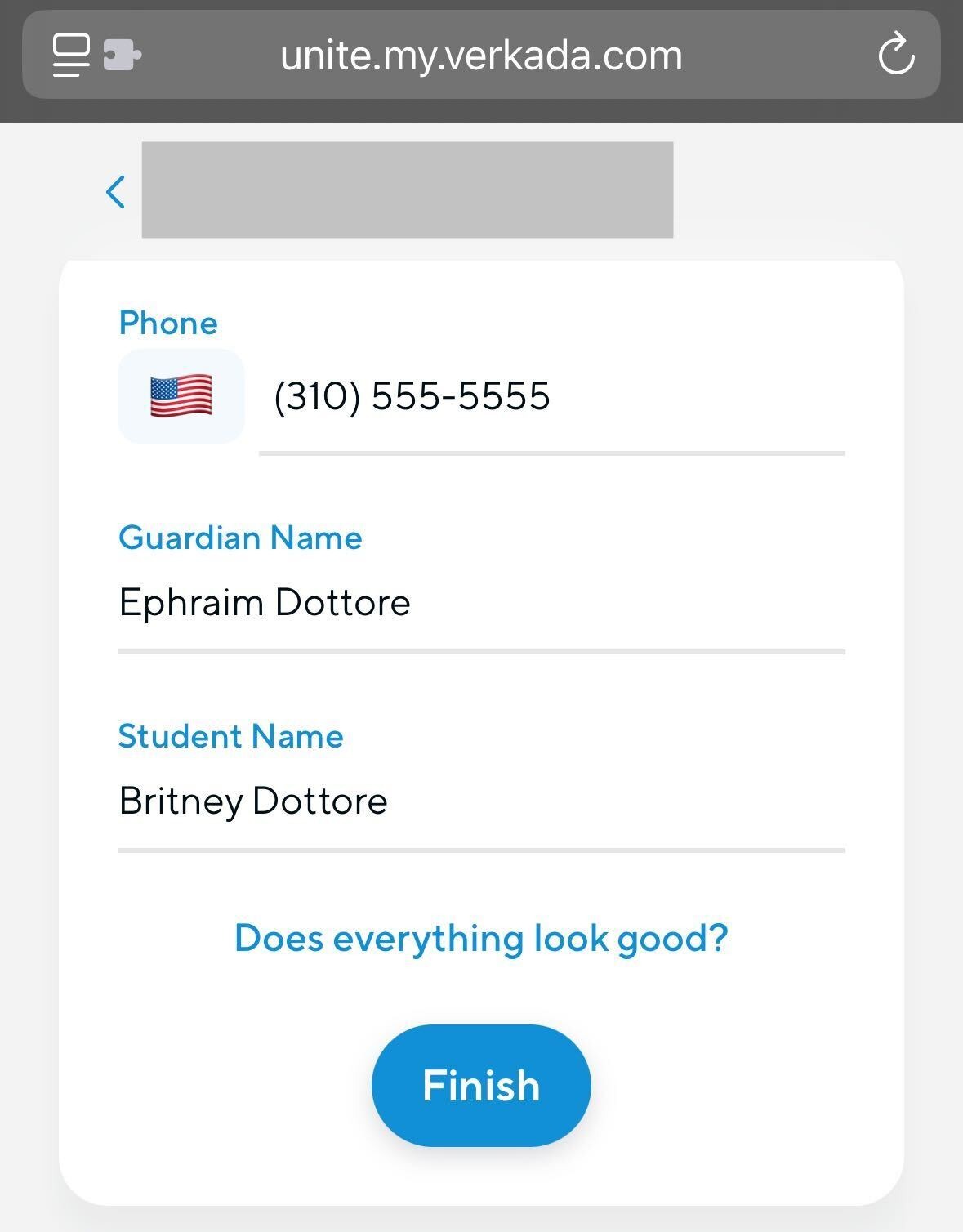
**フォームに入力します** [**を**](https://app.intercom.com/a/apps/q5re5q6g/knowledge-hub/all-content?activeContentId=13666171\&activeContentType=article\&editorMode=view\&search=guardian%20form) **保護者に代わって。**
{% endstep %}
{% endstepper %}
既定では、 **保護者サインイン** ページには待機中の保護者がすべて表示されます。従業員は以下を表示するようにフィルターできます:
* レスポンス中にチェックインされたすべての保護者
* 拒否された保護者
* 再会済みの保護者
保護者を選択すると、従業員は、その保護者が引き渡しを依頼した生徒と、そのチェックインを行った従業員を確認できます。
***
## 生徒と保護者を再会
従業員には **生徒 + 保護者を再会** ページが表示されます。これは [再会が有効](/incident-response/ja/she-ding/create-response-templates.md)。既定では、このページには次の条件を満たすすべての生徒/保護者の組み合わせが表示されます:
{% stepper %}
{% step %}
**生徒のステータスが不明ではなく、かつ再会済みでもない。**
{% endstep %}
{% step %}
**保護者がサインイン済みで、完全承認済みである(例:セキュリティ審査に合格している、または一時的な保護者例外が適用されている)**
{% endstep %}
{% endstepper %}
従業員は所在地とステータスのフィルターを使用して、表示される組み合わせを絞り込めます。フィルターは個人の表示にのみ影響し、他の従業員の表示には影響しません。所在地フィルターは保護者と生徒の両方に適用されます。
---
# Agent Instructions
This documentation is published with GitBook. GitBook is the documentation platform designed so that both humans and AI agents can read, navigate, and reason over technical content effectively. Learn more at gitbook.com.
## Querying This Documentation
If you need additional information that is not directly available in this page, you can query the documentation by asking a question.
Perform an HTTP GET request on the following URL with the `ask` and `goal` query parameters:
```
GET https://help.verkada.com/incident-response/ja/hajimeni/incident-response-portal.md?ask=&goal=
```
`ask` is the immediate question: it should be specific, self-contained, and written in natural language.
`goal` is what the user is ultimately trying to achieve, the reason they need the answer. Sharing it helps GitBook give you a better, more relevant answer. A goal is most helpful when it describes the outcome the user wants rather than restating the question. For example, with `ask=how do I create an API token`, a goal like `automate deployments from our CI pipeline` lets GitBook tailor the answer to that use case.
The response will contain a direct answer to the question and relevant excerpts and sources from the documentation.
Use this mechanism when the answer is not explicitly present in the current page, you need clarification or additional context, or you want to retrieve related documentation sections.