> For the complete documentation index, see [llms.txt](https://help.verkada.com/llms.txt). Markdown versions of documentation pages are available by appending `.md` to page URLs; this page is available as [Markdown](https://help.verkada.com/verkada-cameras/ja/she-ding/view-and-edit-camera-settings/digital-zoom.md).
# デジタルズーム
デジタルズームを使用してカメラビューを切り抜き・拡大し、より詳しく確認します
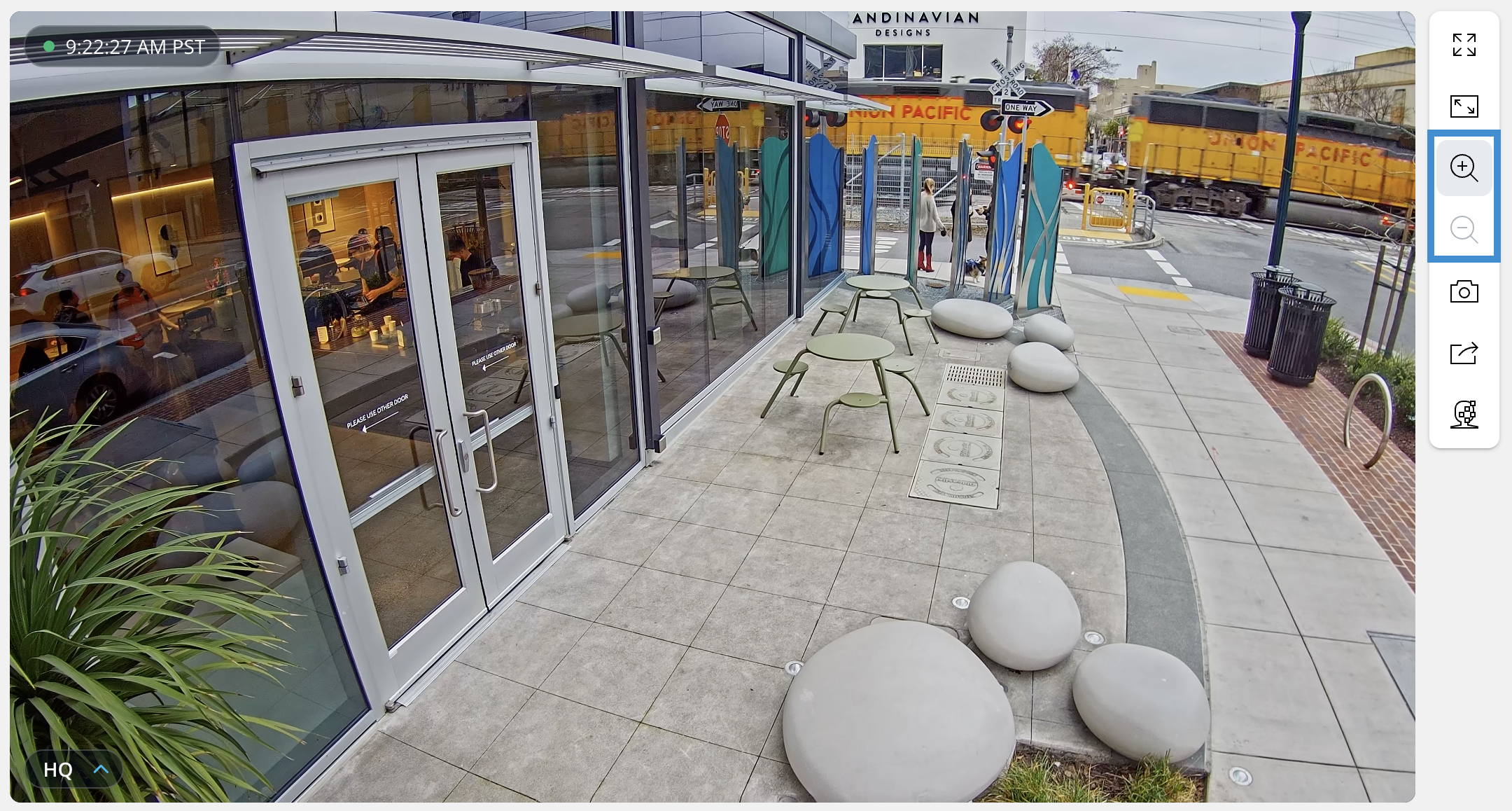
デジタルズームを使用すると、ライブまたは録画された映像内の特定の関心領域に焦点を合わせられ、カメラの物理的な調整を行わなくても、より見やすくなります。
***
## デジタルズームを使用する
{% hint style="warning" %}
デジタルズームは〜とは異なります [光学ズーム](/verkada-cameras/ja/she-ding/view-and-edit-camera-settings/use-optical-zoom-and-auto-focus.md)。最適な体験のために、ライブ動画の画質を **HQ** 、履歴映像の画質を **HQ モーション付き SQ**。参照: [カメラの動画品質を管理する](/verkada-cameras/ja/bideosutorminguto/live-streaming/manage-camera-video-quality.md) 詳細情報は
{% endhint %}
### カメラのライブ配信
{% stepper %}
{% step %}
**Verkada Commandで、[All Products]>[Cameras]に移動します。**
{% endstep %}
{% step %}
**表示するカメラを選択します。**
{% endstep %}
{% step %}
**ビデオプレーヤーのツールバーで、拡大用と縮小用の虫眼鏡をクリックして倍率を調整します。**
{% endstep %}
{% step %}
**拡大後、ビデオをクリックしてドラッグし、表示位置を移動します。**
{% endstep %}
{% endstepper %}
### カメラの履歴映像
{% stepper %}
{% step %}
**Verkada Command で、\[All Products] > \[Cameras] に移動します。**
{% endstep %}
{% step %}
**表示するカメラを選択します。**
{% endstep %}
{% step %}
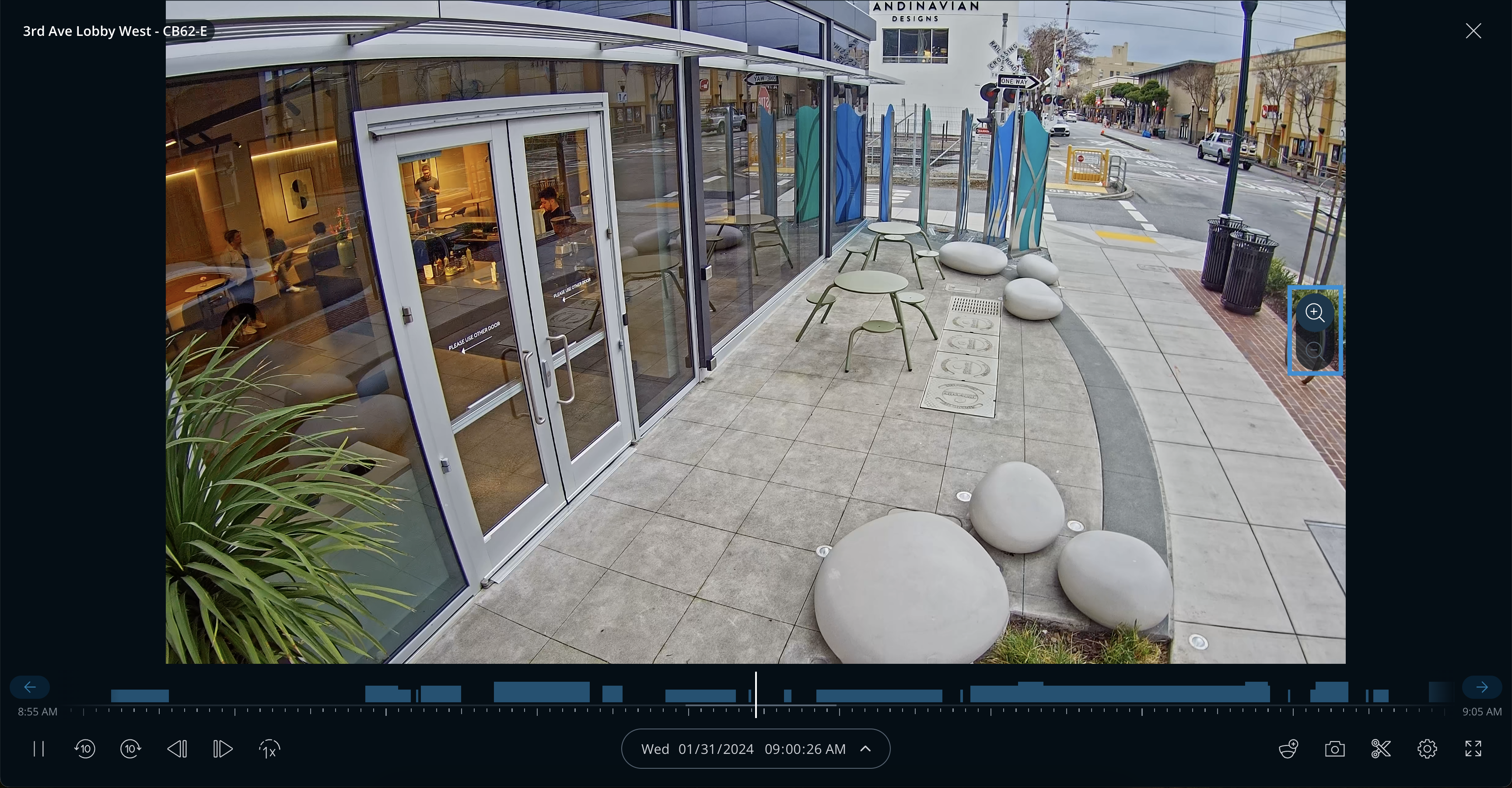
**動画プレーヤーの下で、[履歴]を選択します。**
{% endstep %}
{% step %}
**表示する映像の日付と時刻を選択します。**
{% endstep %}
{% step %}
**ビデオフィードの右側で、拡大用と縮小用をクリックして倍率を調整します。**
{% endstep %}
{% step %}
**拡大後、ビデオをクリックしてドラッグし、表示位置を移動します。**
{% endstep %}
{% endstepper %}
### Command アプリ
{% stepper %}
{% step %}
**Commandアプリで、表示するカメラを選択します。**
{% endstep %}
{% step %}
**(オプション)履歴映像では、必要な日時に達するまでライブフィードを右へクリックしてドラッグします。**
{% endstep %}
{% step %}
**2本の指でビデオフィードをピンチして、拡大/縮小します。**
{% endstep %}
{% step %}
**拡大後、1本の指でビデオをタップしてドラッグし、表示位置を移動します。**
{% endstep %}
{% endstepper %}
---
# Agent Instructions
This documentation is published with GitBook. GitBook is the documentation platform designed so that both humans and AI agents can read, navigate, and reason over technical content effectively. Learn more at gitbook.com.
## Querying This Documentation
If you need additional information that is not directly available in this page, you can query the documentation by asking a question.
Perform an HTTP GET request on the following URL with the `ask` and `goal` query parameters:
```
GET https://help.verkada.com/verkada-cameras/ja/she-ding/view-and-edit-camera-settings/digital-zoom.md?ask=&goal=
```
`ask` is the immediate question: it should be specific, self-contained, and written in natural language.
`goal` is what the user is ultimately trying to achieve, the reason they need the answer. Sharing it helps GitBook give you a better, more relevant answer. A goal is most helpful when it describes the outcome the user wants rather than restating the question. For example, with `ask=how do I create an API token`, a goal like `automate deployments from our CI pipeline` lets GitBook tailor the answer to that use case.
The response will contain a direct answer to the question and relevant excerpts and sources from the documentation.
Use this mechanism when the answer is not explicitly present in the current page, you need clarification or additional context, or you want to retrieve related documentation sections.