> For the complete documentation index, see [llms.txt](https://help.verkada.com/llms.txt). Markdown versions of documentation pages are available by appending `.md` to page URLs; this page is available as [Markdown](https://help.verkada.com/verkada-cameras/ja/mentenansutotoraburushtingu/verkada-dome-camera-maintenance.md).
# Verkada Domeカメラのメンテナンス
Verkada Domeカメラのお手入れ方法を学びます
カメラの画質は、ほこり、ゴミ、指紋、湿気、結露などの影響を受けることがあります。カメラを正常に機能させるため、定期的なメンテナンスをおすすめします。
***
## よくある問題と解決方法
### 内部反射
**原因**
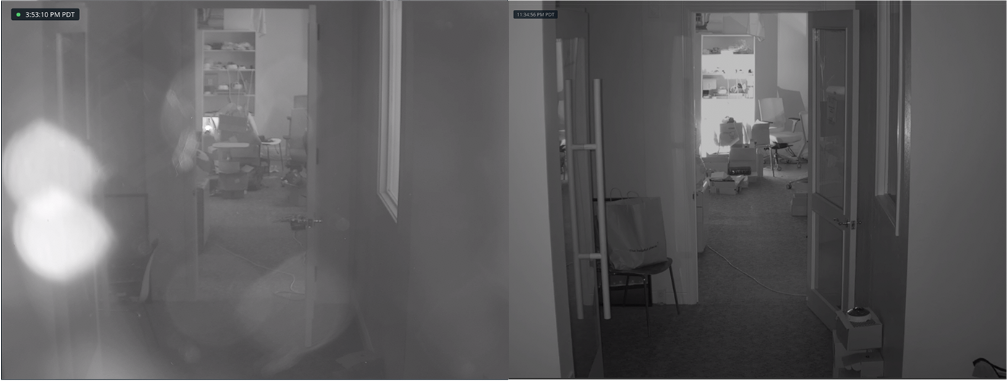
カメラケースがカメラ本体に正しく取り付けられていないと、赤外線(IR)のグレアがDomeで反射してレンズに入り、再びDomeに反射します。
**対処方法**
カメラケースをカメラ本体に再度取り付け、Torxネジをしっかり締めてください。
左の画像は、反射によって生じた円形の像を示しています。右の画像は、カメラケースを正しく取り付けた後の画像です。
### 外部遮蔽
**原因**
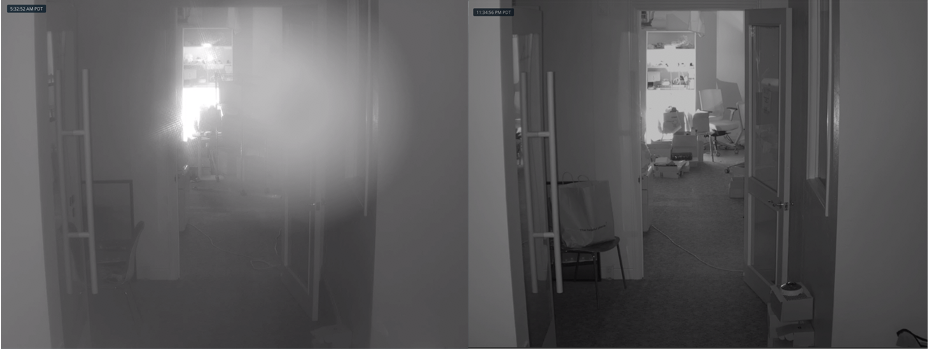
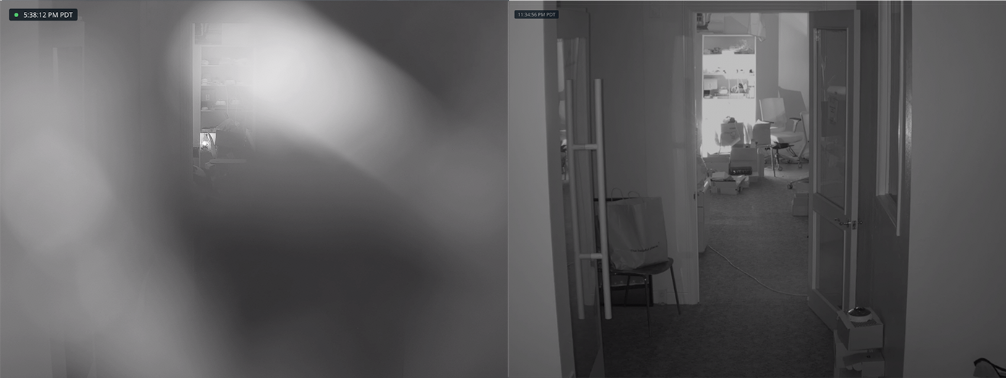
取り付け後に保護フィルムを外さないと、IRグレアの原因になります。
**対処方法**
Domeから保護フィルムをはがしてください。フィルムをはがした後、カメラの再フォーカスが必要になる場合があります。
左の画像は、保護フィルムの影響で画像がぼやけてピントが合わず、独特のモザイク模様のように見える様子を示しています。右の画像は、保護フィルムを取り外した後の画像です。
### Dome上のほこり、ゴミ、指紋
**原因**
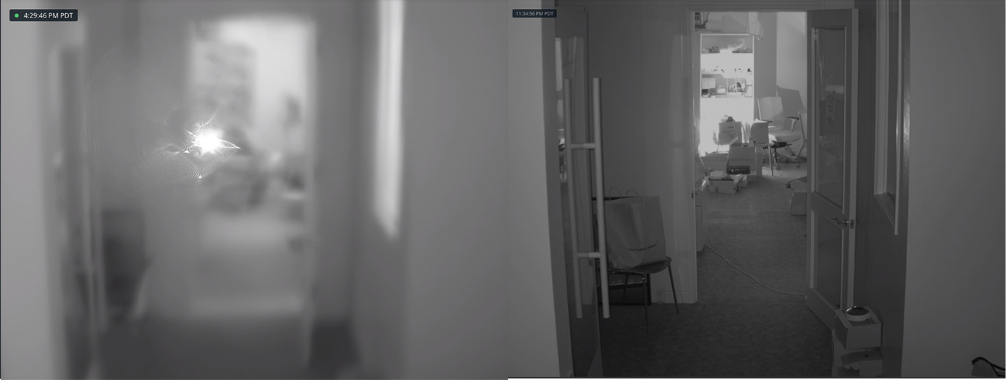
Domeにほこりやゴミがたまると、画像は **デイモード**。しかし、 **ナイトモード**では、IRグレアがほこりやゴミで反射し、画像に明るい斑点が出たり、コントラストが低下したりします。
**対処方法**
エアダスターでほこりやゴミを吹き飛ばし、その後 [カメラのDomeを清掃します](/verkada-cameras/ja/mentenansutotoraburushtingu/clean-your-verkada-dome-camera.md).
左の画像は、いくつかの部分はピントが合っている一方で、明るい斑点がありコントラストが低下している様子を示しています。右の画像は、Domeを清掃した後の画像です。
---
# Agent Instructions
This documentation is published with GitBook. GitBook is the documentation platform designed so that both humans and AI agents can read, navigate, and reason over technical content effectively. Learn more at gitbook.com.
## Querying This Documentation
If you need additional information that is not directly available in this page, you can query the documentation by asking a question.
Perform an HTTP GET request on the following URL with the `ask` and `goal` query parameters:
```
GET https://help.verkada.com/verkada-cameras/ja/mentenansutotoraburushtingu/verkada-dome-camera-maintenance.md?ask=&goal=
```
`ask` is the immediate question: it should be specific, self-contained, and written in natural language.
`goal` is what the user is ultimately trying to achieve, the reason they need the answer. Sharing it helps GitBook give you a better, more relevant answer. A goal is most helpful when it describes the outcome the user wants rather than restating the question. For example, with `ask=how do I create an API token`, a goal like `automate deployments from our CI pipeline` lets GitBook tailor the answer to that use case.
The response will contain a direct answer to the question and relevant excerpts and sources from the documentation.
Use this mechanism when the answer is not explicitly present in the current page, you need clarification or additional context, or you want to retrieve related documentation sections.