> For the complete documentation index, see [llms.txt](https://help.verkada.com/llms.txt). Markdown versions of documentation pages are available by appending `.md` to page URLs; this page is available as [Markdown](https://help.verkada.com/verkada-cameras/ja/fen-xi/camera-storage-error-alerts.md).
# カメラのストレージエラーアラート
カメラのストレージアラートを受け取った場合に何をすべきかを学びます
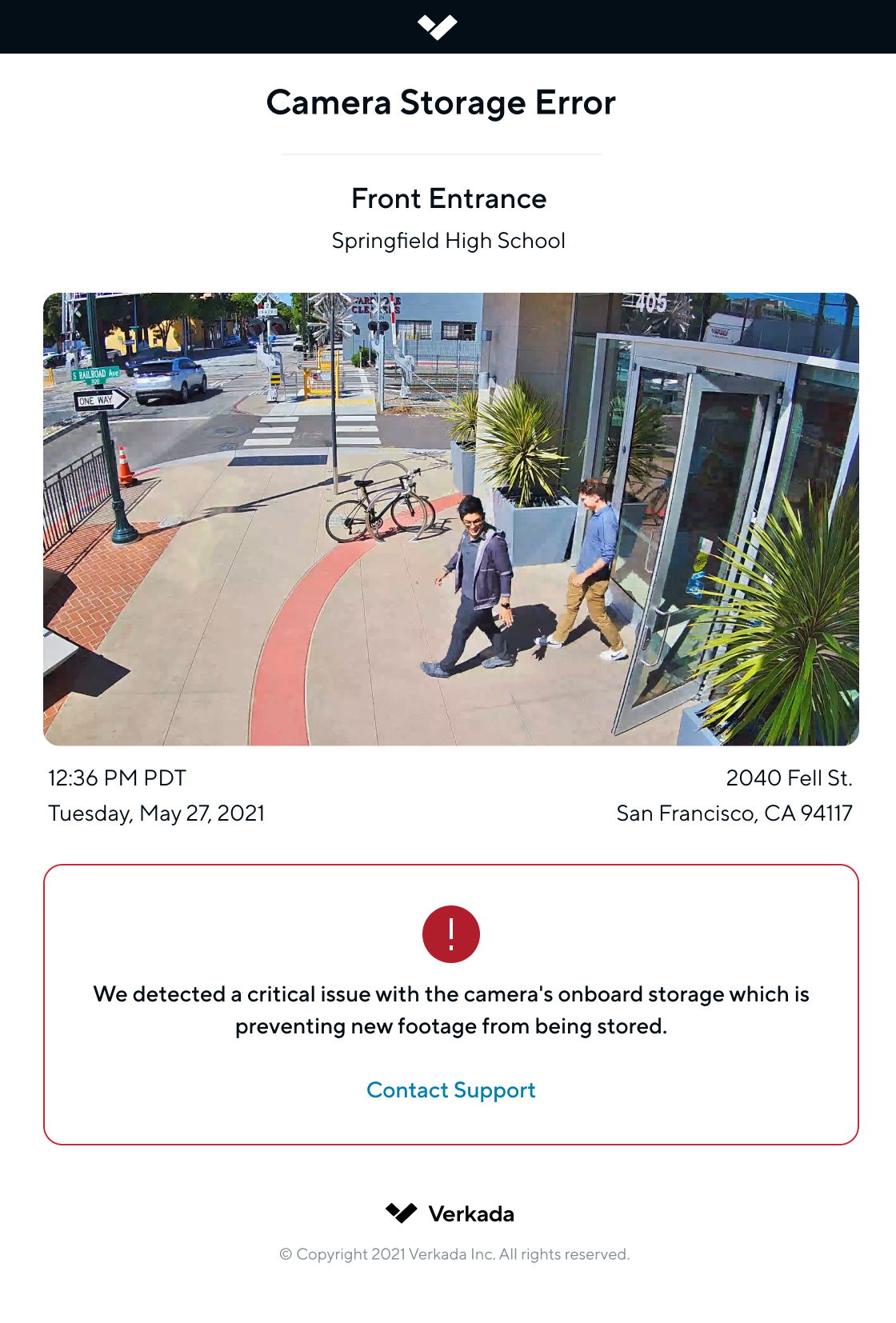
カメラのストレージアラートは、フリート内の重大なストレージエラーを通知し、先回りした管理とメンテナンスを可能にします。
Verkadaカメラは、カメラで重大なストレージ障害が発生した場合、すべてのOrg Adminに自動的にアラートを送信します。これは、カメラが新しい映像を本体ストレージに保存できず、過去の映像をストリーミングできない可能性があることを意味します。
{% hint style="danger" %}
**このアラートを受け取った場合、** [**Verkadaサポートにお問い合わせください**](/command/ja/herupugadesuka/contact-verkada-support.md) **問題を解決するため、できるだけ早くご対応ください。**
{% endhint %}
### アラートの詳細
* アラートは、すべてのお客様でデフォルトで有効になっています。
* カメラで重大なストレージエラーが発生した場合、すべてのOrg Adminにメールでアラートが送信されます。
* 各カメラは、エラー状態ごとに1件のアラートのみを発生させます。
* これらのアラートは、 [**アラート**](https://command.verkada.com/alerts/device-events) ページ。
---
# Agent Instructions
This documentation is published with GitBook. GitBook is the documentation platform designed so that both humans and AI agents can read, navigate, and reason over technical content effectively. Learn more at gitbook.com.
## Querying This Documentation
If you need additional information that is not directly available in this page, you can query the documentation by asking a question.
Perform an HTTP GET request on the following URL with the `ask` and `goal` query parameters:
```
GET https://help.verkada.com/verkada-cameras/ja/fen-xi/camera-storage-error-alerts.md?ask=&goal=
```
`ask` is the immediate question: it should be specific, self-contained, and written in natural language.
`goal` is what the user is ultimately trying to achieve, the reason they need the answer. Sharing it helps GitBook give you a better, more relevant answer. A goal is most helpful when it describes the outcome the user wants rather than restating the question. For example, with `ask=how do I create an API token`, a goal like `automate deployments from our CI pipeline` lets GitBook tailor the answer to that use case.
The response will contain a direct answer to the question and relevant excerpts and sources from the documentation.
Use this mechanism when the answer is not explicitly present in the current page, you need clarification or additional context, or you want to retrieve related documentation sections.