> For the complete documentation index, see [llms.txt](https://help.verkada.com/llms.txt). Markdown versions of documentation pages are available by appending `.md` to page URLs; this page is available as [Markdown](https://help.verkada.com/verkada-cameras/de/installation/camera-deployment/use-external-ir-illuminators-with-verkada-cameras.md).
# Externe IR-Strahler mit Verkada-Kameras verwenden
Erfahren Sie, wie Sie Ihre Low-Light-Bildgebung mit Verkada-Kameras erweitern
Ein Infrarot-(IR-)Strahler ist ein Gerät, das Licht im Infrarotspektrum aussendet. IR-Licht hat eine längere Wellenlänge als sichtbares Licht und ist daher für das menschliche Auge unsichtbar, für eine Kamera jedoch sichtbar. IR-Strahler sind in Verkada-Kameras integriert und haben je nach Kameramodell eine Reichweite von 49–98 ft (15–30 m). Es gibt Zeiten, in denen zusätzliches Licht erforderlich sein kann, damit Ihre Kamera alle Aktivitäten im Sichtfeld erfassen kann.
IR-Strahler geben Licht mit bestimmten Wellenlängen ab, und Verkada-Kameras sind mit externen IR-Strahlern kompatibel, die im 850-nm-Bereich arbeiten.
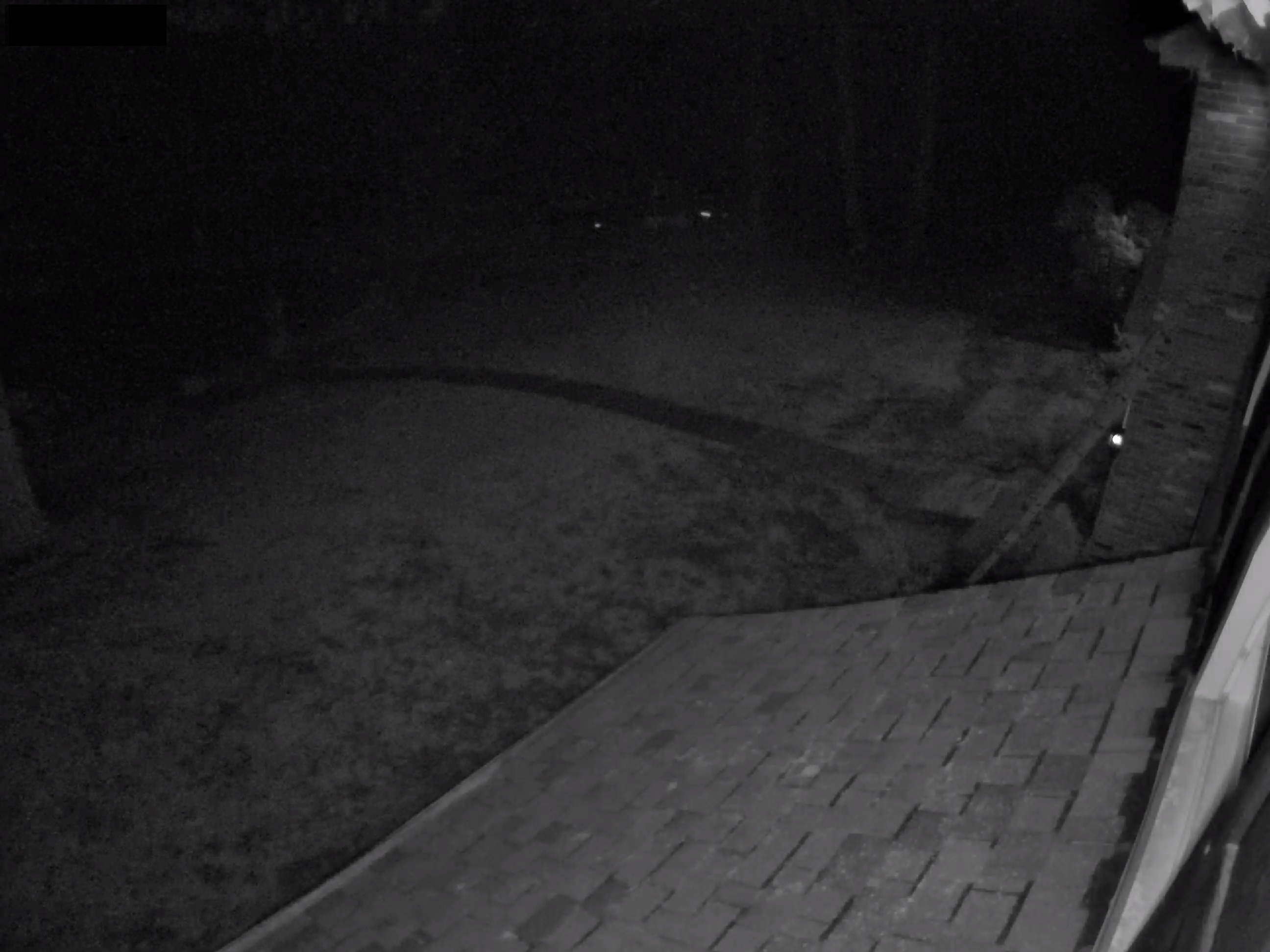
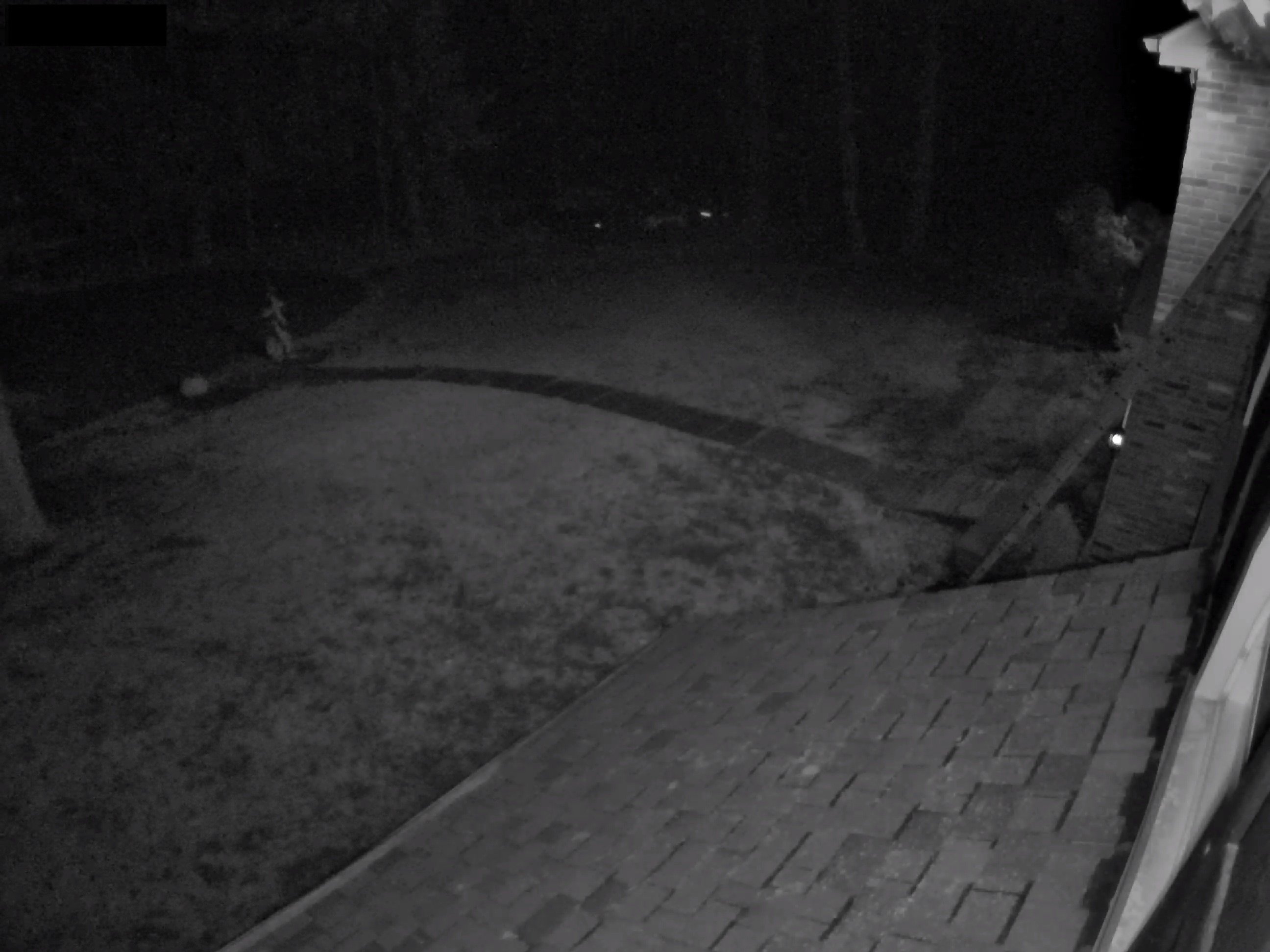
Unten sehen Sie ein Beispiel dafür, was ein IR-Strahler tun kann, um die Nachtsicht Ihrer Verkada-Kamera zu verbessern. Je nachdem, wie viel Umgebungslicht verfügbar ist, kann es sinnvoll sein, einen größeren IR-Strahler zu ergänzen.
**Beispiel: ohne externen IR-Strahler**
**Beispiel: mit externem IR-Strahler**
---
# Agent Instructions
This documentation is published with GitBook. GitBook is the documentation platform designed so that both humans and AI agents can read, navigate, and reason over technical content effectively. Learn more at gitbook.com.
## Querying This Documentation
If you need additional information that is not directly available in this page, you can query the documentation by asking a question.
Perform an HTTP GET request on the following URL with the `ask` and `goal` query parameters:
```
GET https://help.verkada.com/verkada-cameras/de/installation/camera-deployment/use-external-ir-illuminators-with-verkada-cameras.md?ask=&goal=
```
`ask` is the immediate question: it should be specific, self-contained, and written in natural language.
`goal` is what the user is ultimately trying to achieve, the reason they need the answer. Sharing it helps GitBook give you a better, more relevant answer. A goal is most helpful when it describes the outcome the user wants rather than restating the question. For example, with `ask=how do I create an API token`, a goal like `automate deployments from our CI pipeline` lets GitBook tailor the answer to that use case.
The response will contain a direct answer to the question and relevant excerpts and sources from the documentation.
Use this mechanism when the answer is not explicitly present in the current page, you need clarification or additional context, or you want to retrieve related documentation sections.