> For the complete documentation index, see [llms.txt](https://help.verkada.com/llms.txt). Markdown versions of documentation pages are available by appending `.md` to page URLs; this page is available as [Markdown](https://help.verkada.com/verkada-cameras/analytics/camera-stats.md).
# Camera Stats
Check device analytics and understand your camera’s performance
You can use camera stats to check trends of these features over a period of time:
* Camera uptime
* Cloud backup
* Bandwidth consumption
* Data usage
* Motion activity
***
## Monitor camera stats
{% stepper %}
{% step %}
**In Verkada Command, go to All Products > Cameras.**
{% endstep %}
{% step %}
**Select a camera to view its live camera stream and to check camera stats.**
{% endstep %}
{% step %}
**Under the live feed, select Analytics > Camera Stats. The default timeline is 7 days, but you can change it to last 30 days to see stats over a longer period.**
{% hint style="warning" %}
The default timeline is 7 days. You can extend it to 30 days to view extended data trends.
{% endhint %}
{% endstep %}
{% endstepper %}
***
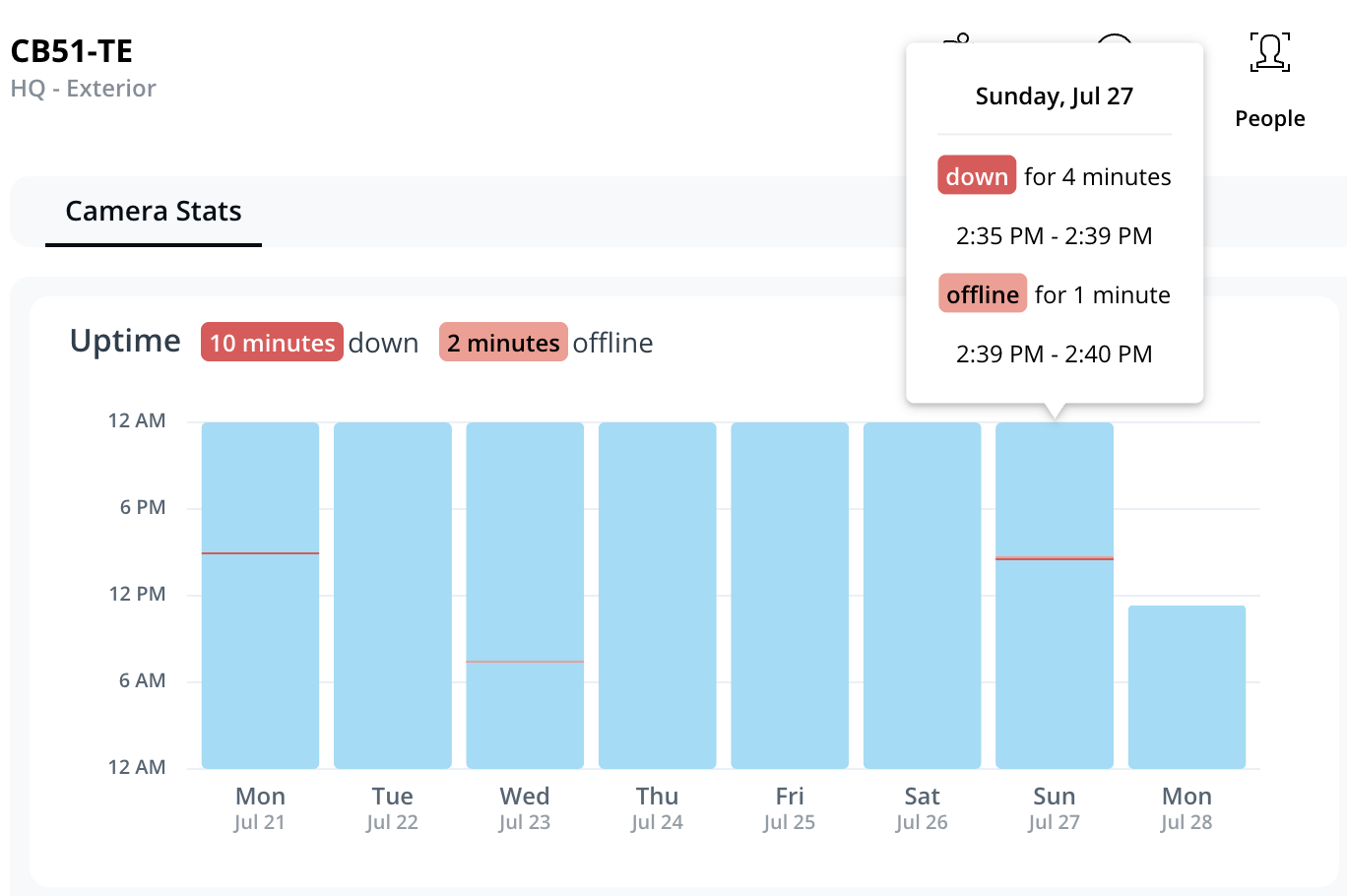
### Camera uptime
This graph shows the camera’s connectivity to the Verkada cloud status over a period of time.
* **Blue bars -** camera is powered on, recording, and connected to the Verkada servers
* **Light red bars** - camera is powered on, recording, but not connected to Verkada servers
* **Dark red bars -** camera is not powered and not recording
In most cases, uptime and online status align. If they don’t, it may signal a local network issue (the camera is powered but unable to reach the cloud).
Hover over the timeline to view specific timestamps and outage durations.
***
### Cloud backup
{% hint style="warning" %}
This graph will start populating detailed data in the calendar view from July 3, 2025 UTC onwards.
{% endhint %}
This section shows a detailed view of your camera’s cloud backup progress, including:
* Days of footage successfully backed up in the cloud
* Amount of data pending upload
* Current average upload speed
* A detailed calendar view showing:
* **Light blue bars** - data successfully backed up from the previous or next month
* **Dark blue bars** - data successfully backed up from the selected month
* **Striped bars** - data not available in the cloud (likely due to the camera being offline & not recording)
* **Red bars** - data pending upload

***
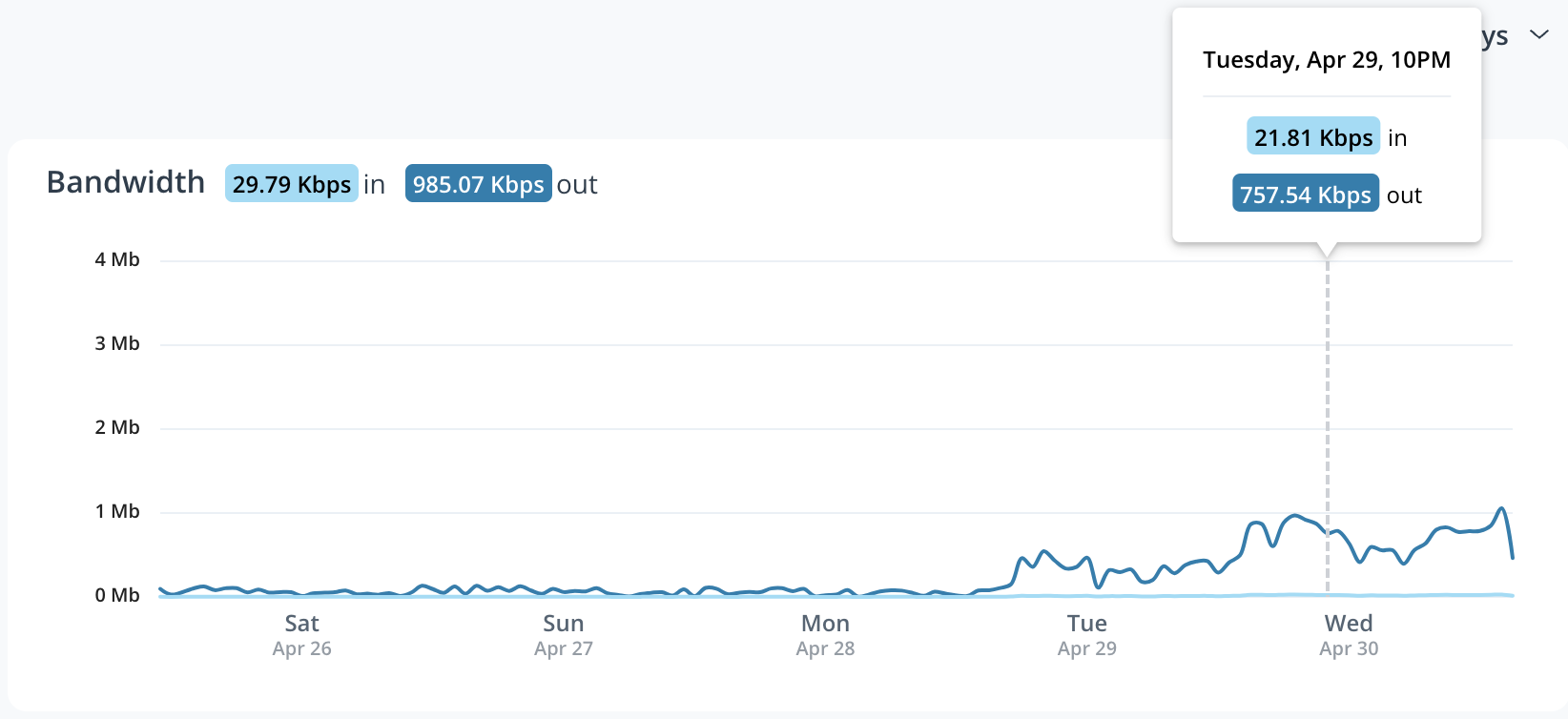
### Bandwidth
Track upload and download bandwidth speeds (in Kbps, Mbps, or Gbps) over time.
* **Traffic in** indicates the camera download bitrate. Firmware downloads, configuration changes, and cloud-sent commands (such as a reboot request) contribute to the download bitrate.
* **Traffic out** indicates the camera upload bitrate. Thumbnails, metadata, streams, archives, and cloud backup contribute to the upload bitrate.
***
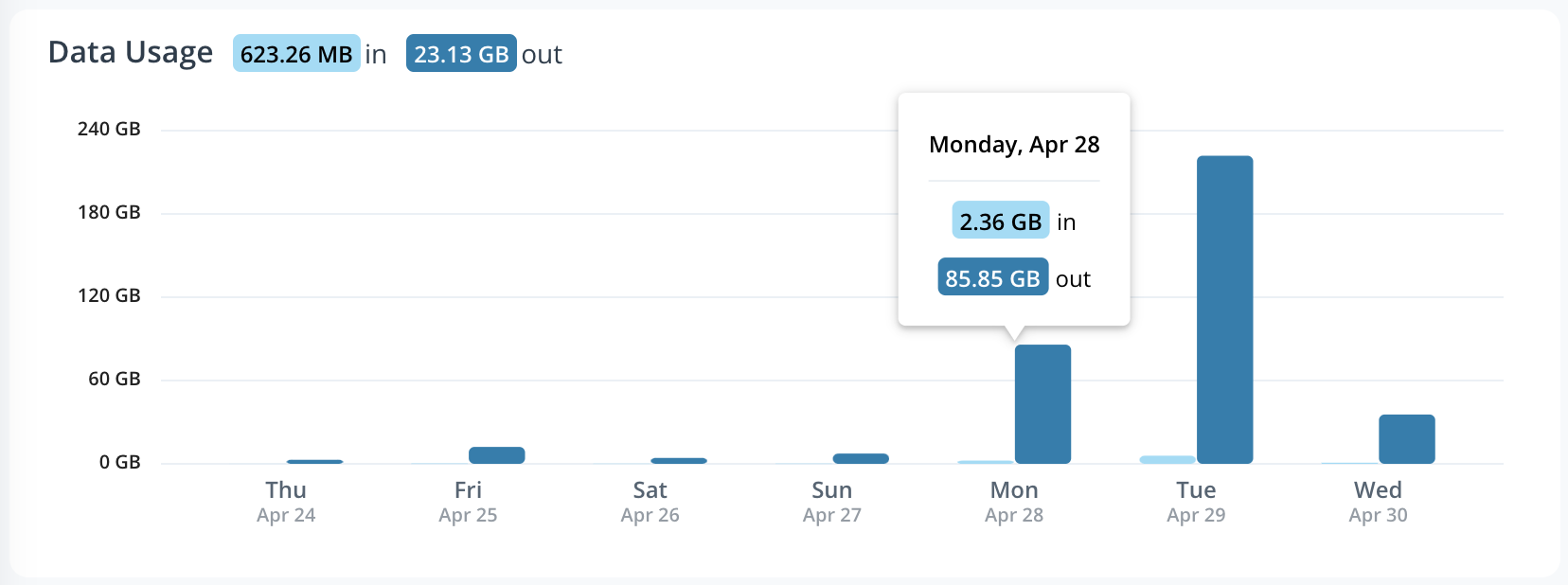
### Data Usage
This graph shows total data transferred (in KB, MB, or GB) over a period of time.
* **Data in** indicates the amount of data downloaded by the device. Firmware downloads, configuration changes, and cloud-sent commands (such as a reboot request) contribute to this.
* **Data out** indicates the amount of data uploaded by the device. Thumbnails, metadata, streams, archives, and cloud backup contribute to this.
***
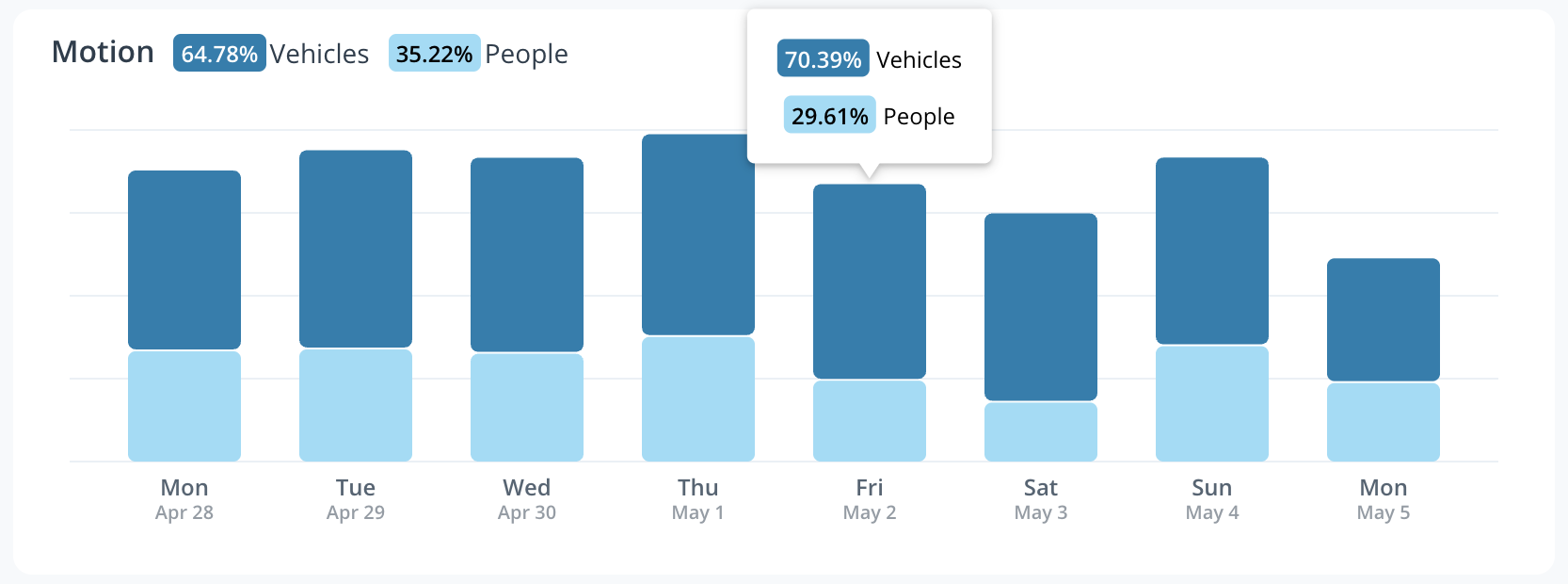
### Motion Activity
The **Motion** timeline shows the volume of motion detected in the frame over a period of time. You can move your cursor over the timeline and see the stats associated with the motion.
---
# Agent Instructions
This documentation is published with GitBook. GitBook is the documentation platform designed so that both humans and AI agents can read, navigate, and reason over technical content effectively. Learn more at gitbook.com.
## Querying This Documentation
If you need additional information that is not directly available in this page, you can query the documentation by asking a question.
Perform an HTTP GET request on the following URL with the `ask` and `goal` query parameters:
```
GET https://help.verkada.com/verkada-cameras/analytics/camera-stats.md?ask=&goal=
```
`ask` is the immediate question: it should be specific, self-contained, and written in natural language.
`goal` is what the user is ultimately trying to achieve, the reason they need the answer. Sharing it helps GitBook give you a better, more relevant answer. A goal is most helpful when it describes the outcome the user wants rather than restating the question. For example, with `ask=how do I create an API token`, a goal like `automate deployments from our CI pipeline` lets GitBook tailor the answer to that use case.
The response will contain a direct answer to the question and relevant excerpts and sources from the documentation.
Use this mechanism when the answer is not explicitly present in the current page, you need clarification or additional context, or you want to retrieve related documentation sections.