> For the complete documentation index, see [llms.txt](https://help.verkada.com/llms.txt). Markdown versions of documentation pages are available by appending `.md` to page URLs; this page is available as [Markdown](https://help.verkada.com/new-alarms/ja/reptoto/save-the-verkada-alarms-monitoring-phone-number-for-new-alarms/verkada-monitoring-phone-numbers-canada.md).
# Verkada 監視電話番号 - カナダ
州ごとに正しいカナダの緊急出動電話番号を確認する
{% hint style="success" %}
この記事は新しいアラームのガイドです。こちらを参照してください。 [New アラームと Classic アラームの違い](/new-alarms/ja/hajimeni/new-alarms-vs-classic-alarms.md) どのバージョンのアラームをお使いか不明な場合は、こちらをご覧ください。
{% endhint %}
カナダでは、出動先の電話番号は州、自治体、場合によってはサイトの正確な番地によっても異なることがあります。そのため、各サイトごとに出動先情報を入力し、確認する必要があります。
***
### ローカルの出動先番号を特定する
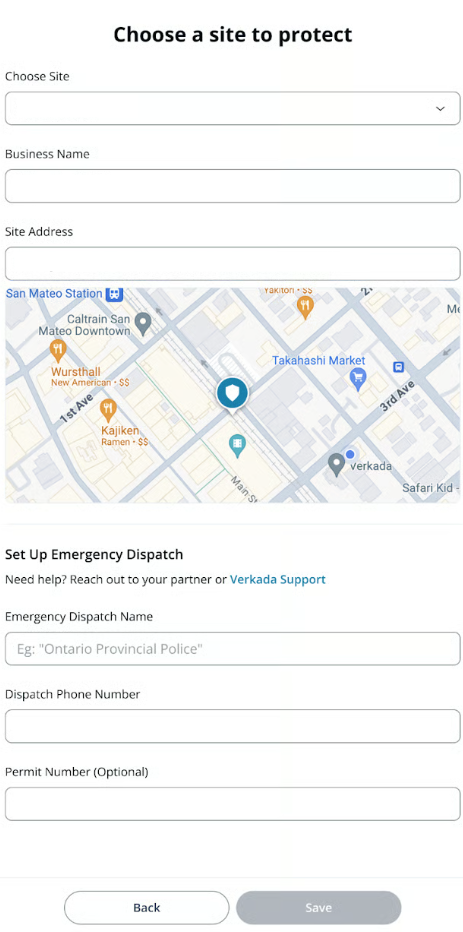
正しい出動先名(PSAP、または Public Safety Answering Point とも呼ばれます)と出動先の電話番号を入手するには、パートナーにお問い合わせください。この情報を見つけられない場合は、 [Verkadaサポート](https://www.verkada.com/contact/).
正しい出動先番号がわかったら、カナダの [アラームサイト](/new-alarms/ja/she-ding/alarm-sites.md).
{% hint style="danger" %}
カナダのサイトについて、正しい緊急通報先ルーティング番号を入力し、特定のアラームサイトの場所に対してその正確性を確認する責任は、オーガナイゼーションにあります。現地の緊急出動番号の確認を怠ると、通話の誤転送や対応の遅延につながる可能性があります。Verkadaは、オーガナイゼーションが入力したルーティング番号の正確性や適切性を検証する責任を負わず、誤った設定に起因する損害について一切の責任を負いません。
{% endhint %}
---
# Agent Instructions
This documentation is published with GitBook. GitBook is the documentation platform designed so that both humans and AI agents can read, navigate, and reason over technical content effectively. Learn more at gitbook.com.
## Querying This Documentation
If you need additional information that is not directly available in this page, you can query the documentation dynamically by asking a question.
Perform an HTTP GET request on the current page URL with the `ask` query parameter, and the optional `goal` query parameter:
```
GET https://help.verkada.com/new-alarms/ja/reptoto/save-the-verkada-alarms-monitoring-phone-number-for-new-alarms/verkada-monitoring-phone-numbers-canada.md?ask=&goal=
```
`ask` is the immediate question: it should be specific, self-contained, and written in natural language.
`goal` is optional and describes the broader end goal you are ultimately trying to accomplish on behalf of the user. GitBook uses it to tailor the answer towards what is most useful for that goal.
The response will contain a direct answer to the question and relevant excerpts and sources from the documentation.
Use this mechanism when the answer is not explicitly present in the current page, you need clarification or additional context, or you want to retrieve related documentation sections.