> For the complete documentation index, see [llms.txt](https://help.verkada.com/llms.txt). Markdown versions of documentation pages are available by appending `.md` to page URLs; this page is available as [Markdown](https://help.verkada.com/intercom/ja/she-zhi/td5363-intercom-lens-cover-replacement.md).

# TD53/63 Intercom レンズカバーの交換

清掃または交換のために TD53/63 のレンズカバーを取り外す

* T6H/TR6 トルクスドライバー（iFixit のケースでは TR6 としても記載されている）
* PH0 プラス（Philips）ドライバー

***

**交換**

{% stepper %}
{% step %}
**T6H/TR6 トルクスドライバーを使用して、レンズカバーシュラウド底部のネジを外します。**
{% endstep %}

{% step %}
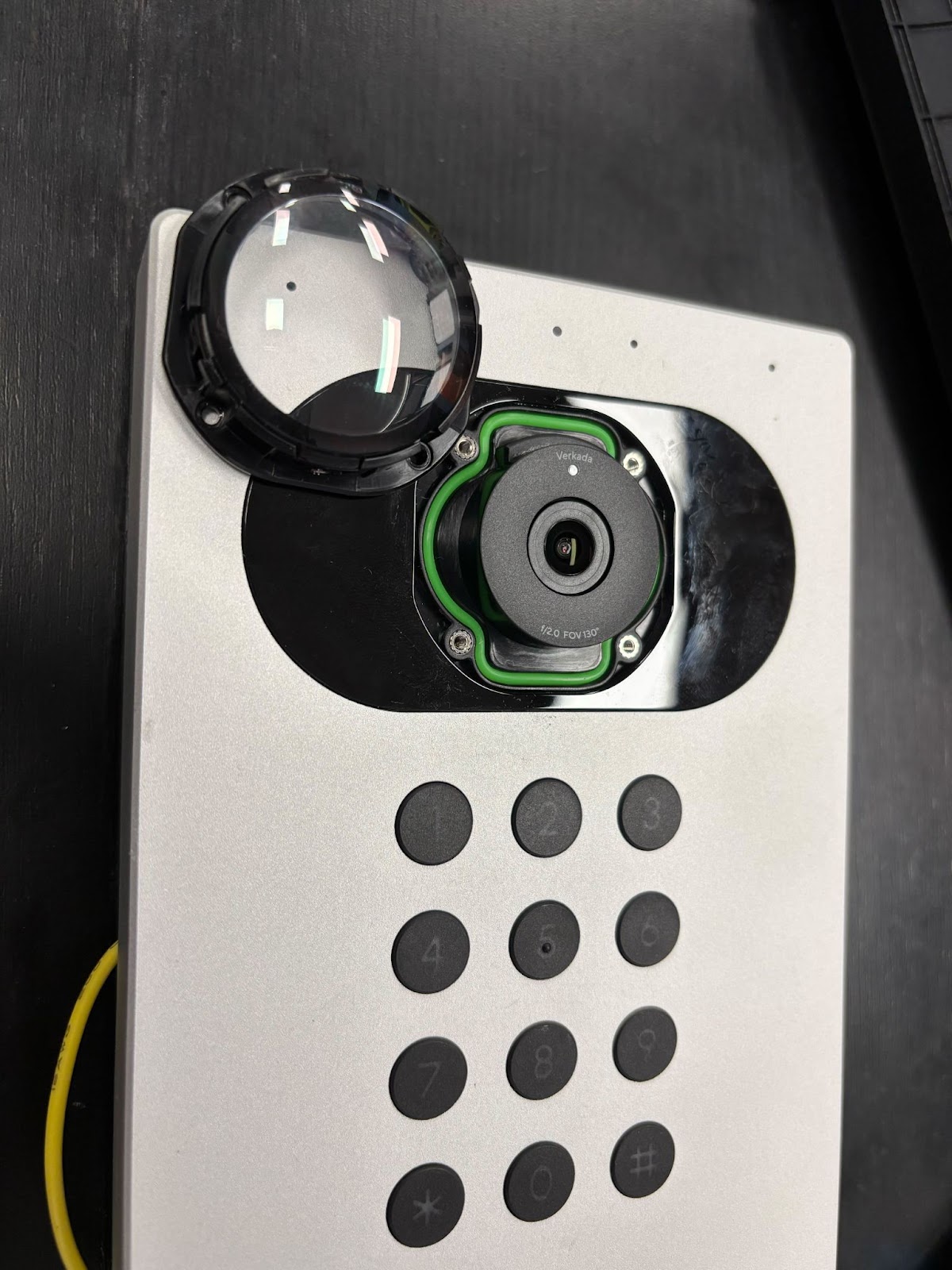
**レンズシュラウドを反時計回りに約45度回転させ、ロッキングシュラウドとトルクスネジを取り外して保管します。シュラウドは簡単に外れるはずです。外れない場合は、リリースポイントを探しながらやさしく揺らしてください。**
{% endstep %}

{% step %}
**PH0 ドライバーでレンズカバーの周囲にある4本のネジを外します。**
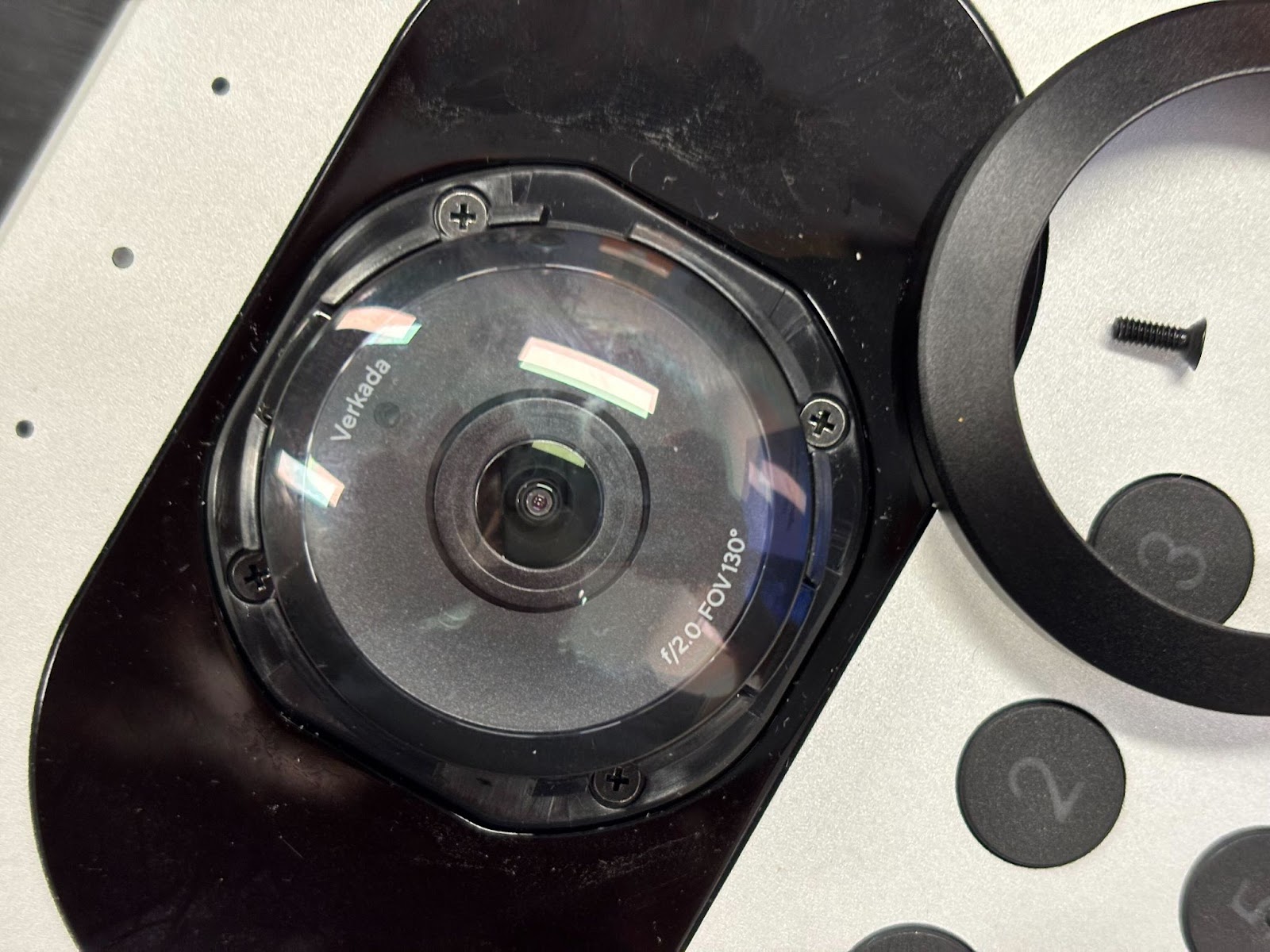
<div align="left" data-with-frame="true"><img src="https://900126207-files.gitbook.io/~/files/v0/b/gitbook-x-prod.appspot.com/o/spaces%2FTH6kITd3Fb5UOnnsfQ9r%2Fuploads%2Fgit-blob-2ac732de77eaafd87b22d778670ef2c7472e9978%2Fe1f0fce4a6f683152c11c51130207539437f929b.jpg?alt=media" alt="" width="800"></div>
{% endstep %}

{% step %}
**レンズカバーを引き抜きます。**

<div align="left" data-with-frame="true"><img src="https://900126207-files.gitbook.io/~/files/v0/b/gitbook-x-prod.appspot.com/o/spaces%2FTH6kITd3Fb5UOnnsfQ9r%2Fuploads%2Fgit-blob-01e7e9da824c990ab3c7e2bd0a043c851a4b52a3%2F24c42c0cd1db3c248c5538e1f4c4970e3d99346c.jpg?alt=media" alt="" width="600"></div>
{% endstep %}

{% step %}
**レンズカバーを清掃するか交換し、逆の手順で再組立てします。レンズやカバー内部に指紋を残さないようにし、ネジを締めすぎないでください。**
{% endstep %}
{% endstepper %}

{% embed url="<https://player.vimeo.com/video/1069280998>" %}


---

# Agent Instructions
This documentation is published with GitBook. GitBook is the documentation platform designed so that both humans and AI agents can read, navigate, and reason over technical content effectively. Learn more at gitbook.com.

## Querying This Documentation
If you need additional information that is not directly available in this page, you can query the documentation by asking a question.

Perform an HTTP GET request on the following URL with the `ask` and `goal` query parameters:

```
GET https://help.verkada.com/intercom/ja/she-zhi/td5363-intercom-lens-cover-replacement.md?ask=<question>&goal=<user_goal>
```

`ask` is the immediate question: it should be specific, self-contained, and written in natural language.
`goal` is what the user is ultimately trying to achieve, the reason they need the answer. Sharing it helps GitBook give you a better, more relevant answer. A goal is most helpful when it describes the outcome the user wants rather than restating the question. For example, with `ask=how do I create an API token`, a goal like `automate deployments from our CI pipeline` lets GitBook tailor the answer to that use case.

The response will contain a direct answer to the question and relevant excerpts and sources from the documentation.

Use this mechanism when the answer is not explicitly present in the current page, you need clarification or additional context, or you want to retrieve related documentation sections.