> For the complete documentation index, see [llms.txt](https://help.verkada.com/llms.txt). Markdown versions of documentation pages are available by appending `.md` to page URLs; this page is available as [Markdown](https://help.verkada.com/intercom/de/konfiguration/configure-a-td52/td52-status-leds.md).
# TD52-Status-LEDs
Erfahren Sie mehr über den LED-Status einer Verkada TD52 Video-Intercom
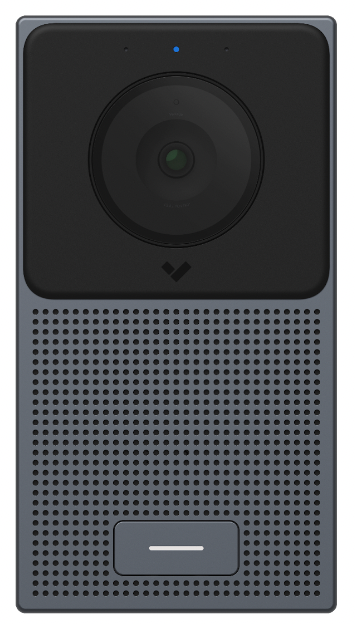
Der [Verkada TD52 Video-Intercom](https://www.verkada.com/intercom/td52/) verwendet 2 Sätze von LED-Statusleuchten:
* 1 blaue LED (oberhalb der Kamera gelegen)—zeigt den aktuellen Status des Geräts an. Die Kamera zeichnet weiterhin auf, unabhängig davon, ob sie in Verkada Command sichtbar ist.
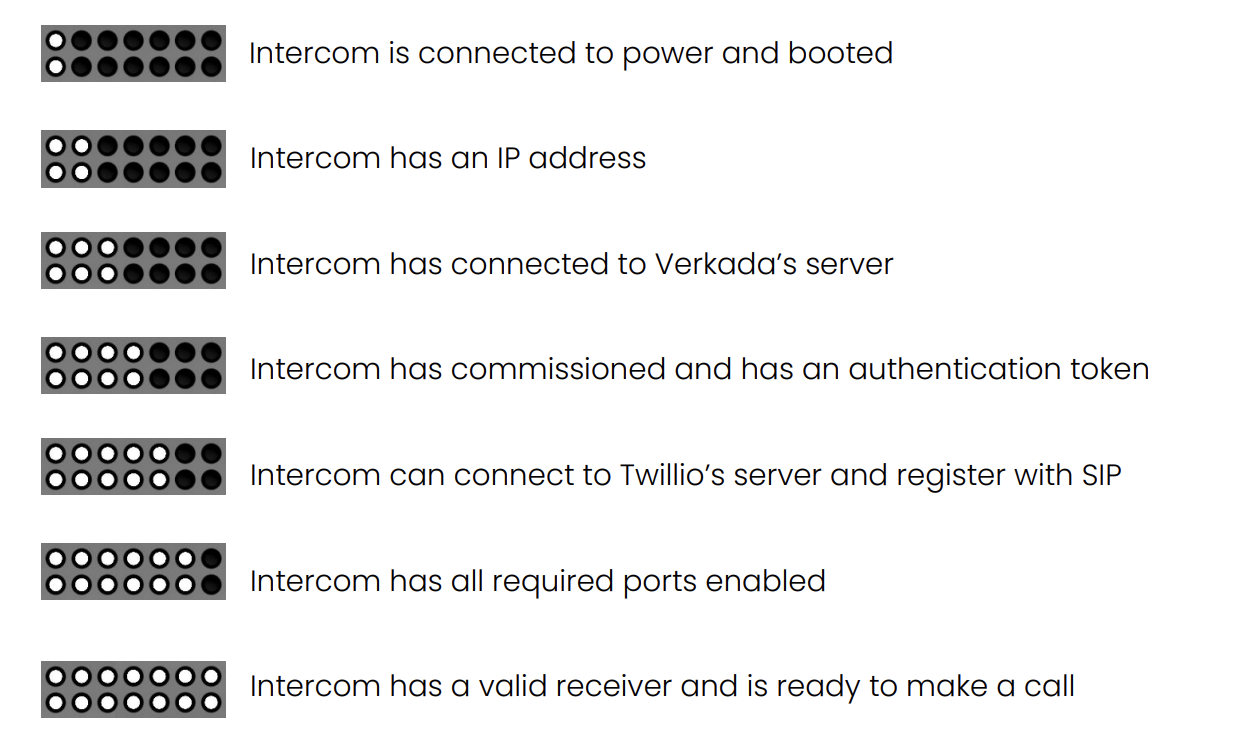
* 6 weiße LEDs (oberhalb der Ruftaste gelegen)—zeigt die Phase der Gegensprechanlage im Einrichtungsprozess an.
***
## Status-LEDs
Die LED-Statusleuchte besteht aus den folgenden Zuständen:
* Dauerhaft orange—Startet
* Blinkt orange—Firmware wird aktualisiert
* Blinkt blau—Netzwerkverbindung wird hergestellt
* Dauerhaft blau—Vollständig funktionsfähig
* Blinkt pink—Identifizieren
**Beispiel**: Vollständig online und funktionsfähige Gegensprechanlage
### Fortschritt der Einrichtung für Status-LEDs
Wenn Sie die Gegensprechanlage zum ersten Mal einschalten, erscheint eine weiße LED. Die LEDs schreiten mit dem Einrichtungsfortschritt voran (bis zu 5 weitere LEDs leuchten auf). Diese Status-LEDs sind im Wesentlichen eine Fortschrittsanzeige, die zeigt, wie weit die Gegensprechanlage beim ersten Herstellen der Online-Verbindung fortgeschritten ist.
{% hint style="warning" %}
Die Statusanzeige bleibt nicht bestehen, nachdem die Gegensprechanlage vollständig konfiguriert wurde. Die Statusanzeige erscheint erst wieder, nachdem sie außer Betrieb genommen und dann erneut zu Command hinzugefügt wurde.
{% endhint %}
---
# Agent Instructions
This documentation is published with GitBook. GitBook is the documentation platform designed so that both humans and AI agents can read, navigate, and reason over technical content effectively. Learn more at gitbook.com.
## Querying This Documentation
If you need additional information that is not directly available in this page, you can query the documentation by asking a question.
Perform an HTTP GET request on the following URL with the `ask` and `goal` query parameters:
```
GET https://help.verkada.com/intercom/de/konfiguration/configure-a-td52/td52-status-leds.md?ask=&goal=
```
`ask` is the immediate question: it should be specific, self-contained, and written in natural language.
`goal` is what the user is ultimately trying to achieve, the reason they need the answer. Sharing it helps GitBook give you a better, more relevant answer. A goal is most helpful when it describes the outcome the user wants rather than restating the question. For example, with `ask=how do I create an API token`, a goal like `automate deployments from our CI pipeline` lets GitBook tailor the answer to that use case.
The response will contain a direct answer to the question and relevant excerpts and sources from the documentation.
Use this mechanism when the answer is not explicitly present in the current page, you need clarification or additional context, or you want to retrieve related documentation sections.