> For the complete documentation index, see [llms.txt](https://help.verkada.com/llms.txt). Markdown versions of documentation pages are available by appending `.md` to page URLs; this page is available as [Markdown](https://help.verkada.com/intercom/de/installation/td5363-intercom-lens-cover-replacement.md).

# Austausch der TD53/63-Intercom-Linsenabdeckung

Entfernen Sie die Linsenabdeckung der TD53/63 zur Reinigung oder zum Austausch

* T6H/TR6-Torx-Schraubendreher (in einem iFixit-Fall auch als TR6 aufgeführt)
* PH0-Phillips-Schraubendreher

***

**Ersatz**

{% stepper %}
{% step %}
**Verwenden Sie den T6H/TR6-Torx-Schraubendreher, um die Schraube an der Unterseite der Linsenabdeckung zu entfernen.**
{% endstep %}

{% step %}
**Drehen Sie die Linsenabdeckung etwa 45 Grad gegen den Uhrzeigersinn, entfernen Sie dann die Verriegelungsabdeckung und die Torx-Schraube und bewahren Sie sie auf. Die Abdeckung sollte sich leicht abnehmen lassen; wenn nicht, bewegen Sie sie vorsichtig hin und her, um den Entriegelungspunkt zu finden.**
{% endstep %}

{% step %}
**Entfernen Sie die vier Schrauben am Rand der Linsenabdeckung mit dem PH0-Schraubendreher.**
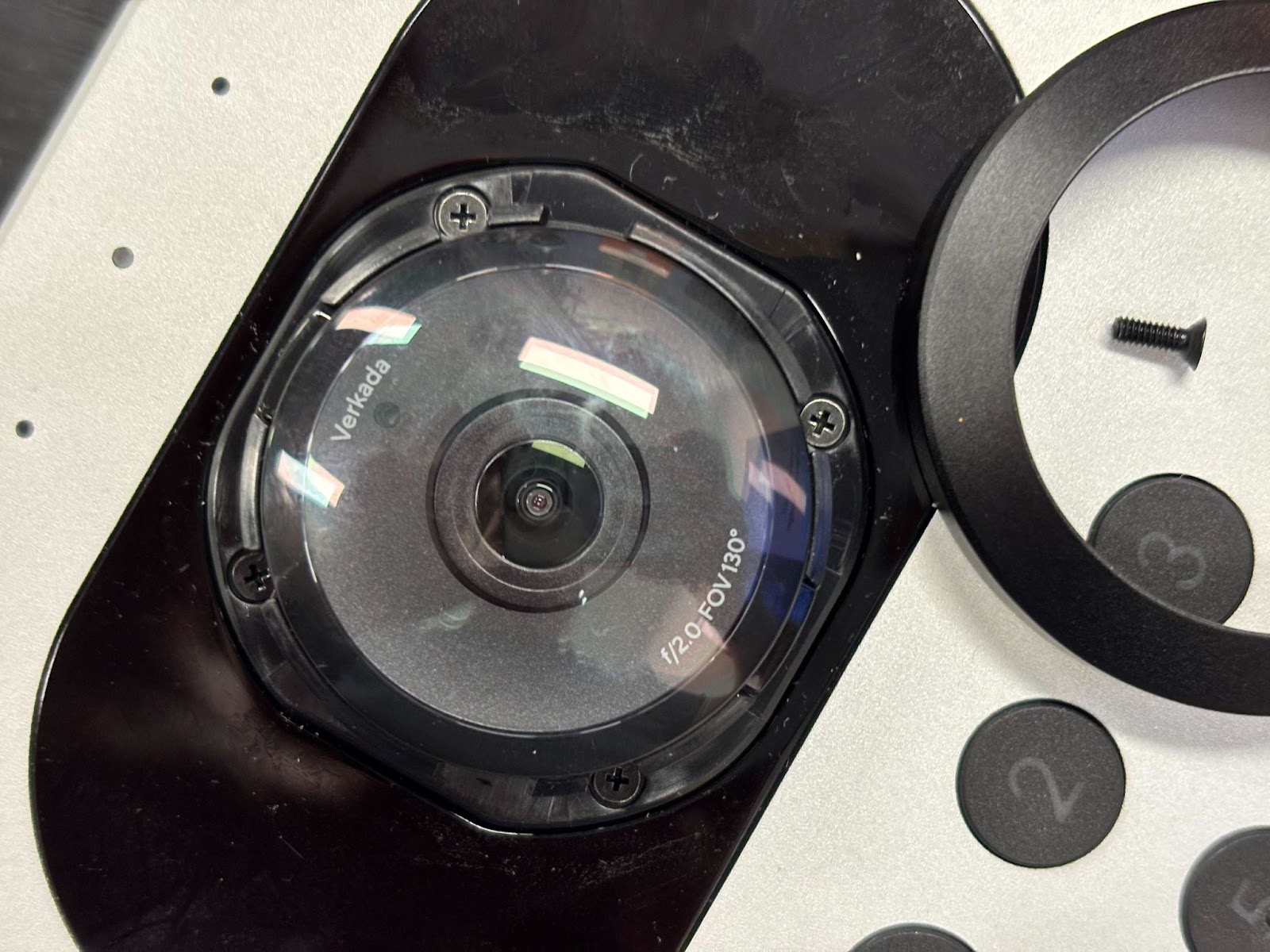
<div align="left" data-with-frame="true"><img src="https://925949656-files.gitbook.io/~/files/v0/b/gitbook-x-prod.appspot.com/o/spaces%2FTH6kITd3Fb5UOnnsfQ9r%2Fuploads%2Fgit-blob-2ac732de77eaafd87b22d778670ef2c7472e9978%2Fe1f0fce4a6f683152c11c51130207539437f929b.jpg?alt=media" alt="" width="800"></div>
{% endstep %}

{% step %}
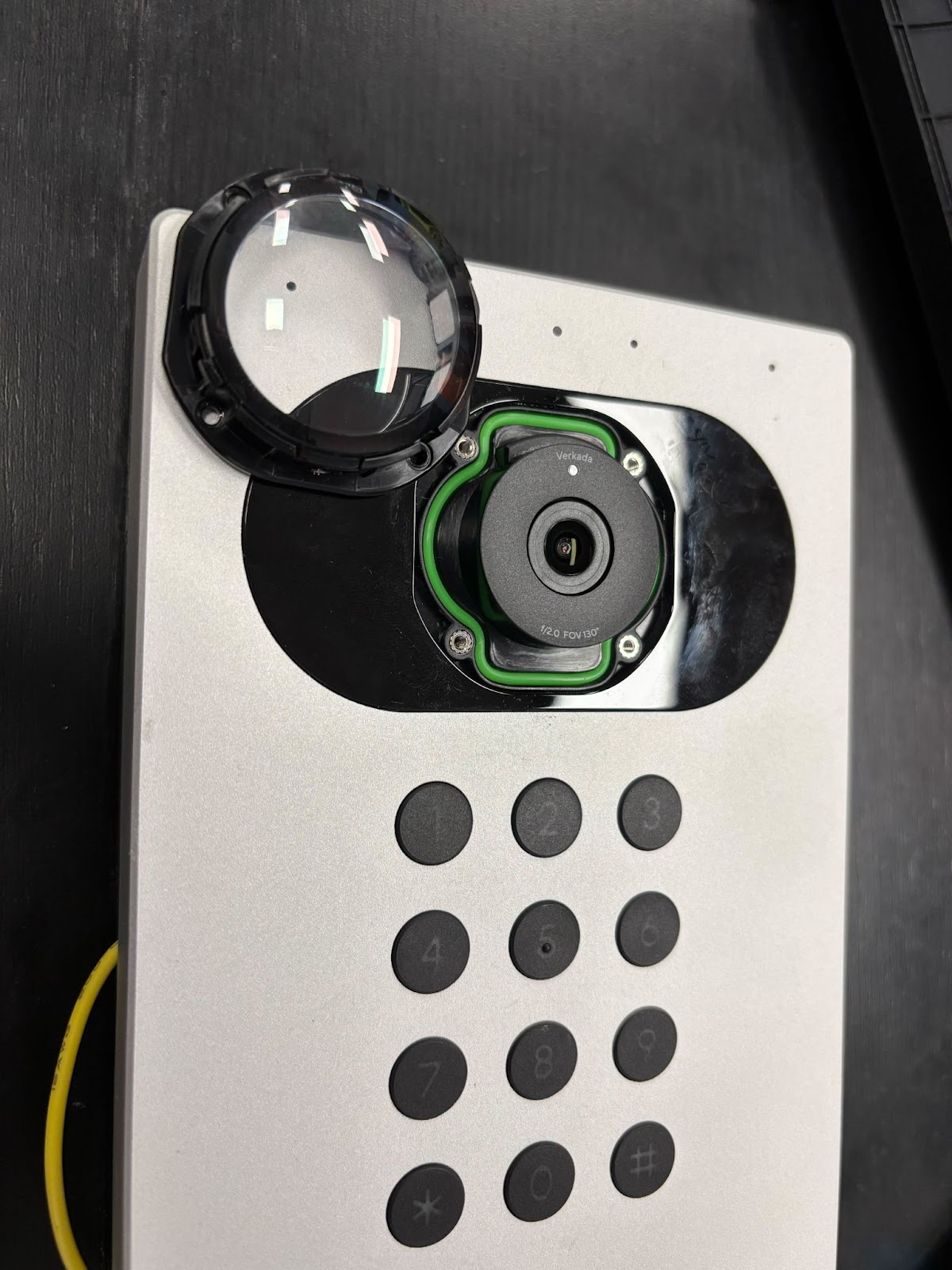
**Ziehen Sie die Linsenabdeckung ab.**

<div align="left" data-with-frame="true"><img src="https://925949656-files.gitbook.io/~/files/v0/b/gitbook-x-prod.appspot.com/o/spaces%2FTH6kITd3Fb5UOnnsfQ9r%2Fuploads%2Fgit-blob-01e7e9da824c990ab3c7e2bd0a043c851a4b52a3%2F24c42c0cd1db3c248c5538e1f4c4970e3d99346c.jpg?alt=media" alt="" width="600"></div>
{% endstep %}

{% step %}
**Reinigen oder ersetzen Sie die Linsenabdeckung und bauen Sie sie dann in umgekehrter Reihenfolge wieder zusammen. Vermeiden Sie Fingerabdrücke auf der Linse oder im Inneren der Abdeckung, und ziehen Sie die Schrauben nicht zu fest an.**
{% endstep %}
{% endstepper %}

{% embed url="<https://player.vimeo.com/video/1069280998>" %}


---

# Agent Instructions
This documentation is published with GitBook. GitBook is the documentation platform designed so that both humans and AI agents can read, navigate, and reason over technical content effectively. Learn more at gitbook.com.

## Querying This Documentation
If you need additional information that is not directly available in this page, you can query the documentation by asking a question.

Perform an HTTP GET request on the following URL with the `ask` and `goal` query parameters:

```
GET https://help.verkada.com/intercom/de/installation/td5363-intercom-lens-cover-replacement.md?ask=<question>&goal=<user_goal>
```

`ask` is the immediate question: it should be specific, self-contained, and written in natural language.
`goal` is what the user is ultimately trying to achieve, the reason they need the answer. Sharing it helps GitBook give you a better, more relevant answer. A goal is most helpful when it describes the outcome the user wants rather than restating the question. For example, with `ask=how do I create an API token`, a goal like `automate deployments from our CI pipeline` lets GitBook tailor the answer to that use case.

The response will contain a direct answer to the question and relevant excerpts and sources from the documentation.

Use this mechanism when the answer is not explicitly present in the current page, you need clarification or additional context, or you want to retrieve related documentation sections.
