> For the complete documentation index, see [llms.txt](https://help.verkada.com/llms.txt). Markdown versions of documentation pages are available by appending `.md` to page URLs; this page is available as [Markdown](https://help.verkada.com/guest/ja/she-ding/guest-security-screening/review-security-screening-results.md).
# セキュリティスクリーニング結果を確認
スタッフが不要な訪問者を自信を持って識別できるようにします。
組織がセキュリティ審査機能を使用すると、セキュリティ審査結果は数秒で返されます。スタッフは、来訪者に対して返された録画を確認し、それらの録画が来訪者と一致するかどうかを判断する必要があります。
***
## 結果を確認
{% hint style="warning" %}
ユーザーは **Workplace サイト閲覧者** セキュリティ審査を確認するには。
{% endhint %}
来訪者に対するセキュリティ審査結果が返されると、スタッフに結果の確認が求められます。スタッフは次を行う必要があります:
{% stepper %}
{% step %}
**ゲストが提示したIDカードを、統合された違反者データベースから返された情報と照合して目視確認します。**
{% endstep %}
{% step %}
**一致するかどうかを示します。**
{% endstep %}
{% step %}
**最終確認を行います。**
{% endstep %}
{% endstepper %}
高品質の録画が最初にスタッフに表示されます。これらの録画には、違反者の写真が含まれているか、違反者の生年月日が正確に含まれています。組織は、未完了の録画を確認する必要があるかどうかを、 [不完全な録画を非表示](/guest/ja/she-ding/guest-security-screening/security-screening-settings.md) 切り替え
### 以前却下した一致のリスト
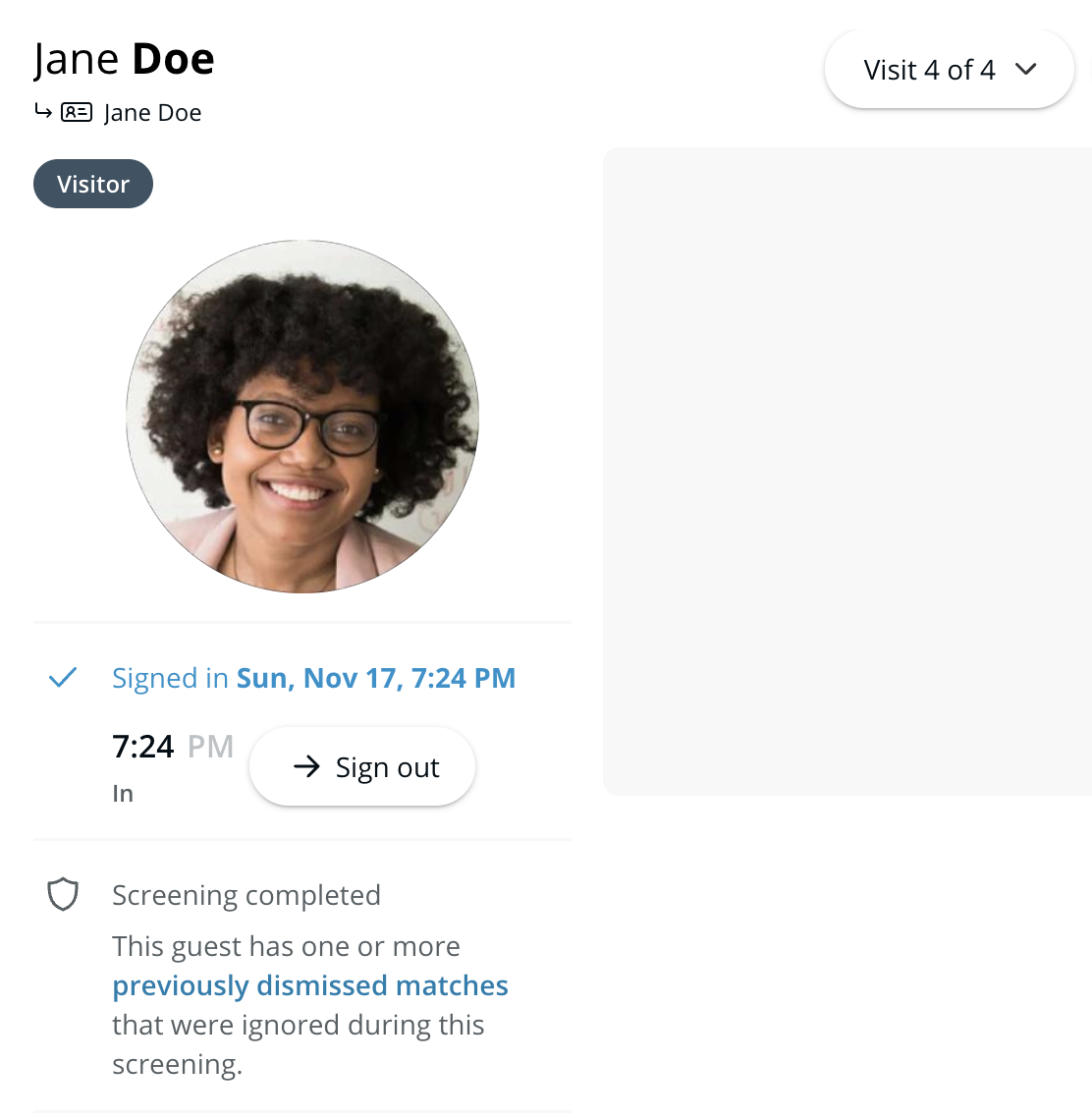
来訪者がいずれのセキュリティ審査録画にも一致しない場合、セキュリティ審査を確認しているGuestユーザーは、その来訪者を「以前却下した一致のリスト」に追加できます。
このリストに追加されると、却下された録画は、同じ名前と生年月日の来訪者には表示されません。将来、このリストにある来訪者に対して他の録画が返された場合、それらの録画は確認する必要があります。
誰かが「以前却下した一致のリスト」に追加されたとき、スタッフは、以下に登録していれば自動的に通知を受け取ることができます [スタッフ通知](/guest/ja/she-ding/guest-security-screening/security-screening-settings.md)。 「以前却下した一致のリスト」にある来訪者が戻ってくると、訪問詳細に、その来訪者について録画が却下されたことを示すメモが表示されます。
***
## 確認済みの一致に対応する
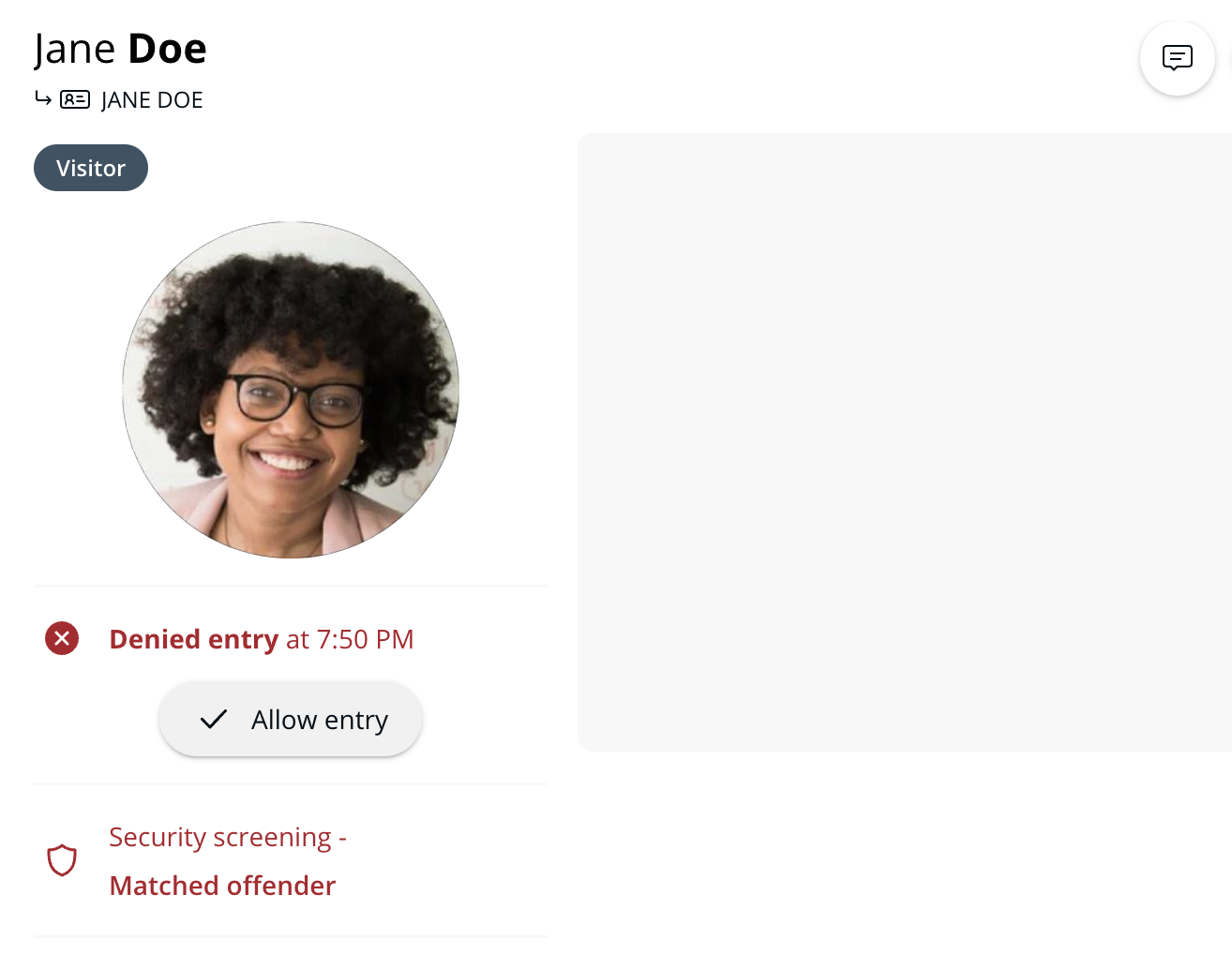
スタッフが来訪者と違反者の録画の一致を確認すると、Guest はスタッフ通知に登録された連絡先に自動的に通知します。この訪問は記録され、拒否として扱われます。
スタッフは、該当する訪問ログに移動して次を選択することで、録画に一致した来訪者の入場を許可することもできます **入場を許可**:
訪問ログには、セキュリティ審査で入場を拒否された来訪者に入場を許可したスタッフが表示されます。
***
## ID情報を手動で確認
来訪者のIDが正常にスキャンできない場合、スタッフにID情報の手動入力が求められます。
スタッフがID情報を確認すると、その収集した情報に対してセキュリティ審査が実施されます。
***
## FAQ
スタッフがセキュリティ審査結果を確認する時間はどのくらいありますか?
スタッフは、来訪者がサインインしてから5時間以内にセキュリティ審査結果を確認する必要があります。5時間を過ぎると、セキュリティ審査結果が返された来訪者は承認できず、再度サインインする必要があります。
***
{% hint style="info" %}
**実際の動きを見ますか?** こちらをチェック [ビデオチュートリアル](https://www.youtube.com/watch?v=Y9SH2w1glvY).
{% endhint %}
---
# Agent Instructions
This documentation is published with GitBook. GitBook is the documentation platform designed so that both humans and AI agents can read, navigate, and reason over technical content effectively. Learn more at gitbook.com.
## Querying This Documentation
If you need additional information that is not directly available in this page, you can query the documentation by asking a question.
Perform an HTTP GET request on the following URL with the `ask` and `goal` query parameters:
```
GET https://help.verkada.com/guest/ja/she-ding/guest-security-screening/review-security-screening-results.md?ask=&goal=
```
`ask` is the immediate question: it should be specific, self-contained, and written in natural language.
`goal` is what the user is ultimately trying to achieve, the reason they need the answer. Sharing it helps GitBook give you a better, more relevant answer. A goal is most helpful when it describes the outcome the user wants rather than restating the question. For example, with `ask=how do I create an API token`, a goal like `automate deployments from our CI pipeline` lets GitBook tailor the answer to that use case.
The response will contain a direct answer to the question and relevant excerpts and sources from the documentation.
Use this mechanism when the answer is not explicitly present in the current page, you need clarification or additional context, or you want to retrieve related documentation sections.