> For the complete documentation index, see [llms.txt](https://help.verkada.com/llms.txt). Markdown versions of documentation pages are available by appending `.md` to page URLs; this page is available as [Markdown](https://help.verkada.com/guest/configuration/guest-security-screening/review-security-screening-results.md).
# Review Security Screening Results
Empower your staff to confidently identify unwanted visitors.
When organizations use the security screening feature, security screening results can be returned in a matter of seconds. Staff will occasionally need to review records that are returned for a visitor and determine whether the returned records match the visitor.
***
## Review results
{% hint style="warning" %}
A user must be a **Workplace Site Viewer** to review security screens.
{% endhint %}
When security screening results are returned for a visitor staff will be prompted to review the results. Staff must:
{% stepper %}
{% step %}
**Visually inspect the ID card provided by the guest against the information returned from the aggregated offender databases.**
{% endstep %}
{% step %}
**Indicate whether it is a match.**
{% endstep %}
{% step %}
**Provide final confirmation.**
{% endstep %}
{% endstepper %}
High quality records are shown to staff first. These records include a photo of the offender or contain an exact date of birth of the offender. Organizations can choose whether incomplete records need to be reviewed using the [Hide Incomplete Records](/guest/configuration/guest-security-screening/security-screening-settings.md) toggle.
### Previously Dismissed Matches List
If a visitor does not match any security screening record, the Guest user reviewing the security screen can add the visitor to the Previously Dismissed Matches list.
When added to this list, the dismissed records will not appear for visitor of the same name and date of birth. If any other records are returned for a visitor on this list in the future, these records must be reviewed.
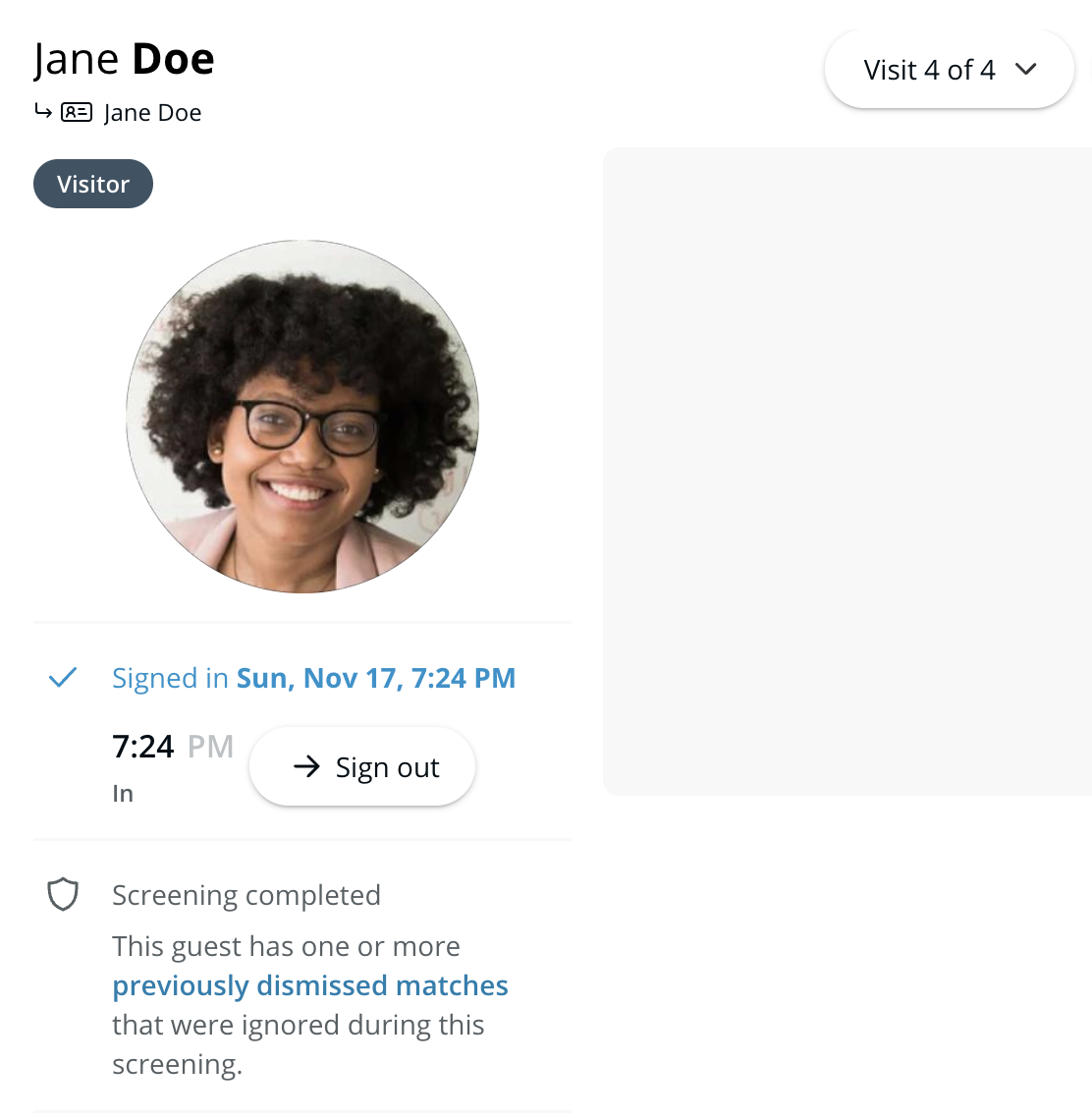
Staff can automatically be notified when someone is added to the Previously Dismissed Matches list if they are enrolled in [staff notifications](/guest/configuration/guest-security-screening/security-screening-settings.md). When a visitor on the Previously Dismissed Matches list returns, a note will appear in visit details that indicates that records were dismissed for the visitor.
***
## Respond to confirmed matches
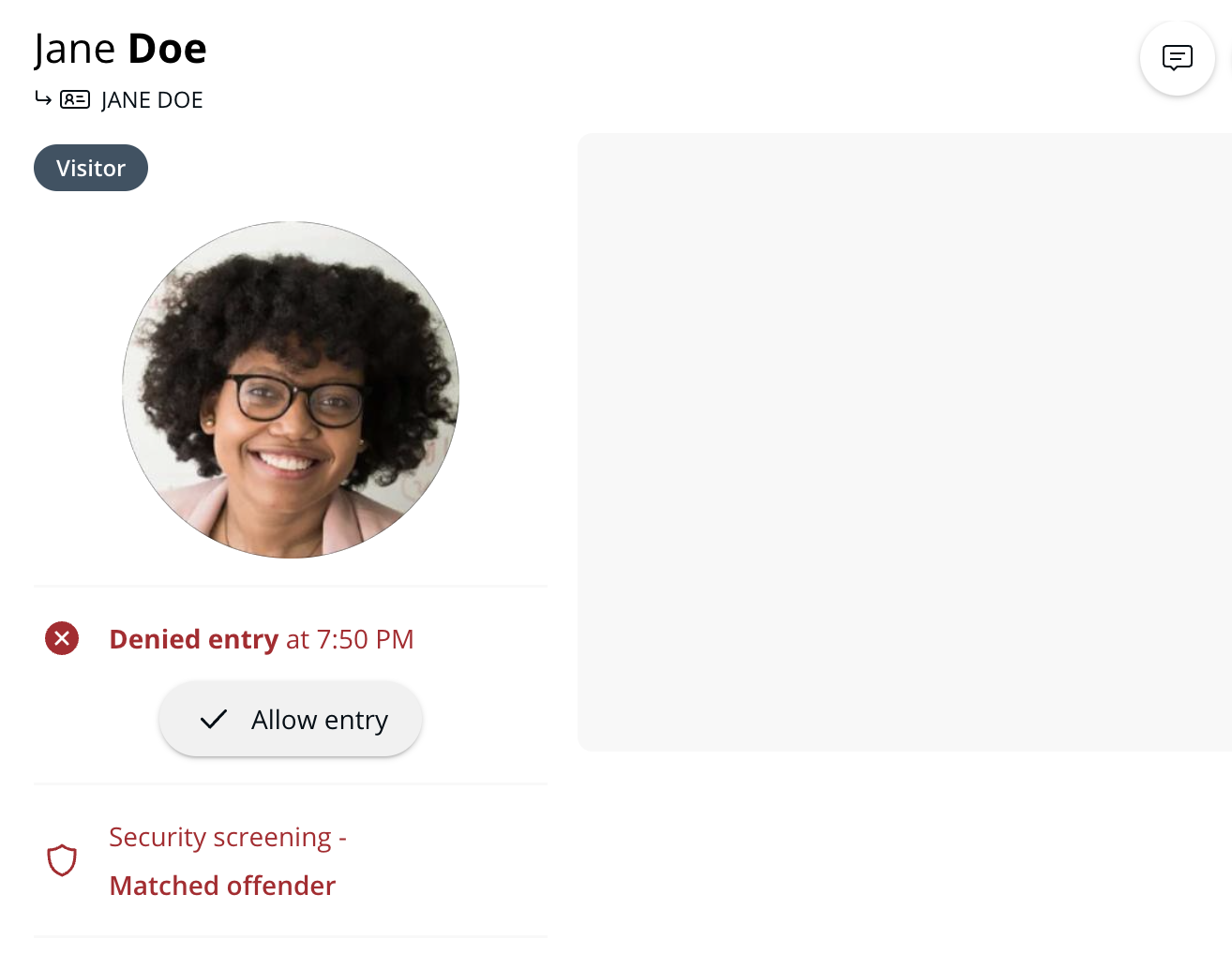
When staff confirm a match between a visitor and an offender record, Guest will automatically notify contacts listed in staff notifications. The visit is logged in and treated as denied.
Staff may still allow entry to a visitor who is matched to a record by navigating to the desired visit log and selecting **Allow entry**:
The visit log indicates which staff member allowed entry to visitors who were denied entry from the security screening.
***
## Manual confirm ID information
In case a visitor’s ID does not successfully scan, staff will be prompted to manually input ID information.
Once staff confirm ID information, a security screening is conducted on the information they collected.
***
## FAQ
How much time do staff members have to review security screening results?
Staff members must review security screen results within 5 hours of a visitor signing in. After 5 hours a visitor who elicited security screening results cannot be approved and will need to sign in again.
***
{% hint style="info" %}
**Prefer to see it in action?** Check out the [video tutorial](https://www.youtube.com/watch?v=Y9SH2w1glvY).
{% endhint %}
---
# Agent Instructions
This documentation is published with GitBook. GitBook is the documentation platform designed so that both humans and AI agents can read, navigate, and reason over technical content effectively. Learn more at gitbook.com.
## Querying This Documentation
If you need additional information that is not directly available in this page, you can query the documentation by asking a question.
Perform an HTTP GET request on the following URL with the `ask` and `goal` query parameters:
```
GET https://help.verkada.com/guest/configuration/guest-security-screening/review-security-screening-results.md?ask=&goal=
```
`ask` is the immediate question: it should be specific, self-contained, and written in natural language.
`goal` is what the user is ultimately trying to achieve, the reason they need the answer. Sharing it helps GitBook give you a better, more relevant answer. A goal is most helpful when it describes the outcome the user wants rather than restating the question. For example, with `ask=how do I create an API token`, a goal like `automate deployments from our CI pipeline` lets GitBook tailor the answer to that use case.
The response will contain a direct answer to the question and relevant excerpts and sources from the documentation.
Use this mechanism when the answer is not explicitly present in the current page, you need clarification or additional context, or you want to retrieve related documentation sections.