> For the complete documentation index, see [llms.txt](https://help.verkada.com/llms.txt). Markdown versions of documentation pages are available by appending `.md` to page URLs; this page is available as [Markdown](https://help.verkada.com/connectivity/ja/mobairudtanoopushon/bring-your-own-data-plan.md).
# 自分のデータプランを持ち込む
Verkada Cellular Gatewayで自分のデータプランとSIMカードを使用する方法を詳しく学ぶ
お客様は、ご自身の(BYO)データプランを GC31 Cellular Gateway で使用できます。この場合、Verkada のデータライセンスを購入する必要はありません。
GC31 がお客様提供の SIM を使用している場合:
* ゲートウェイはサードパーティ製デバイスへの通信を制限しません
* [スマート データ使用](/connectivity/ja/mobairudtanoopushon/smart-data-usage.md) は無効にできます。これにより、次が可能になります:
* 接続された Verkada カメラでクラウドバックアップと RTSP を有効にする
* BK11/21 アラーム キーパッドおよび BC82 アラーム コンソールでビデオ ストリーミング機能を有効にする
***
## 自動 SIM フェイルオーバー付きデュアル SIM
GC31 と GC31-E には [2 つの SIM スロット](/connectivity/ja/she-ding/add-cellular-gateway-to-command/cellular-gateway-dual-sim-support.md) がそれぞれあります:
* スロット 1(プライマリ)—デフォルト
* スロット 2(セカンダリ)—Verkada のデータ SIM があらかじめ挿入されています
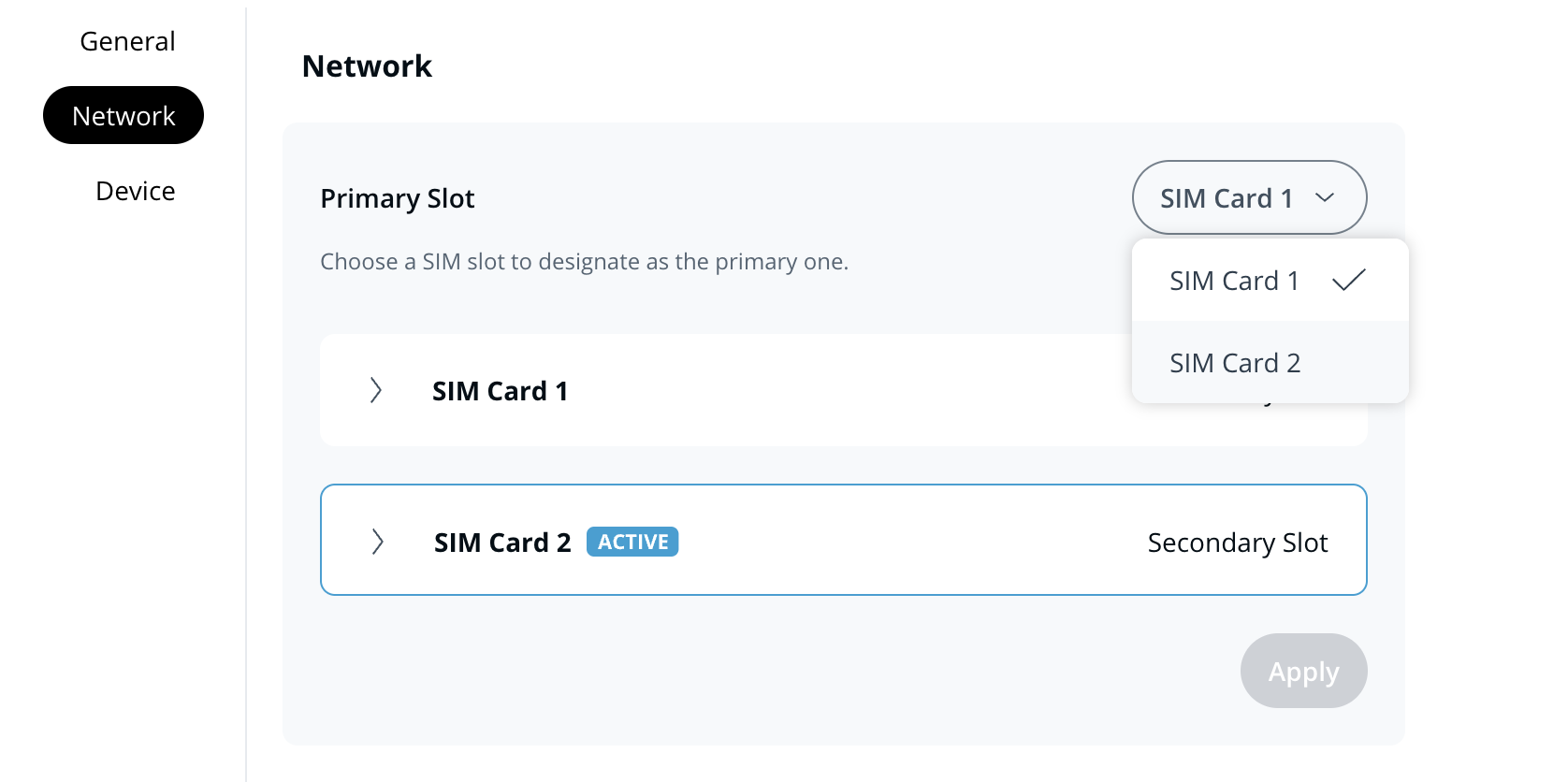
スロット 1 にご自身の SIM カードを挿入し、スロット 2 に Verkada の SIM カードを入れておくことをおすすめします。お客様提供の SIM は **プライマリ** として機能し、必要に応じて Verkada SIM にフェイルオーバーします。
お客様は両方のスロットにご自身の SIM カードを挿入し、どちらのスロットをプライマリにするかを設定することもできます。
{% hint style="warning" %}
BYO SIMがVerkada SIMにフェイルオーバーすると、カメラ映像をストリーミングするにはデータライセンスが必要です。データライセンスがなくても、トラブルシューティングのためにゲートウェイへ接続することは引き続き可能です。詳細は [Verkada データプラン](/connectivity/ja/mobairudtanoopushon/verkada-data-plan.md) 詳細については。
{% endhint %}
***
## 検証済みの通信事業者
GC31 は、世界中のほとんどの主要通信事業者の SIM カードに対応しています。以下の通信事業者は Verkada によってテストおよび検証されています。その他の通信事業者も対応している可能性がありますが、Verkada によるテストは行われていません。
| | |
| ------- | ---------------------- |
| **国** | **キャリア** |
| 米国 | Verizon、T-Mobile、AT\&T |
| カナダ | Telus、Bell、Rogers |
| 英国 | Three、Vodafone、EE |
| オーストラリア | Optus、Telstra、Vodafone |
***
## よくある質問
Verkada SIM はどのようにフェイルオーバーとして動作しますか?
ご自身の SIM(プライマリ SIM)が基地局から切断された場合、デバイスには接続状況を継続的にモニターする仕組みがあります。切断を検知すると、Verkada SIM カード(セカンダリ SIM)へフェイルオーバーします。メイン ネットワークが停止している場合でも、Verkada SIM によりゲートウェイへの到達性を維持しやすくなります。
デバイスは、いつセカンダリ SIM にフェイルオーバーすべきかをどのように判断するのですか?
デバイスには、SIM の動作を継続的にモニターする状態機械があります。詳細は、次を参照してください [GC31 Cellular Gateway のデュアル SIM サポート](/connectivity/ja/she-ding/add-cellular-gateway-to-command/cellular-gateway-dual-sim-support.md).
データ SIM が接続する APN を手動でどのように選択できますか?
GC31 のローカルサーバーページにアクセスして、APN の手動設定を行えます。詳細は次を参照してください [GC31 ローカルサーバー](/connectivity/ja/she-ding/add-cellular-gateway-to-command/access-the-cellular-gateway-local-server-page.md).
---
# Agent Instructions
This documentation is published with GitBook. GitBook is the documentation platform designed so that both humans and AI agents can read, navigate, and reason over technical content effectively. Learn more at gitbook.com.
## Querying This Documentation
If you need additional information that is not directly available in this page, you can query the documentation by asking a question.
Perform an HTTP GET request on the following URL with the `ask` and `goal` query parameters:
```
GET https://help.verkada.com/connectivity/ja/mobairudtanoopushon/bring-your-own-data-plan.md?ask=&goal=
```
`ask` is the immediate question: it should be specific, self-contained, and written in natural language.
`goal` is what the user is ultimately trying to achieve, the reason they need the answer. Sharing it helps GitBook give you a better, more relevant answer. A goal is most helpful when it describes the outcome the user wants rather than restating the question. For example, with `ask=how do I create an API token`, a goal like `automate deployments from our CI pipeline` lets GitBook tailor the answer to that use case.
The response will contain a direct answer to the question and relevant excerpts and sources from the documentation.
Use this mechanism when the answer is not explicitly present in the current page, you need clarification or additional context, or you want to retrieve related documentation sections.