> For the complete documentation index, see [llms.txt](https://help.verkada.com/llms.txt). Markdown versions of documentation pages are available by appending `.md` to page URLs; this page is available as [Markdown](https://help.verkada.com/command/organization-settings/navigate-the-command-mobile-app/mobile-app-version-support-and-update-requirements.md).
# Version Support and Updates
The Verkada Command mobile app allows users to view cameras, manage access control, receive alerts, and interact with Verkada devices from anywhere. To ensure the best experience, confirm your device meets the following requirements.
### Before you begin
Download the Command mobile app:
* [Download for iOS (App Store)](https://apps.apple.com/us/app/verkada-command/id1157022527)
* [Download for Android (Google Play)](https://play.google.com/store/apps/details?id=com.verkada.android\&hl=en_US)
***
## Supported operating systems
To ensure security, performance, and access to the latest features, we support:
* **iOS:** Current major version (e.g., iOS 17) **+ the two prior major versions**\
****\*(Recommended: iOS 17 or later)\*
* **Android:** Current major version (e.g., Android 14) **+ the two prior major versions**\
****\*(Recommended: Android 14 or later)\*
{% hint style="warning" %}
Devices running older OS versions may experience degraded performance or limited access to new features.
{% endhint %}
***
## Mobile app version support policy
Verkada only supports Command app versions released within the past 3 months to ensure all users have access to the latest features, performance updates, and security enhancements.
### What this means:
* Users on versions older than 3 months will be required to update to continue using the app.
* App updates are enforced on a quarterly cadence (every 3 months).
{% hint style="warning" %}
Always keep your app updated via the App Store (iOS) or Google Play (Android) to access the latest features and fixes.
{% endhint %}
### Quarterly update flow
To maintain a secure and consistent mobile experience, Verkada enforces a quarterly update cadence:
{% stepper %}
{% step %}
**Soft Reminder:**
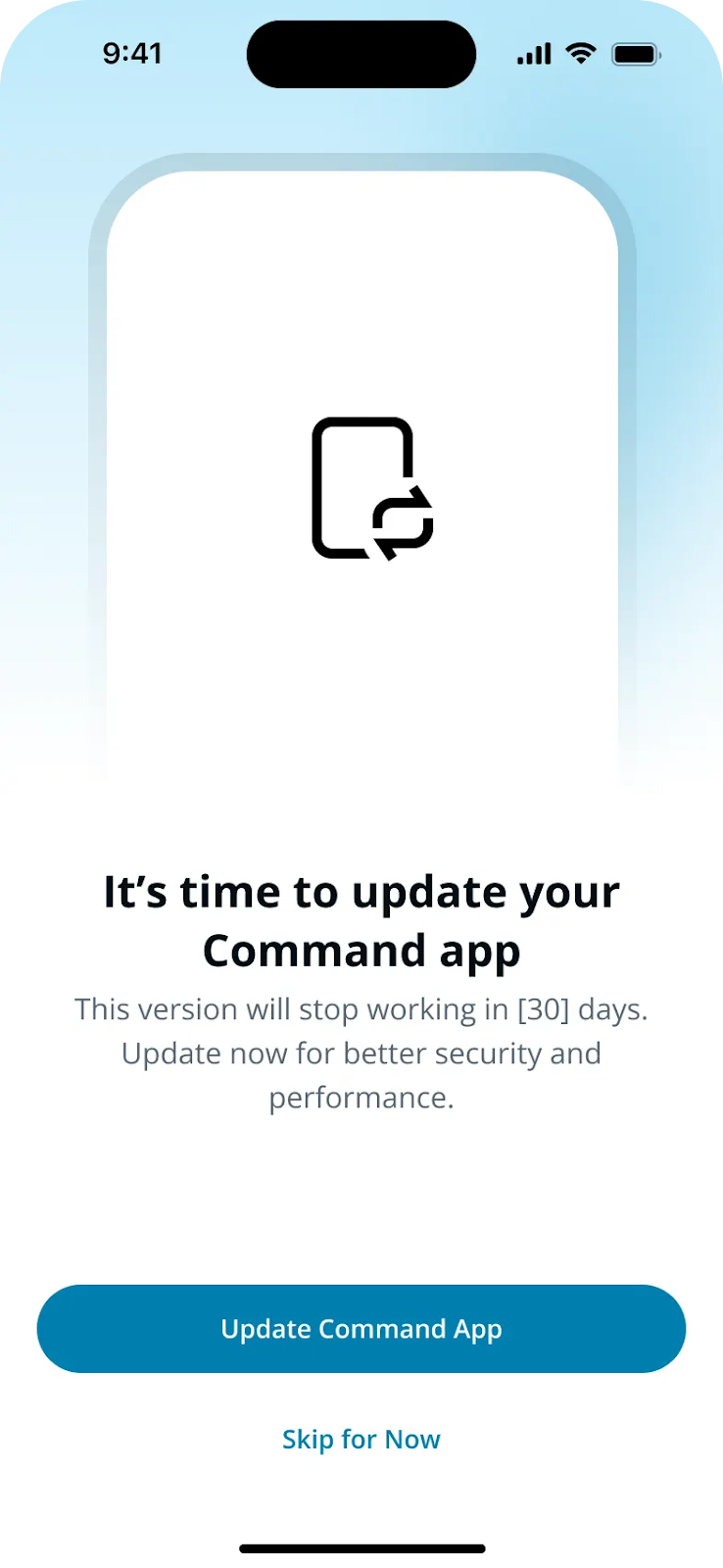
* During the final month of the 3-month support period, users receive a full-screen notification prompting them to update.
* This prompt can be temporarily dismissed, but a persistent reminder banner will appear in the app’s **Account** tab.
{% endstep %}
{% step %}
**Forced Update:**
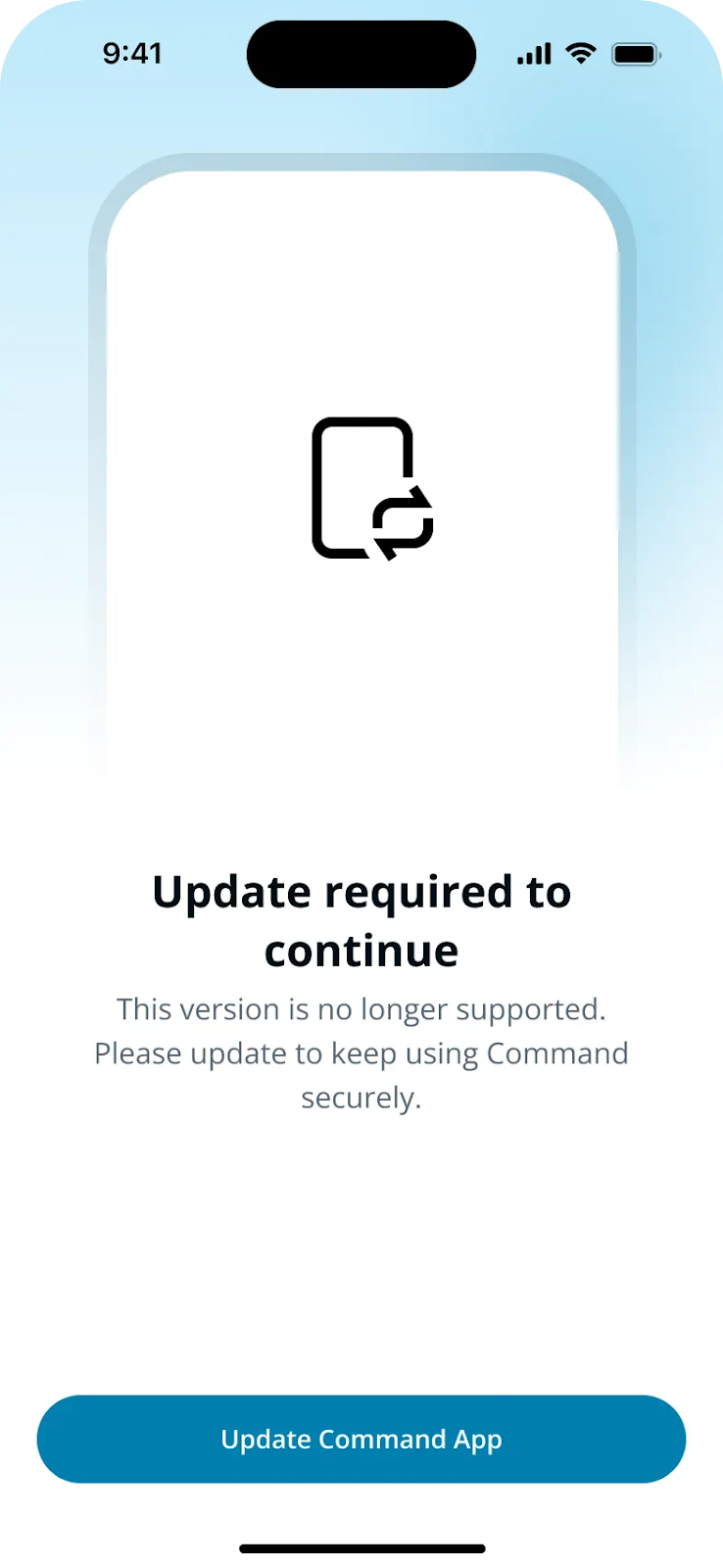
* Once the quarter ends, the app requires an update before it can be used.
* Users **cannot skip** the update at this stage.
{% endstep %}
{% endstepper %}
This process ensures that all users stay current with the latest features, performance improvements, and security enhancements.
---
# Agent Instructions
This documentation is published with GitBook. GitBook is the documentation platform designed so that both humans and AI agents can read, navigate, and reason over technical content effectively. Learn more at gitbook.com.
## Querying This Documentation
If you need additional information that is not directly available in this page, you can query the documentation dynamically by asking a question.
Perform an HTTP GET request on the current page URL with the `ask` query parameter, and the optional `goal` query parameter:
```
GET https://help.verkada.com/command/organization-settings/navigate-the-command-mobile-app/mobile-app-version-support-and-update-requirements.md?ask=&goal=
```
`ask` is the immediate question: it should be specific, self-contained, and written in natural language.
`goal` is optional and describes the broader end goal you are ultimately trying to accomplish on behalf of the user. GitBook uses it to tailor the answer towards what is most useful for that goal.
The response will contain a direct answer to the question and relevant excerpts and sources from the documentation.
Use this mechanism when the answer is not explicitly present in the current page, you need clarification or additional context, or you want to retrieve related documentation sections.