> For the complete documentation index, see [llms.txt](https://help.verkada.com/llms.txt). Markdown versions of documentation pages are available by appending `.md` to page URLs; this page is available as [Markdown](https://help.verkada.com/command/ja/ganaizshon/navigate-the-command-mobile-app/mobile-app-version-support-and-update-requirements.md).

# バージョンサポートと更新

Verkada Commandモバイルアプリを使うと、ユーザーはカメラを閲覧し、アクセスコントロールを管理し、アラートを受信し、どこからでもVerkadaデバイスを操作できます。最適な体験を確保するため、デバイスが以下の要件を満たしていることを確認してください。

### 開始する前に

Commandモバイルアプリをダウンロード:

* [iOS版をダウンロード（App Store）](https://apps.apple.com/us/app/verkada-command/id1157022527)
* [Android版をダウンロード（Google Play）](https://play.google.com/store/apps/details?id=com.verkada.android\&hl=en_US)

***

## サポート対象のオペレーティングシステム

セキュリティ、パフォーマンス、最新機能へのアクセスを確保するため、以下をサポートしています:

* **iOS:** 現在のメジャーバージョン（例: iOS 17） **＋ その2つ前までのメジャーバージョン**\
  （\*推奨: iOS 17以降\*）
* **Android:** 現在のメジャーバージョン（例: Android 14） **＋ その2つ前までのメジャーバージョン**\
  （\*推奨: Android 14以降\*）

{% hint style="warning" %}
古いOSバージョンで動作しているデバイスでは、パフォーマンスの低下や新機能へのアクセス制限が発生する場合があります。
{% endhint %}

***

## モバイルアプリのバージョンサポートポリシー

Verkadaでは、すべてのユーザーが最新機能、パフォーマンス更新、セキュリティ強化にアクセスできるよう、過去3か月以内にリリースされたCommandアプリのバージョンのみをサポートしています。

### これは次のことを意味します:

* 3か月を超える古いバージョンのユーザーは、アプリを継続使用するために更新が必要になります。
* アプリアップデートは四半期ごと（3か月ごと）に適用されます。

{% hint style="warning" %}
最新の機能と修正を利用できるよう、App Store（iOS）またはGoogle Play（Android）から常にアプリを最新の状態に保ってください。
{% endhint %}

### 四半期ごとの更新フロー

安全で一貫したモバイル体験を維持するため、Verkadaでは四半期ごとの更新サイクルを適用しています:

{% stepper %}
{% step %}
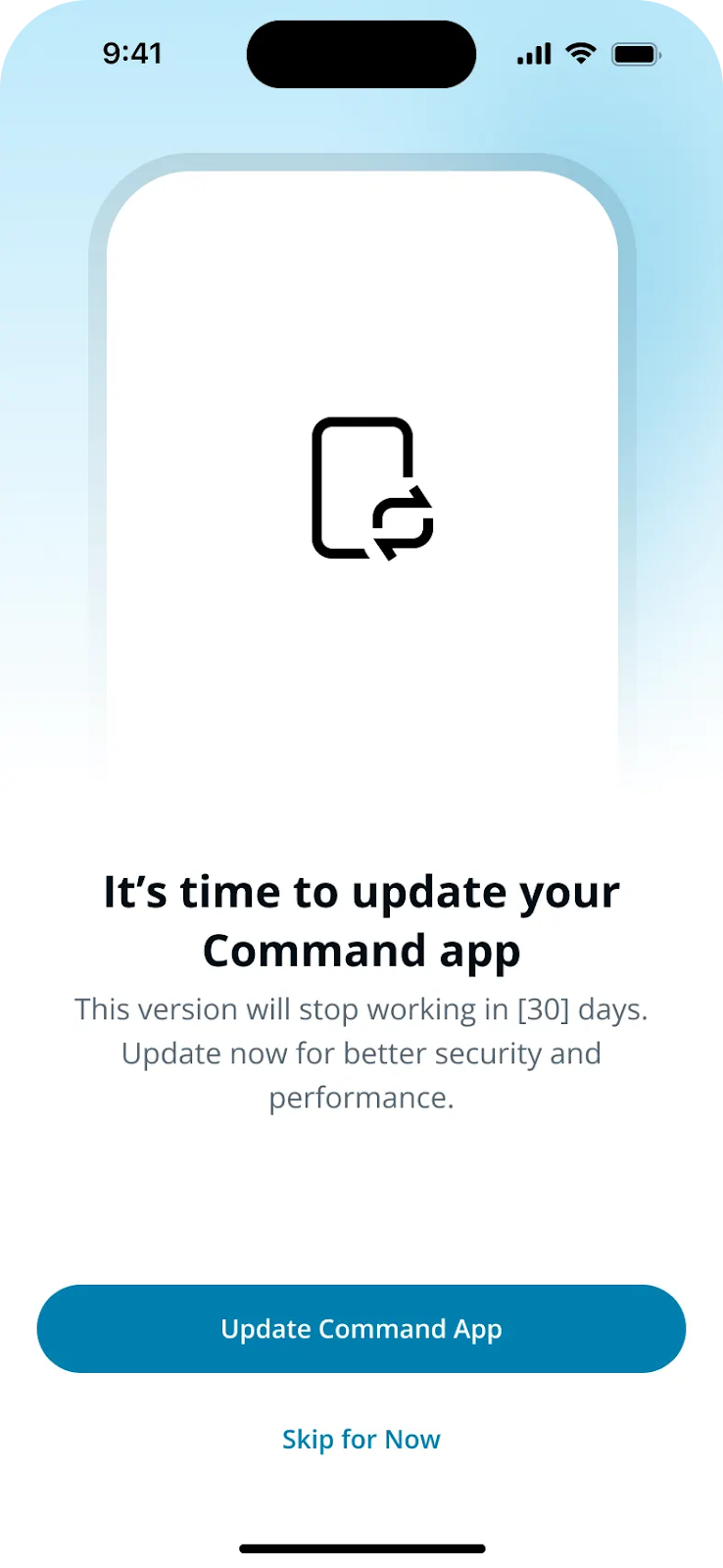
**ソフトリマインダー:**

* 3か月のサポート期間の最終月に、ユーザーには更新を促す全画面通知が表示されます。
* この通知は一時的に閉じることができますが、アプリの **アカウント** タブに継続表示のリマインダーバナーが表示されます。

  <div align="left" data-with-frame="true"><img src="/files/951f13ec24becab598085f910ac5ea07f2562755" alt="" width="369"></div>

{% endstep %}

{% step %}
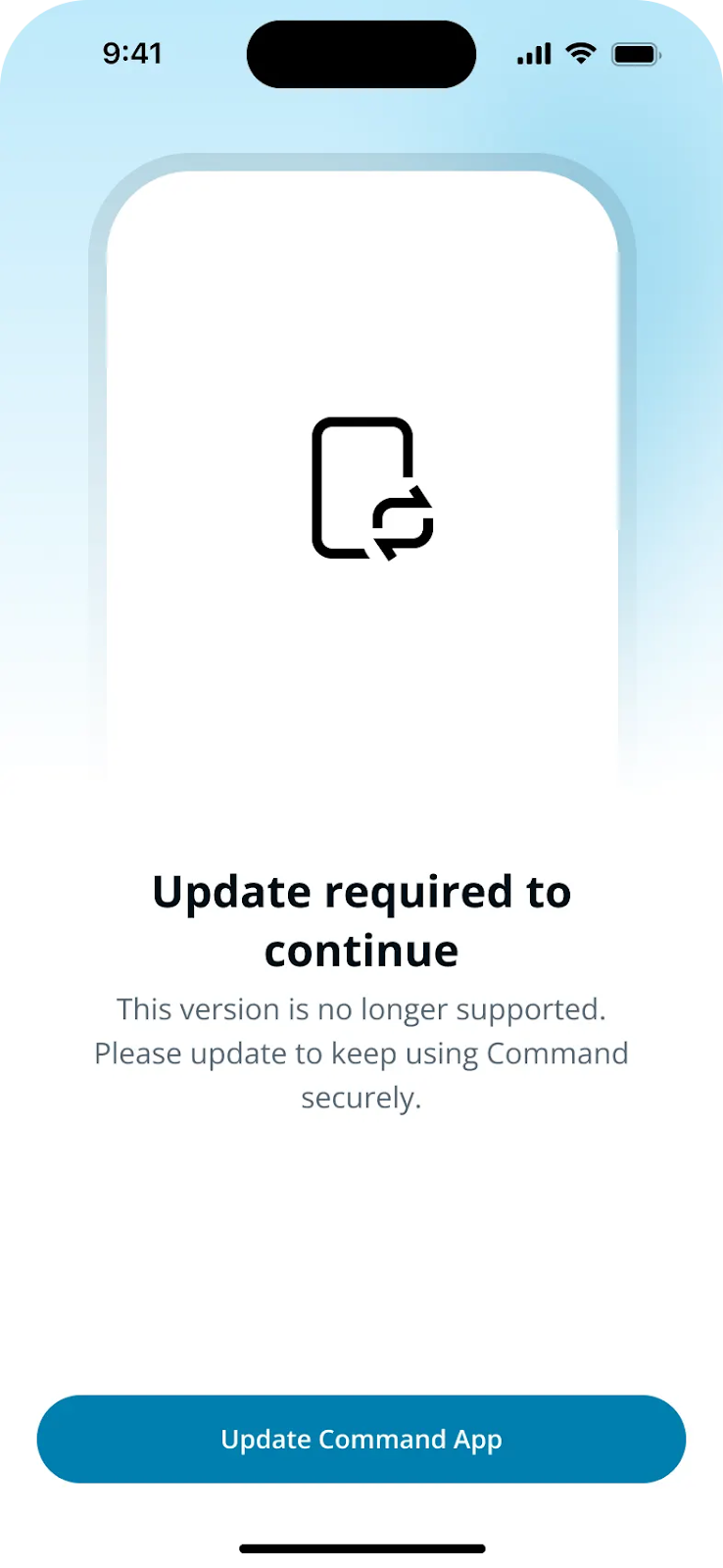
**強制更新:**

* 四半期が終了すると、アプリを使用する前に更新が必要になります。
* ユーザー **この段階では** 更新をスキップできません。

  <div align="left" data-with-frame="true"><img src="/files/1e1063fdd48219064dd582b47d23b3cc356eb6ea" alt="" width="369"></div>

{% endstep %}
{% endstepper %}

このプロセスにより、すべてのユーザーが最新の機能、パフォーマンス改善、セキュリティ強化を常に利用できるようになります。


---

# Agent Instructions
This documentation is published with GitBook. GitBook is the documentation platform designed so that both humans and AI agents can read, navigate, and reason over technical content effectively. Learn more at gitbook.com.

## Querying This Documentation
If you need additional information that is not directly available in this page, you can query the documentation dynamically by asking a question.

Perform an HTTP GET request on the current page URL with the `ask` query parameter, and the optional `goal` query parameter:

```
GET https://help.verkada.com/command/ja/ganaizshon/navigate-the-command-mobile-app/mobile-app-version-support-and-update-requirements.md?ask=<question>&goal=<endgoal>
```

`ask` is the immediate question: it should be specific, self-contained, and written in natural language.
`goal` is optional and describes the broader end goal you are ultimately trying to accomplish on behalf of the user. GitBook uses it to tailor the answer towards what is most useful for that goal.

The response will contain a direct answer to the question and relevant excerpts and sources from the documentation.

Use this mechanism when the answer is not explicitly present in the current page, you need clarification or additional context, or you want to retrieve related documentation sections.