> For the complete documentation index, see [llms.txt](https://help.verkada.com/llms.txt). Markdown versions of documentation pages are available by appending `.md` to page URLs; this page is available as [Markdown](https://help.verkada.com/classic-alarms/ja/she-zhi/alarm-setup-and-install-best-practices/battery-backup-for-the-bp41-alarm-panel.md).
# BP41 アラームパネルのバッテリーバックアップ
Verkada BP41 アラームパネルでバックアップバッテリーを使用する方法を学ぶ
{% hint style="success" %}
Verkadaは、Classic Alarmsの全世界での販売終了日(2026年8月1日)および製品終了日(2027年8月1日)を発表しました。対象のお客様は、2027年1月31日まで追加費用なしでNew Alarmsにアップグレードできます。アクセス [Verkada.com/alarms/upgrade](https://www.verkada.com/alarms/upgrade) 開始するには。
{% endhint %}
次のような状況でお使いの [Verkada BP41 アラームパネル](https://docs.verkada.com/docs/alarm-panel-overview.pdf) 重要な安全用途では、停電に備えてバックアップ電源を用意することを推奨します。
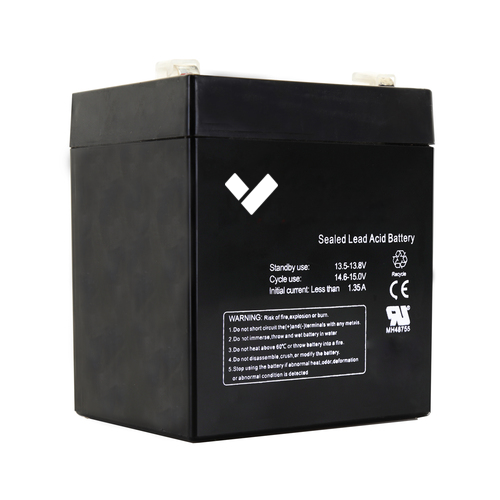
Verkada は以下を提供しています **ACC-BAT-4AH** BP41 アラームパネルで使用するためのものです。Verkada BP41 は、バックアップ電源として 12V 4.5Ah の密閉型鉛蓄電池(SLA)で駆動できます。
***
## BP41 にバックアップバッテリーを取り付ける
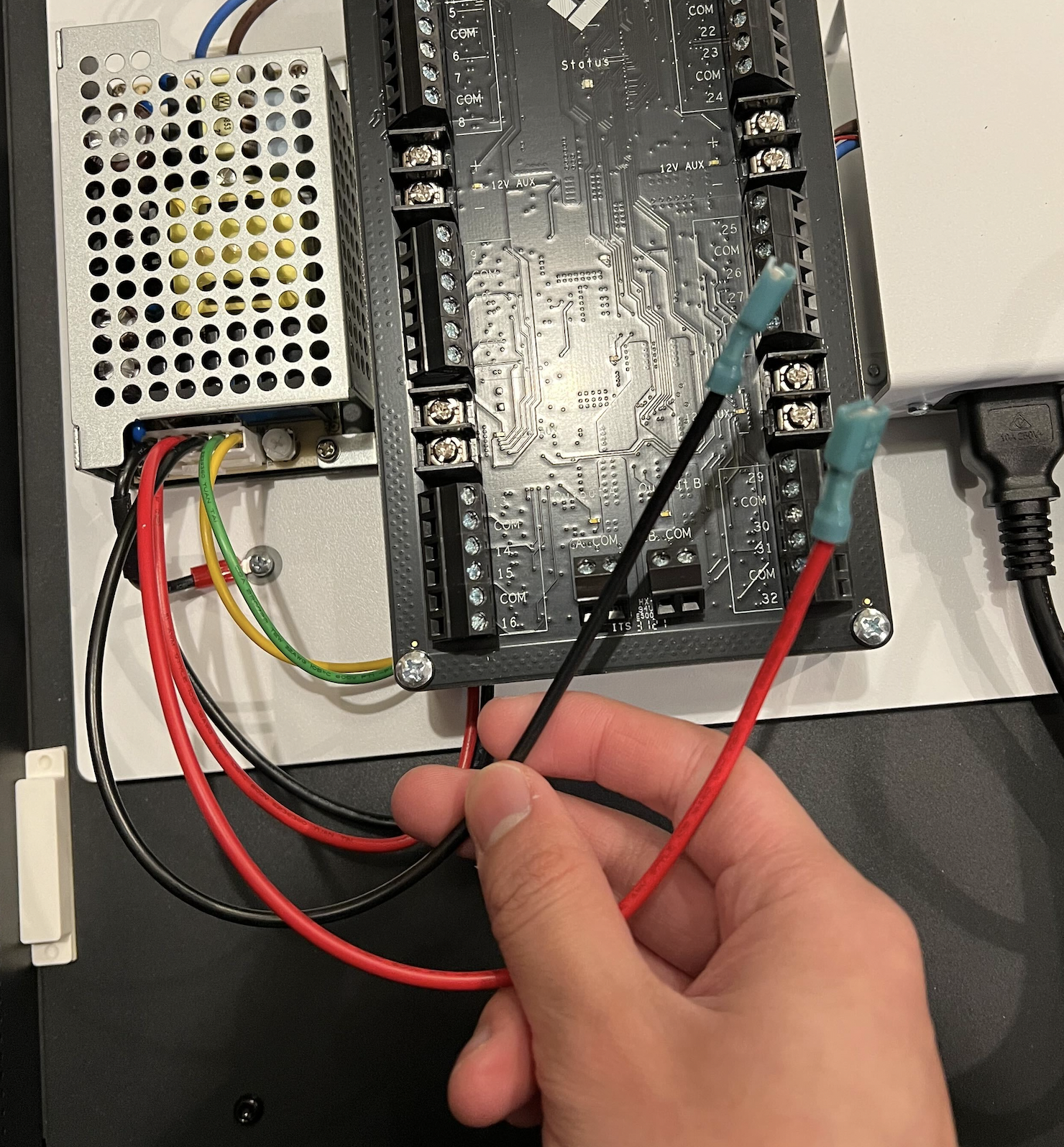
次を接続します **赤色の** リード線をプラス(**+**)端子に、そして **黒色の** ものをマイナス(**-**)端子に接続します。その後、バッテリーパックを Verkada BP41 のケース内に収めることができます。
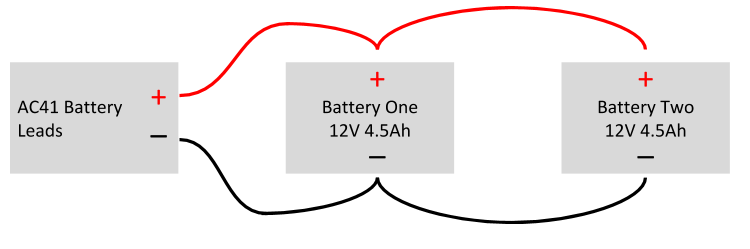
## BP41 に 2 台のバックアップバッテリーを配線する
同じ電圧を維持しながらアンペア時容量(容量)を 2 倍にするには、2 台のバッテリーを並列(**直列ではなく**)接続し、以下のようにバッテリー容量を 2 倍にできます。
---
# Agent Instructions
This documentation is published with GitBook. GitBook is the documentation platform designed so that both humans and AI agents can read, navigate, and reason over technical content effectively. Learn more at gitbook.com.
## Querying This Documentation
If you need additional information that is not directly available in this page, you can query the documentation by asking a question.
Perform an HTTP GET request on the following URL with the `ask` and `goal` query parameters:
```
GET https://help.verkada.com/classic-alarms/ja/she-zhi/alarm-setup-and-install-best-practices/battery-backup-for-the-bp41-alarm-panel.md?ask=&goal=
```
`ask` is the immediate question: it should be specific, self-contained, and written in natural language.
`goal` is what the user is ultimately trying to achieve, the reason they need the answer. Sharing it helps GitBook give you a better, more relevant answer. A goal is most helpful when it describes the outcome the user wants rather than restating the question. For example, with `ask=how do I create an API token`, a goal like `automate deployments from our CI pipeline` lets GitBook tailor the answer to that use case.
The response will contain a direct answer to the question and relevant excerpts and sources from the documentation.
Use this mechanism when the answer is not explicitly present in the current page, you need clarification or additional context, or you want to retrieve related documentation sections.