> For the complete documentation index, see [llms.txt](https://help.verkada.com/llms.txt). Markdown versions of documentation pages are available by appending `.md` to page URLs; this page is available as [Markdown](https://help.verkada.com/classic-alarms/fr/installation/alarm-setup-and-install-best-practices/battery-backup-for-the-bp41-alarm-panel.md).
# Batterie de secours pour le boîtier de raccordement BP41
Découvrez comment utiliser une batterie de secours sur votre boîtier de raccordement Verkada BP41
{% hint style="success" %}
Verkada a annoncé la fin mondiale de la vente (1er août 2026) et la fin de vie (1er août 2027) des alarmes classiques. Les clients éligibles peuvent passer aux nouvelles alarmes sans frais jusqu’au 31 janvier 2027. Consultez [Verkada.com/alarms/upgrade](https://www.verkada.com/alarms/upgrade) pour commencer.
{% endhint %}
Dans les situations où vous utilisez votre [boîtier de raccordement Verkada BP41](https://docs.verkada.com/docs/alarm-panel-overview.pdf) dans des applications de sécurité critiques, nous recommandons de prévoir une alimentation de secours en cas de panne de courant.
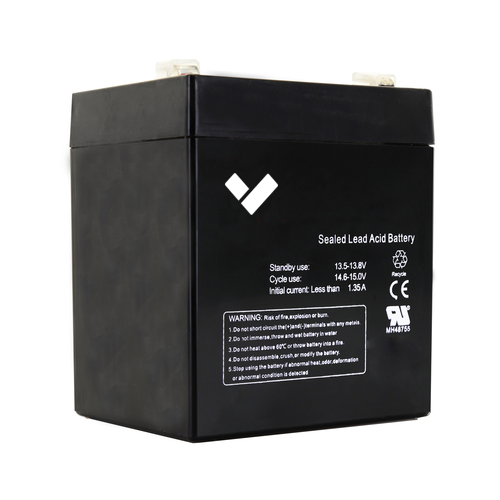
Verkada propose le **ACC-BAT-4AH** pour une utilisation avec le boîtier de raccordement BP41. Le Verkada BP41 peut être alimenté par une batterie plomb-acide étanche (SLA) 12 V de 4,5 Ah comme source d'alimentation de secours.
***
## Installez une batterie de secours sur votre BP41
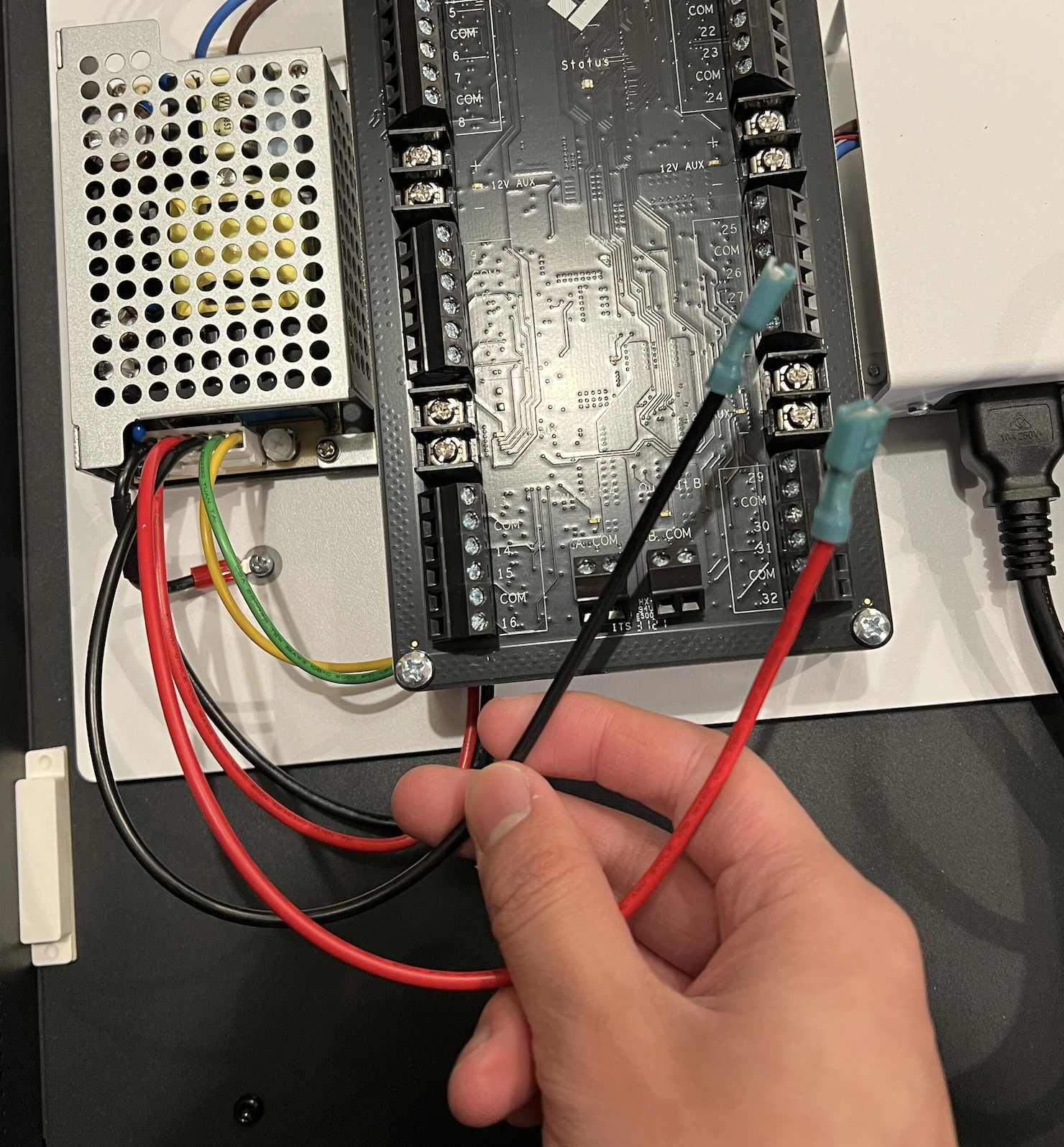
Connectez le **rouge** fil avec le connecteur positif (**+**) de la batterie et le **noir** à la borne négative (**-**). Le bloc-batterie peut ensuite être placé à l'intérieur du boîtier Verkada BP41.
## Câblez 2 batteries de secours au BP41
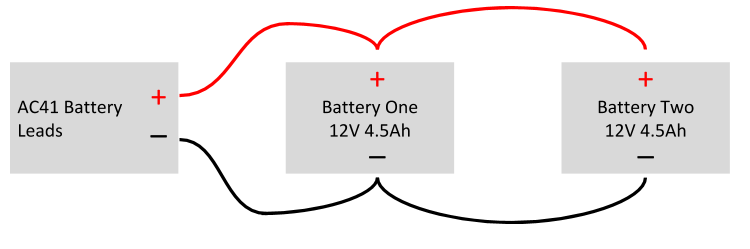
Pour obtenir le double d'ampères-heures (capacité), tout en conservant la même tension, vous pouvez connecter 2 batteries en parallèle (**PAS en série**) afin de fournir deux fois plus de capacité de batterie, comme indiqué ci-dessous.
---
# Agent Instructions
This documentation is published with GitBook. GitBook is the documentation platform designed so that both humans and AI agents can read, navigate, and reason over technical content effectively. Learn more at gitbook.com.
## Querying This Documentation
If you need additional information that is not directly available in this page, you can query the documentation by asking a question.
Perform an HTTP GET request on the following URL with the `ask` and `goal` query parameters:
```
GET https://help.verkada.com/classic-alarms/fr/installation/alarm-setup-and-install-best-practices/battery-backup-for-the-bp41-alarm-panel.md?ask=&goal=
```
`ask` is the immediate question: it should be specific, self-contained, and written in natural language.
`goal` is what the user is ultimately trying to achieve, the reason they need the answer. Sharing it helps GitBook give you a better, more relevant answer. A goal is most helpful when it describes the outcome the user wants rather than restating the question. For example, with `ask=how do I create an API token`, a goal like `automate deployments from our CI pipeline` lets GitBook tailor the answer to that use case.
The response will contain a direct answer to the question and relevant excerpts and sources from the documentation.
Use this mechanism when the answer is not explicitly present in the current page, you need clarification or additional context, or you want to retrieve related documentation sections.