> For the complete documentation index, see [llms.txt](https://help.verkada.com/llms.txt). Markdown versions of documentation pages are available by appending `.md` to page URLs; this page is available as [Markdown](https://help.verkada.com/classic-alarms/es/eventos-y-alertas/configure-alarms-event-alerts/alarm-override-schedule.md).
# Horario de anulación de la alarma
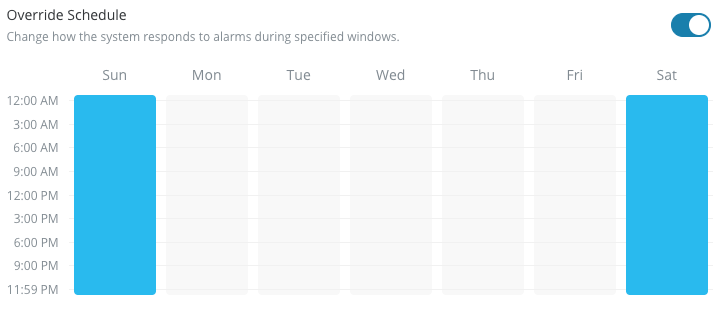
Especifica un intervalo de tiempo para anular una configuración predeterminada para reglas específicas.
{% hint style="success" %}
Verkada anunció el fin global de la venta (1 de agosto de 2026) y el fin de vida (1 de agosto de 2027) de Classic Alarms. Los clientes elegibles pueden actualizarse a New Alarms sin costo hasta el 31 de enero de 2027. Visite [Verkada.com/alarms/upgrade](https://www.verkada.com/alarms/upgrade) para comenzar.
{% endhint %}
Algunos casos de uso pueden requerir que la configuración de su alarma tenga respuestas diferentes en distintos momentos del día.
La función de horarios de anulación le permite especificar un intervalo de tiempo en el que el sistema puede anular la configuración predeterminada para seguir un conjunto diferente de reglas.
***
## Configurar anulación de horario
{% stepper %}
{% step %}
**En Verkada Command, ve a Todos los productos > Alarmas.**
{% endstep %}
{% step %}
**Seleccione un sitio y, en la parte superior izquierda, haga clic en Configuración.**
{% endstep %}
{% step %}
**En Configuración, vaya a Respuestas de alarma > Anulación.**
a. Activar **Horario de anulación**\
b. Configure el horario de anulación deseado.
{% endstep %}
{% step %}
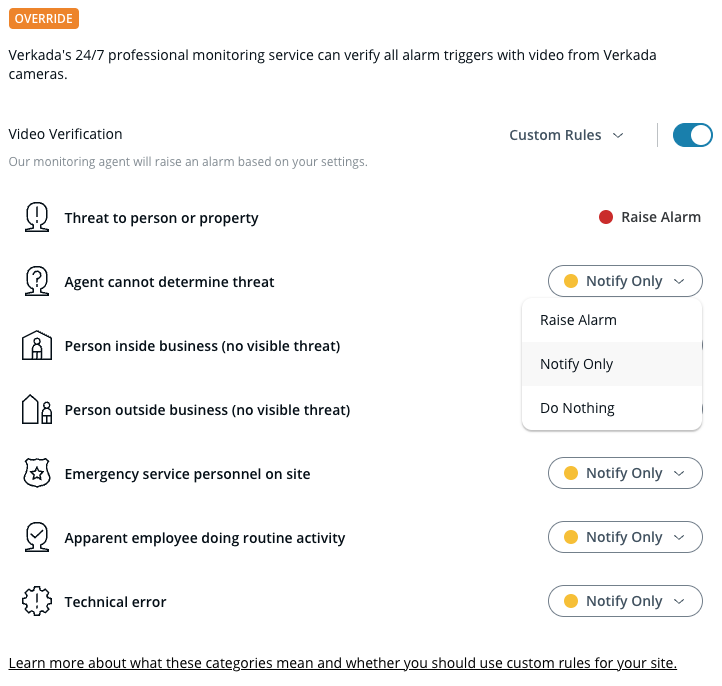
**En Verificación por video:**
a. Activar **Verificación por video** y haga clic en **Confirme** para continuar.\
b. En el menú desplegable, seleccione una configuración de seguridad.\
c. (Opcional) Si **Reglas personalizadas** está seleccionado, deberá seleccionar una opción de seguridad para cada regla de verificación.
{% endstep %}
{% step %}
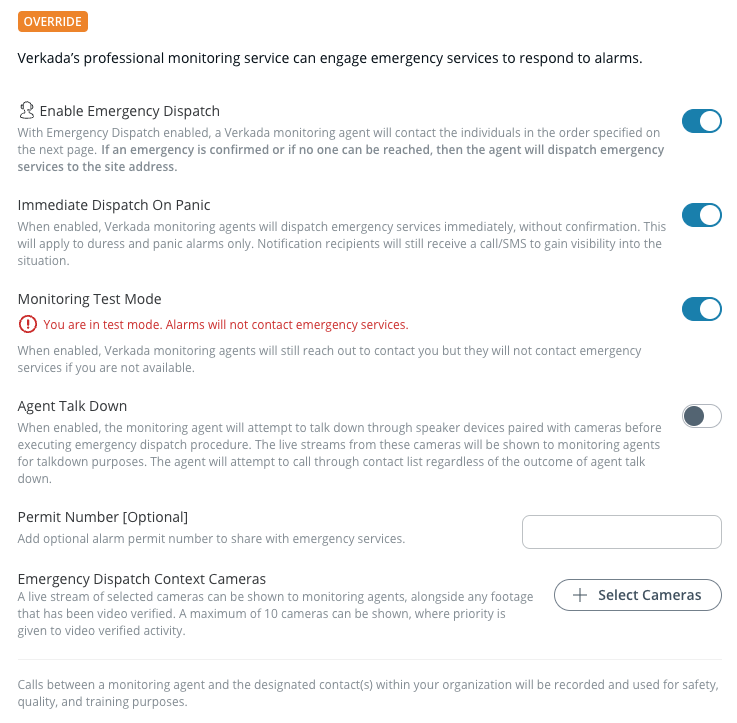
**En Envío de servicios de emergencia:**
a. Activar **Active el envío de servicios de emergencia.**\
b. Edite la configuración de envío según sea necesario.
{% endstep %}
{% step %}
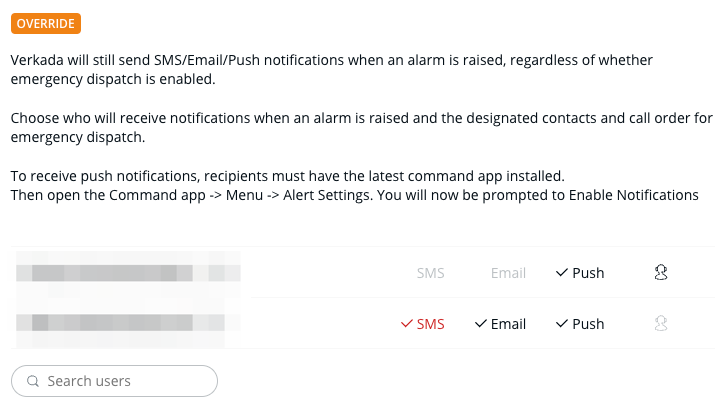
**En la lista de contactos:**
a. Busque y seleccione usuarios para agregar a la lista de anulación.\
b. Junto a cada usuario, seleccione sus métodos de notificación.
{% endstep %}
{% step %}
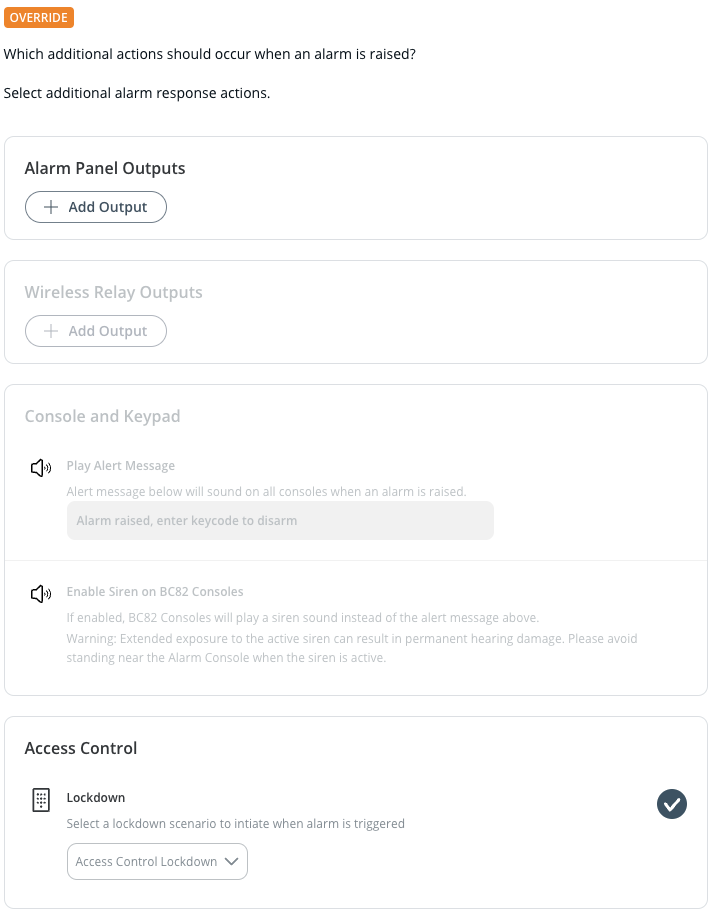
**En Acciones de alarma:**
a. Si es necesario, configure cualquier acción adicional que deba realizarse cuando se active una alarma.
{% endstep %}
{% endstepper %}
Obtenga más información sobre cómo personalizar los eventos de activación de la alarma con [reglas de verificación](/classic-alarms/es/configuracion/agent-talk-down-with-classic-alarms/verification-rules.md).
---
# Agent Instructions
This documentation is published with GitBook. GitBook is the documentation platform designed so that both humans and AI agents can read, navigate, and reason over technical content effectively. Learn more at gitbook.com.
## Querying This Documentation
If you need additional information that is not directly available in this page, you can query the documentation by asking a question.
Perform an HTTP GET request on the following URL with the `ask` and `goal` query parameters:
```
GET https://help.verkada.com/classic-alarms/es/eventos-y-alertas/configure-alarms-event-alerts/alarm-override-schedule.md?ask=&goal=
```
`ask` is the immediate question: it should be specific, self-contained, and written in natural language.
`goal` is what the user is ultimately trying to achieve, the reason they need the answer. Sharing it helps GitBook give you a better, more relevant answer. A goal is most helpful when it describes the outcome the user wants rather than restating the question. For example, with `ask=how do I create an API token`, a goal like `automate deployments from our CI pipeline` lets GitBook tailor the answer to that use case.
The response will contain a direct answer to the question and relevant excerpts and sources from the documentation.
Use this mechanism when the answer is not explicitly present in the current page, you need clarification or additional context, or you want to retrieve related documentation sections.