> For the complete documentation index, see [llms.txt](https://help.verkada.com/llms.txt). Markdown versions of documentation pages are available by appending `.md` to page URLs; this page is available as [Markdown](https://help.verkada.com/air-quality/ja/ibento-arto/configure-air-quality-event-alerts/create-a-person-of-interest-for-air-quality-sensors.md).
# 空気質センサー用の登録人物を作成する
空気質センサーのアラートからPOIを作成する方法を学ぶ
Verkadaカメラでは、人物の顔写真を1枚以上使って登録人物 (POI) を作成できます。空気質センサーと連携すると、特定の空気質アラート発生時に、カメラが近くにいる個人の特定と追跡を支援できます。
{% hint style="danger" %}
* センサーと連携したカメラでは、登録人物の作成と空気質センサーからの人物追跡をサポートするために、People Analyticsを有効にする必要があります。
* イベントを生成するには、センサーの読み取り値にトリガーを設定する必要があります。参照: [空気質センサーの設定](/air-quality/ja/sensdta/air-quality-sensor-settings.md) で詳細をご覧ください。
{% endhint %}
***
## 空気質のPeople Insightsを有効にする
空気質センサーでPeople Insightsを有効にするには、まずオーガナイゼーション'でこの機能を有効にする必要があります。
{% stepper %}
{% step %}
**Verkada Commandで、All Products > Adminに移動します。**
{% endstep %}
{% step %}
**左側のナビゲーションで、Feature Managerを選択します。**
{% endstep %}
{% step %}
**空気質 > Sensor People Insights の下で、ドロップダウンメニューから「Enabled」を選択します。**
{% endstep %}
{% endstepper %}
***
## 登録人物プロフィールを作成する
### 人物分析ページ
{% hint style="warning" %}
Peopleページから登録人物プロフィールを作成できます。すでにPOIプロフィールが作成されているオーガナイゼーション'では、空気質の登録人物の追跡が自動的に開始されます。参照: [登録人物を作成](/verkada-cameras/ja/fen-xi/people-analytics/create-a-person-of-interest.md) で詳細をご覧ください。
{% endhint %}
### 空気質イベントページ
{% stepper %}
{% step %}
**Verkada Commandで、All Products > 空気質に移動します。**
{% endstep %}
{% step %}
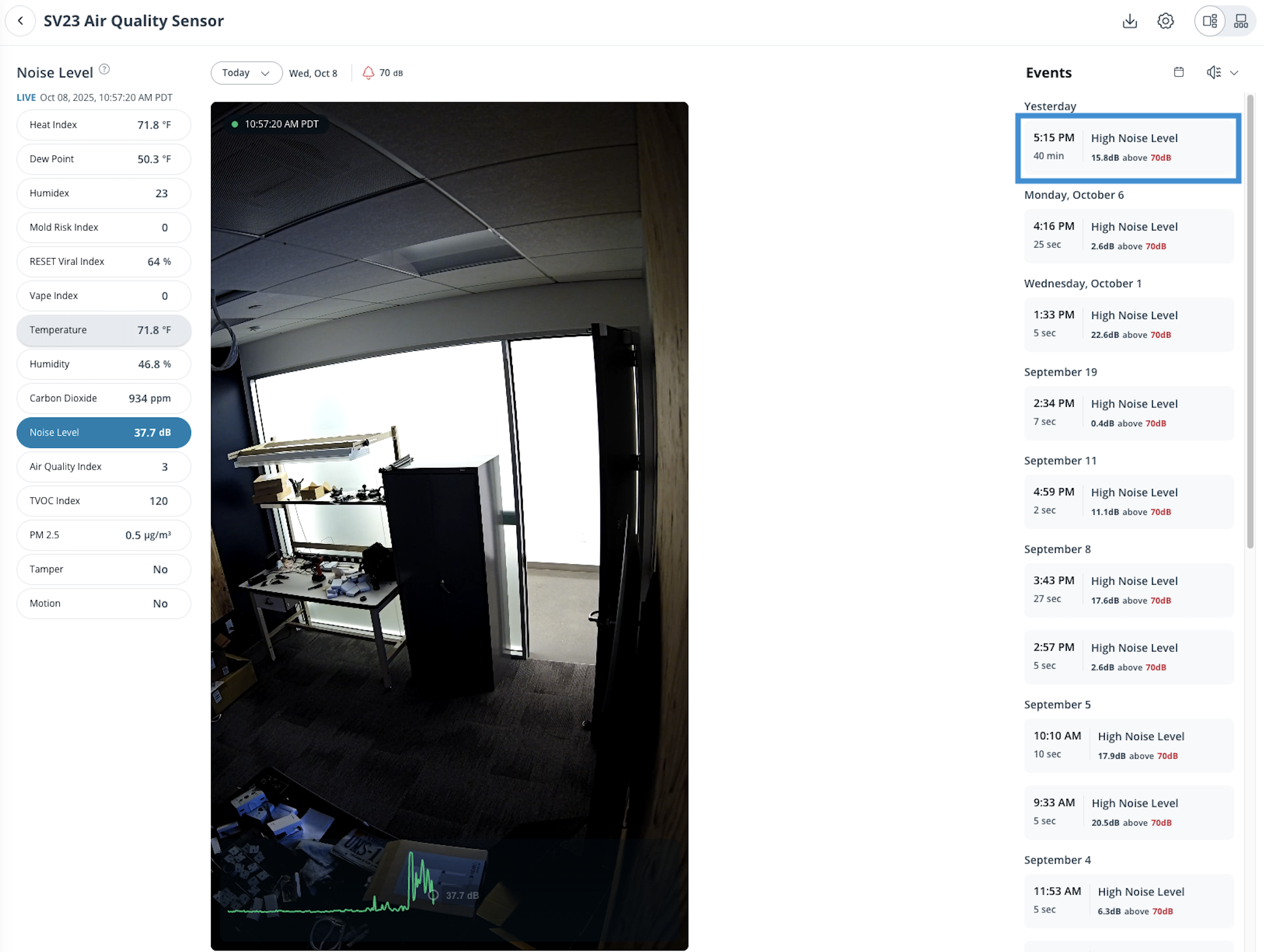
**センサーを選択し、次に右側でイベントを選択して、そのイベント中に検出された個人を表示します。**
{% endstep %}
{% step %}
**サムネイルが右側に表示されます。クリックしてください** :ellipsis: **登録人物にしたい画像の右下にある**
a. 選択 **登録人物を追加**。\
b. POIに名前を付けます。\
c. クリック **作成。**
{% endstep %}
{% step %}
**左側のナビゲーションにあるPeople Insightsタブから、プロフィールとそれに関連付けられた空気質イベントを表示できるようになりました。**
{% endstep %}
{% endstepper %}
{% hint style="warning" %}
登録人物イベントの映像は、カメラの保持期間に従います。たとえば、カメラの保持期間が30日の場合、POIイベントのクリップはその期間を過ぎると利用できなくなります。
{% endhint %}
***
## POIプロフィールを削除する
{% stepper %}
{% step %}
**Verkada Commandで、All Products > Camerasに移動します。**
{% endstep %}
{% step %}
**左側のナビゲーションで、人物をクリックします。**
{% endstep %}
{% step %}
**左側の人物リストで、登録人物プロフィールが含まれているリストを選択します。**
{% endstep %}
{% step %}
**管理したい登録人物の写真をクリックします。**
{% endstep %}
{% step %}
**名前の横をクリックし、「この人物を削除」を選択します。**
{% endstep %}
{% endstepper %}
---
# Agent Instructions
This documentation is published with GitBook. GitBook is the documentation platform designed so that both humans and AI agents can read, navigate, and reason over technical content effectively. Learn more at gitbook.com.
## Querying This Documentation
If you need additional information that is not directly available in this page, you can query the documentation by asking a question.
Perform an HTTP GET request on the following URL with the `ask` and `goal` query parameters:
```
GET https://help.verkada.com/air-quality/ja/ibento-arto/configure-air-quality-event-alerts/create-a-person-of-interest-for-air-quality-sensors.md?ask=&goal=
```
`ask` is the immediate question: it should be specific, self-contained, and written in natural language.
`goal` is what the user is ultimately trying to achieve, the reason they need the answer. Sharing it helps GitBook give you a better, more relevant answer. A goal is most helpful when it describes the outcome the user wants rather than restating the question. For example, with `ask=how do I create an API token`, a goal like `automate deployments from our CI pipeline` lets GitBook tailor the answer to that use case.
The response will contain a direct answer to the question and relevant excerpts and sources from the documentation.
Use this mechanism when the answer is not explicitly present in the current page, you need clarification or additional context, or you want to retrieve related documentation sections.