> For the complete documentation index, see [llms.txt](https://help.verkada.com/llms.txt). Markdown versions of documentation pages are available by appending `.md` to page URLs; this page is available as [Markdown](https://help.verkada.com/access-control/ja/toraburushtingu/access-control-hardware-checks/verkada-access-offline-operation.md).
# オフライン動作
インターネット障害中にアクセスコントローラの機能に何が起こるかを学ぶ
アクセスコントローラーがインターネット接続を失った場合、通常は次のようになります:
{% stepper %}
{% step %}
**イベントはインターネットが復旧するまでローカルに保存されます。インターネットが長時間停止していても、アクセスコントローラーには十分な内部ストレージがあり、大規模な障害(記録されたイベント数に応じて3~12か月)にも耐えられます。**
{% endstep %}
{% step %}
**アクセスコントローラーは、クラウドから受信した最後に既知の構成で動作します。要するに、インターネット障害の前にアクセスコントローラーに加えられた変更は、引き続き有効です。この最後に既知の構成は、コントローラーの電源が失われて再起動しても保持されます。**
{% endstep %}
{% step %}
**インターネット接続が復旧すると、クラウド上の最新の構成がアクセスコントローラーに送信され、さらにアクセスコントローラーは障害中に発生したイベントをクラウドへ送信します。**
{% endstep %}
{% endstepper %}
### 例のシナリオ
アクセスコントローラーのオフライン動作をよりよく理解するために、次のシナリオを考えてみましょう:
* アリスは正社員で、入社して2年になります。彼女のバッジは正面ドアで使えます。
* 午前8:00: インターネットサービスプロバイダー(ISP)が地域でサービス障害を起こします。すべてのアクセスコントローラーはオフラインですが、電源は入っています(ステータスLEDが青く点滅)。
* 午前9:00: 新入社員のボブがオンボーディングされます。彼にはバッジと正面ドアへのアクセス権が与えられます。
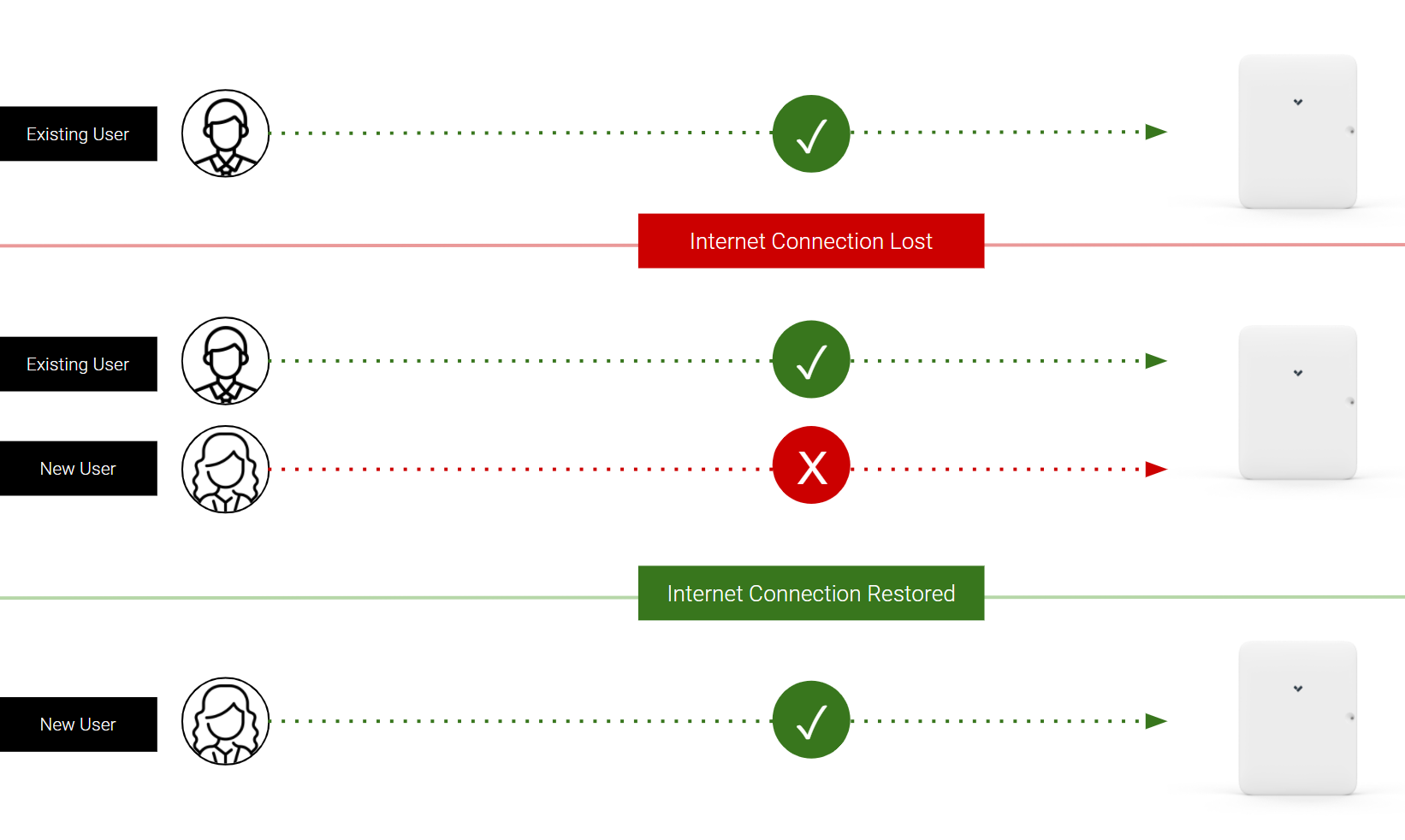
* 午前10:00: アリスとボブが正面ドアでバッジ認証を試みます。アリスのバッジは使えますが、ボブのバッジは使えません。
* 午前11:00: ISPが接続を復旧します。アクセスコントローラーはオンラインに戻り、数秒以内にクラウドから新しい構成を取得します。ボブのバッジが使えるようになります。
このシナリオの視覚的な表現は以下のとおりです:
---
# Agent Instructions
This documentation is published with GitBook. GitBook is the documentation platform designed so that both humans and AI agents can read, navigate, and reason over technical content effectively. Learn more at gitbook.com.
## Querying This Documentation
If you need additional information that is not directly available in this page, you can query the documentation by asking a question.
Perform an HTTP GET request on the following URL with the `ask` and `goal` query parameters:
```
GET https://help.verkada.com/access-control/ja/toraburushtingu/access-control-hardware-checks/verkada-access-offline-operation.md?ask=&goal=
```
`ask` is the immediate question: it should be specific, self-contained, and written in natural language.
`goal` is what the user is ultimately trying to achieve, the reason they need the answer. Sharing it helps GitBook give you a better, more relevant answer. A goal is most helpful when it describes the outcome the user wants rather than restating the question. For example, with `ask=how do I create an API token`, a goal like `automate deployments from our CI pipeline` lets GitBook tailor the answer to that use case.
The response will contain a direct answer to the question and relevant excerpts and sources from the documentation.
Use this mechanism when the answer is not explicitly present in the current page, you need clarification or additional context, or you want to retrieve related documentation sections.