> For the complete documentation index, see [llms.txt](https://help.verkada.com/llms.txt). Markdown versions of documentation pages are available by appending `.md` to page URLs; this page is available as [Markdown](https://help.verkada.com/access-control/ja/she-zhi/access-control-deployment-best-practices/battery-backup-for-the-ac41-door-controller.md).
# AC41用バッテリーバックアップ
Verkada AC41ドアコントローラでバックアップバッテリーを使用する方法を学ぶ
Verkadaのドアコントローラーは、エンタープライズグレードのアクセスコントロールにプラグアンドプレイのシンプルさをもたらします。その [Verkada AC41 ドアコントローラー](https://www.verkada.com/access-control/ac41/) 既存のドアハードウェアとカードリーダーをサポートしながら、組織全体の無制限の数のドアとイベントへのクラウドベースのアクセスを可能にします。
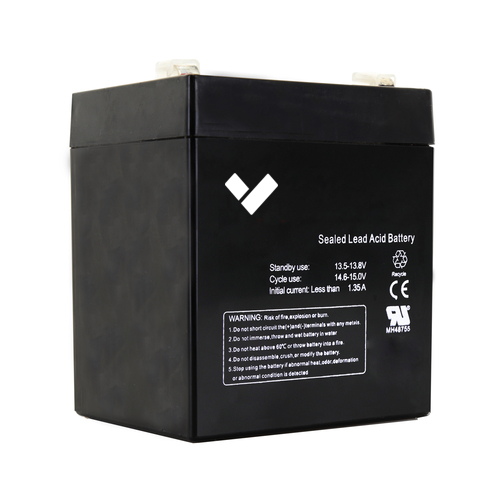
Verkadaは **ACC-BAT-4AH** AC41で使用するためのもので、12V 4.5Ahの密閉型鉛蓄電池(SLA)をバックアップ電源として使用できます。
## AC41にバックアップバッテリーを取り付ける
停電時、またはVerkadaの [アクセスコントローラー](https://docs.verkada.com/docs/access-controllers-series-overview.pdf) が錠前に給電している場合、または重要な安全用途で使用されている場合は、バッテリーバックアップ計画を検討することを強くお勧めします。
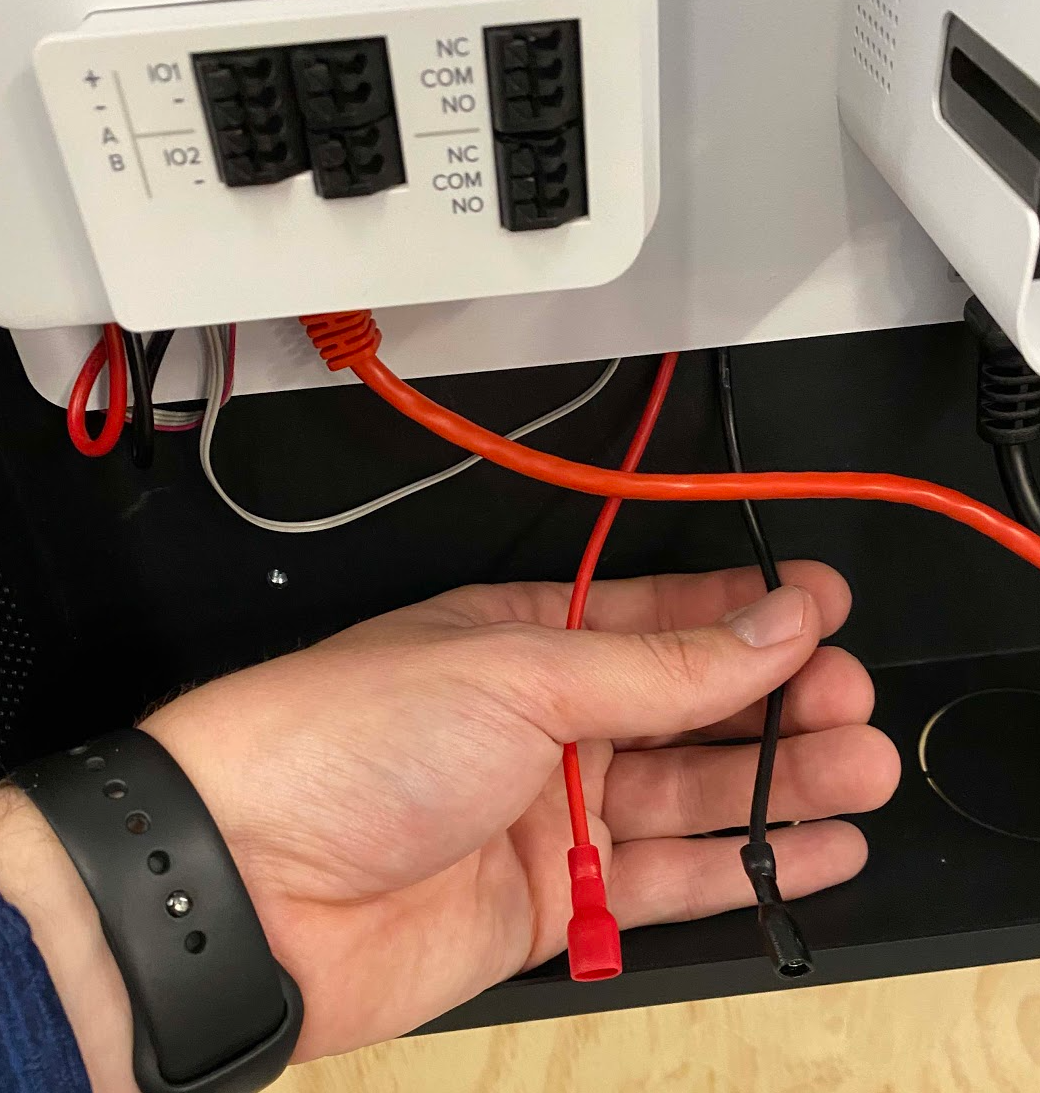
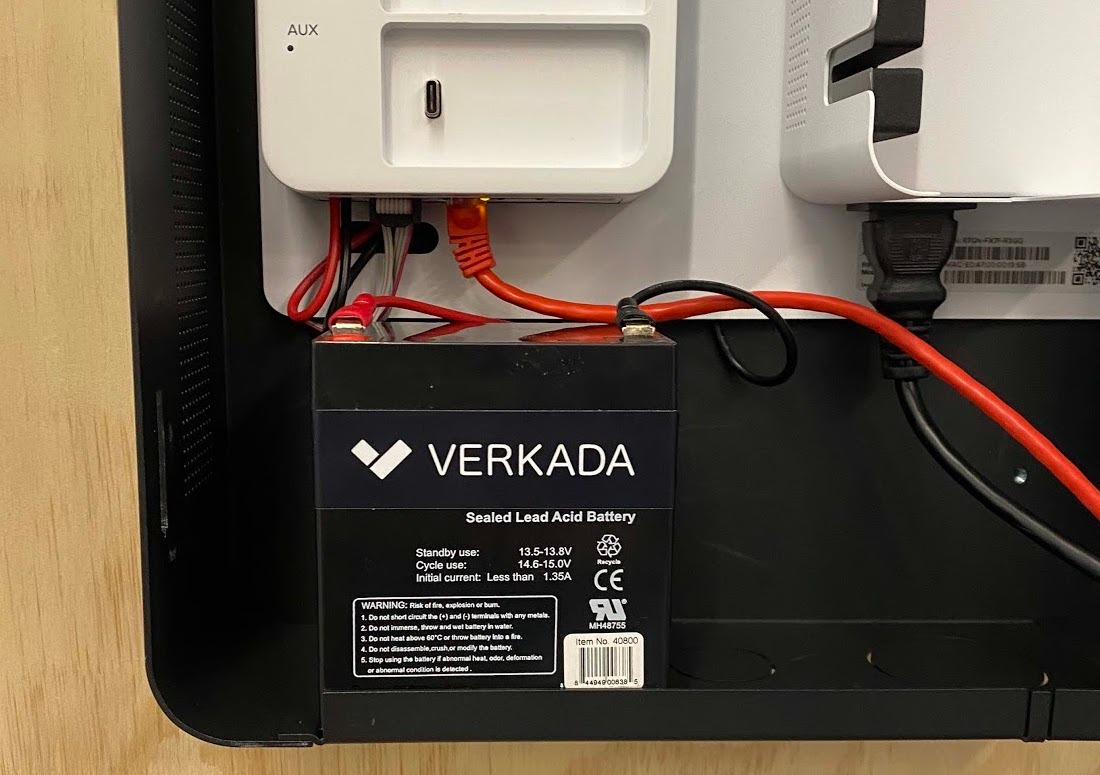
次を接続します **赤い** リード線をプラス(**+**)端子に、そして **黒い** 方をマイナス(**-**)端子に接続します。バッテリーパックはその後、Verkada AC41の筐体内に収めることができます。
**例**: 接続準備済みの赤と黒のリード線
**例**: 取り付け完了
## AC41にバックアップバッテリーを配線する
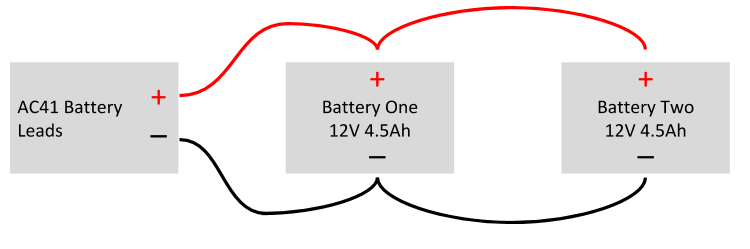
同じ電圧を維持しながらアンペア時容量(容量)を2倍にするには、2台のバッテリーを並列接続(**直列ではなく**)して、2倍のバッテリー容量を確保できます。
**例**: 2台のバッテリーを並列接続
---
# Agent Instructions
This documentation is published with GitBook. GitBook is the documentation platform designed so that both humans and AI agents can read, navigate, and reason over technical content effectively. Learn more at gitbook.com.
## Querying This Documentation
If you need additional information that is not directly available in this page, you can query the documentation dynamically by asking a question.
Perform an HTTP GET request on the current page URL with the `ask` query parameter, and the optional `goal` query parameter:
```
GET https://help.verkada.com/access-control/ja/she-zhi/access-control-deployment-best-practices/battery-backup-for-the-ac41-door-controller.md?ask=&goal=
```
`ask` is the immediate question: it should be specific, self-contained, and written in natural language.
`goal` is optional and describes the broader end goal you are ultimately trying to accomplish on behalf of the user. GitBook uses it to tailor the answer towards what is most useful for that goal.
The response will contain a direct answer to the question and relevant excerpts and sources from the documentation.
Use this mechanism when the answer is not explicitly present in the current page, you need clarification or additional context, or you want to retrieve related documentation sections.