> For the complete documentation index, see [llms.txt](https://help.verkada.com/llms.txt). Markdown versions of documentation pages are available by appending `.md` to page URLs; this page is available as [Markdown](https://help.verkada.com/access-control/ja/akusesu/door-schedules-and-exceptions/schedule-firmware-updates-for-access-control-hardware.md).
# ファームウェア更新をスケジュールする
アクセスコントロールハードウェアのファームウェア更新をスケジュールする方法を学ぶ
Verkada はファームウェアに定期的な更新を提供しています。これらの更新はセキュリティと機能を強化し、クラウドライセンスの一部として追加費用なしで含まれています。
***
## スケジュールされたファームウェア更新を指定
ファームウェアは自動的に配信されます。特定の時間帯にファームウェア更新が行われるようにスケジュールするには、次の手順に従ってください。
{% stepper %}
{% step %}
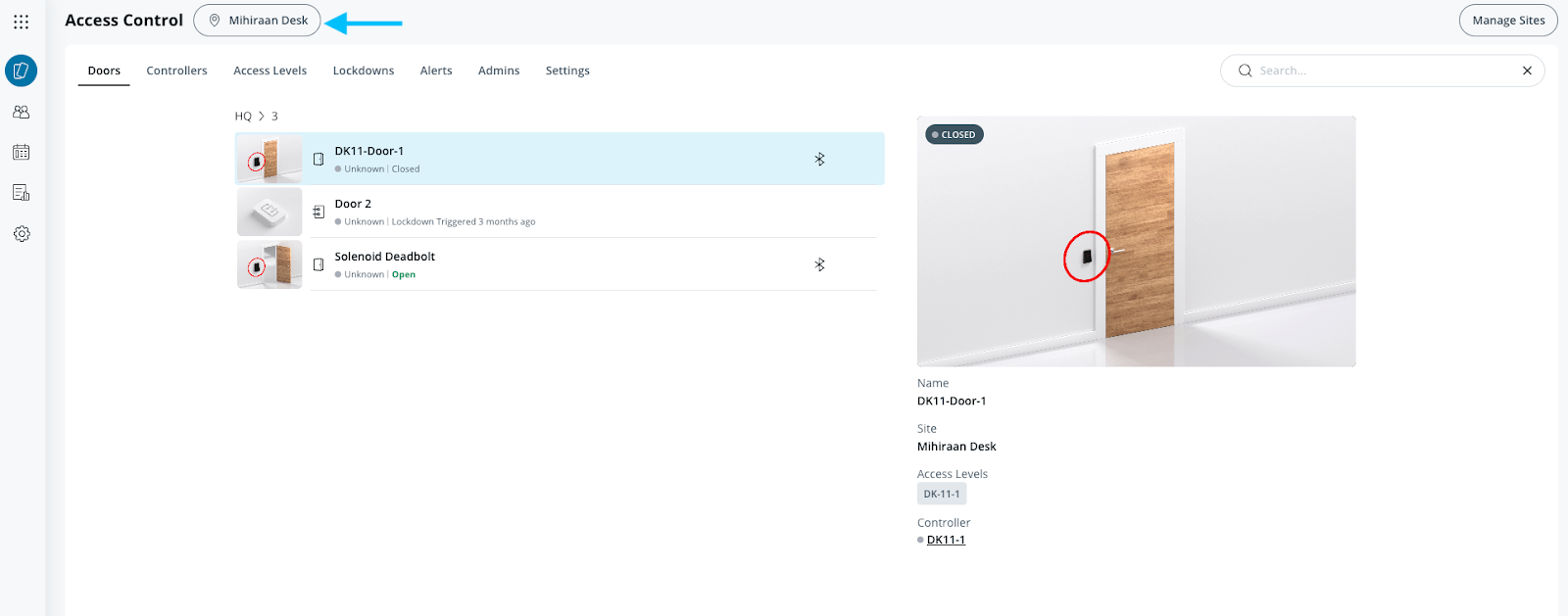
**Verkada Command で、All Products > Access に移動します。**
{% endstep %}
{% step %}
**ファームウェア更新をスケジュールする対象のサイトを選択します。**
{% hint style="warning" %}
複数のサイトを持つ組織の場合、この機能を各サイトで有効にする必要があります。
{% endhint %}
{% endstep %}
{% step %}
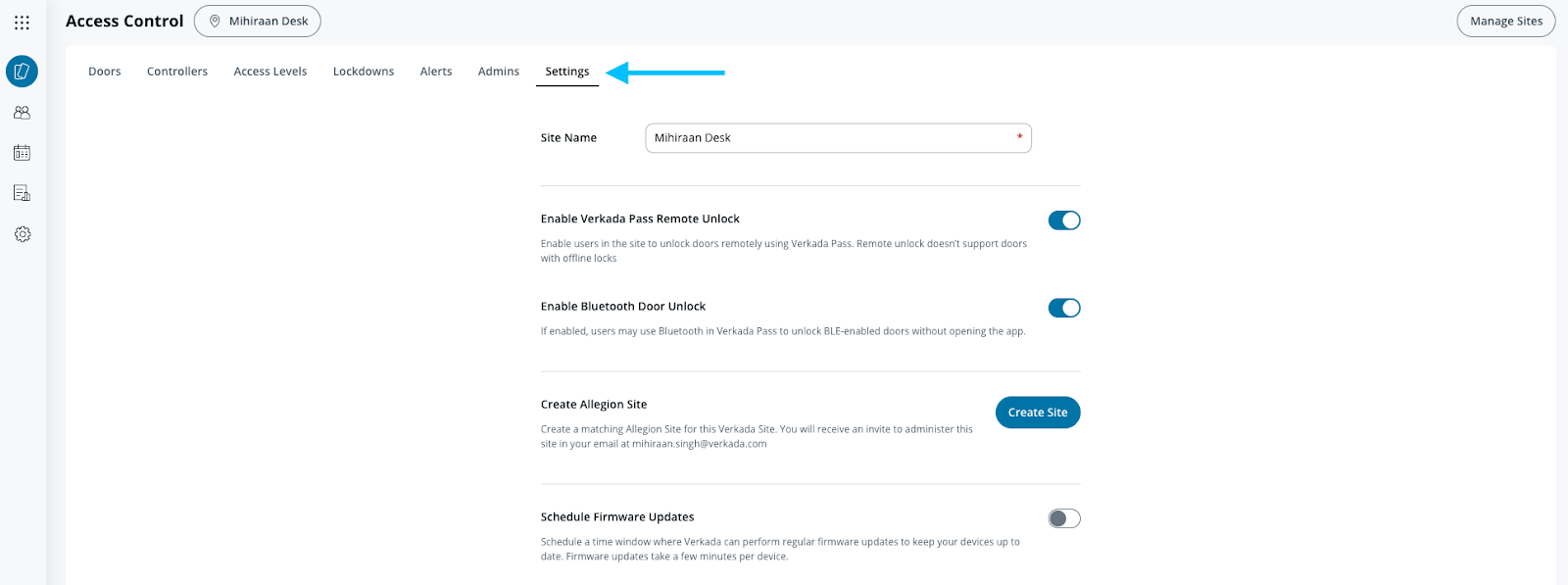
**上部のメニューバーで、[設定]をクリックします。**
{% endstep %}
{% step %}
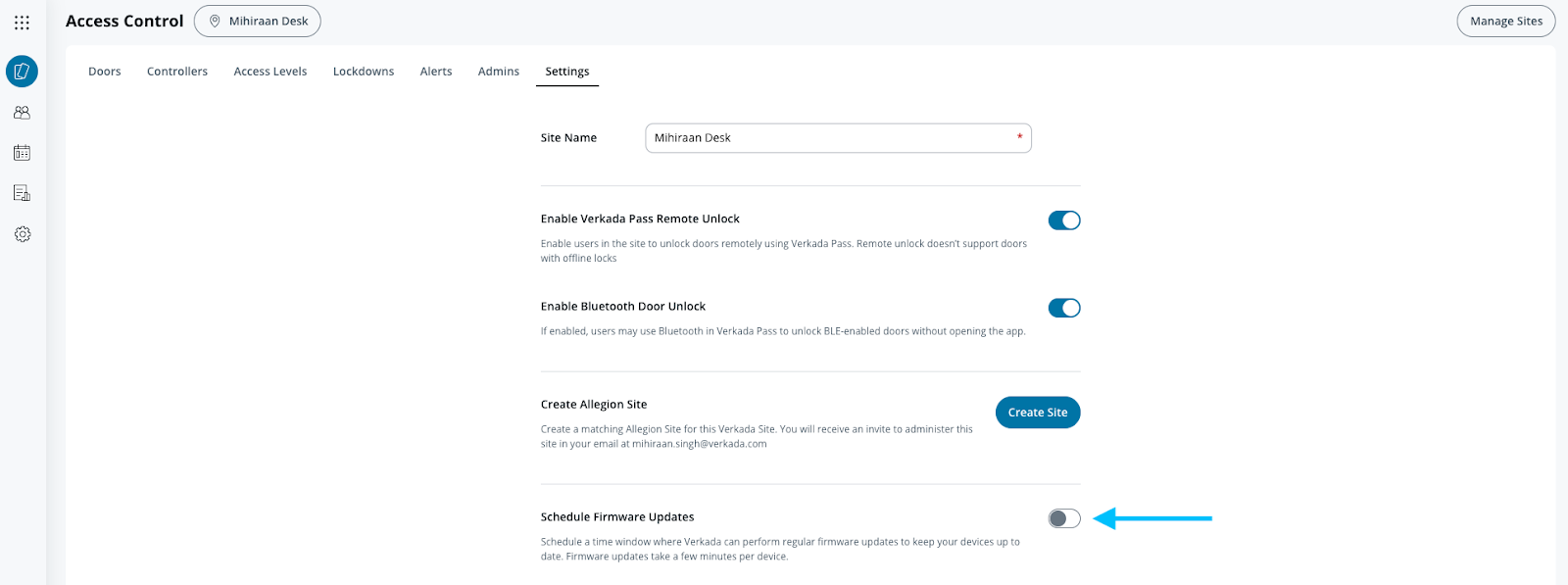
**[ファームウェア更新をスケジュール]をオンにします。**
{% endstep %}
{% step %}
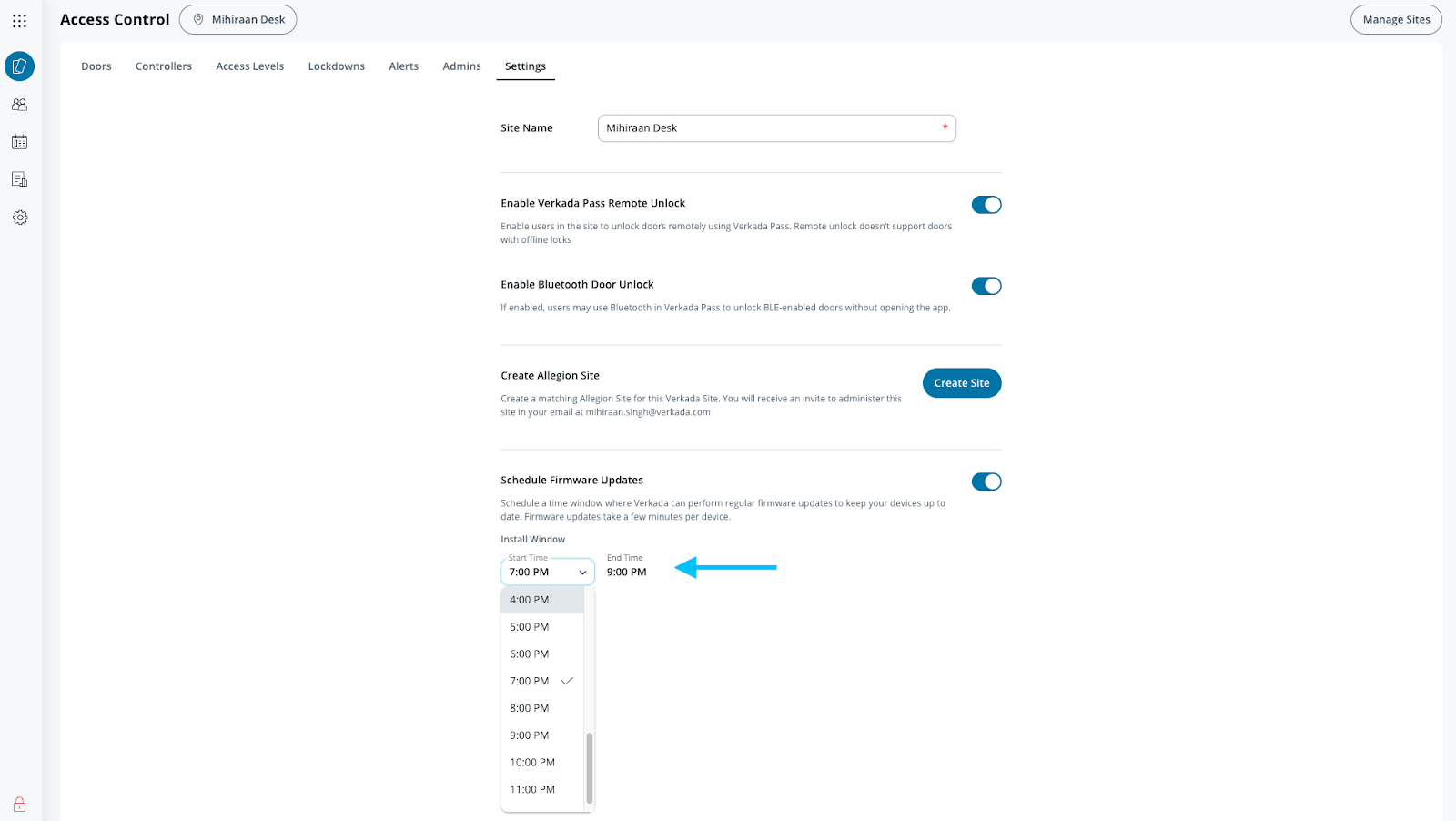
**選択したサイト内のすべてのアクセスコントロールデバイスにファームウェア更新を適用できる 2 時間の時間枠を設定します。**
{% endstep %}
{% endstepper %}
{% hint style="warning" %}
* 更新ウィンドウは少なくとも 2 時間必要であり、その間にアクセスコントロールデバイスが再起動する場合があります。
* Verkada がすべてのアクティブなデバイスに対して段階的にファームウェアをリリースするため、この機能ではアップグレードが行われる日を選択することはできません。
* この機能は、デバイスのアップグレードによってドアへのアクセス中のユーザーに支障が出る可能性のある重要な時間帯に、アップグレードが行われないようにするためのものです。
{% endhint %}
***
## 自動フェイルオーバー
フェイルセーフな更新を実現するため、各 Verkada デバイスには 2 つのパーティションを持つファームウェアバンクが搭載されています。まれにファームウェア更新が失敗した場合でも、スケジュール時間内であればデバイスは更新を試みます。スケジュール時間内でない場合は、翌日のスケジュール時間内に更新を試みます。
---
# Agent Instructions
This documentation is published with GitBook. GitBook is the documentation platform designed so that both humans and AI agents can read, navigate, and reason over technical content effectively. Learn more at gitbook.com.
## Querying This Documentation
If you need additional information that is not directly available in this page, you can query the documentation by asking a question.
Perform an HTTP GET request on the following URL with the `ask` and `goal` query parameters:
```
GET https://help.verkada.com/access-control/ja/akusesu/door-schedules-and-exceptions/schedule-firmware-updates-for-access-control-hardware.md?ask=&goal=
```
`ask` is the immediate question: it should be specific, self-contained, and written in natural language.
`goal` is what the user is ultimately trying to achieve, the reason they need the answer. Sharing it helps GitBook give you a better, more relevant answer. A goal is most helpful when it describes the outcome the user wants rather than restating the question. For example, with `ask=how do I create an API token`, a goal like `automate deployments from our CI pipeline` lets GitBook tailor the answer to that use case.
The response will contain a direct answer to the question and relevant excerpts and sources from the documentation.
Use this mechanism when the answer is not explicitly present in the current page, you need clarification or additional context, or you want to retrieve related documentation sections.