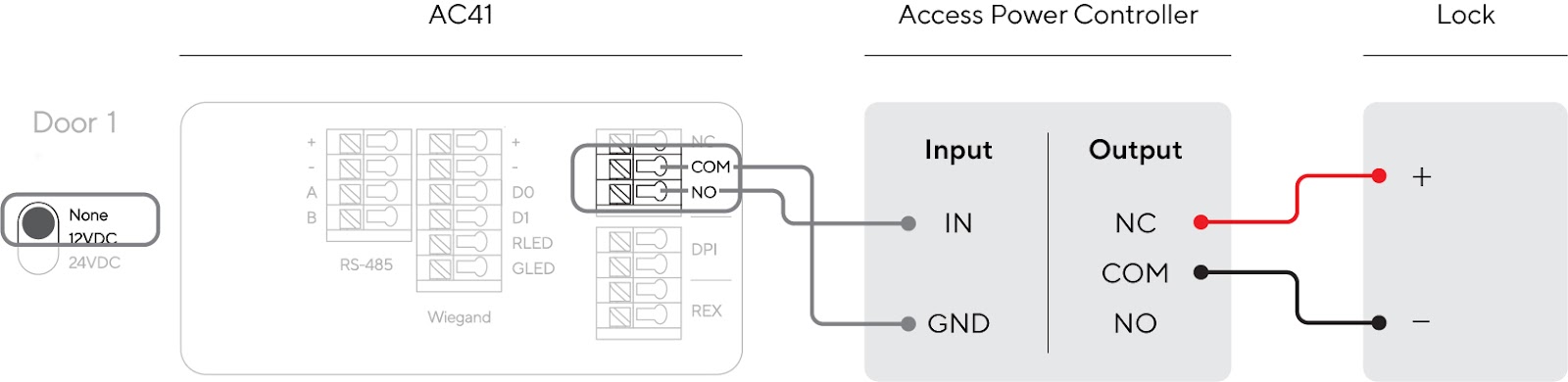
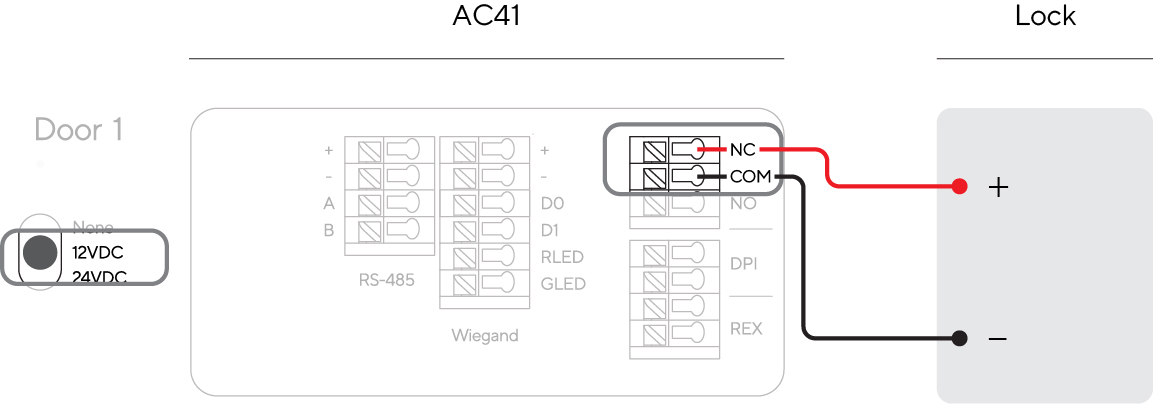
> For the complete documentation index, see [llms.txt](https://help.verkada.com/llms.txt). Markdown versions of documentation pages are available by appending `.md` to page URLs; this page is available as [Markdown](https://help.verkada.com/access-control/installation/install-the-fire-alarm-interface/fire-alarm-control-panel-with-ac41.md).
# Fire Alarm Control Panel with AC41
Properly integrate your locks with a fire alarm system
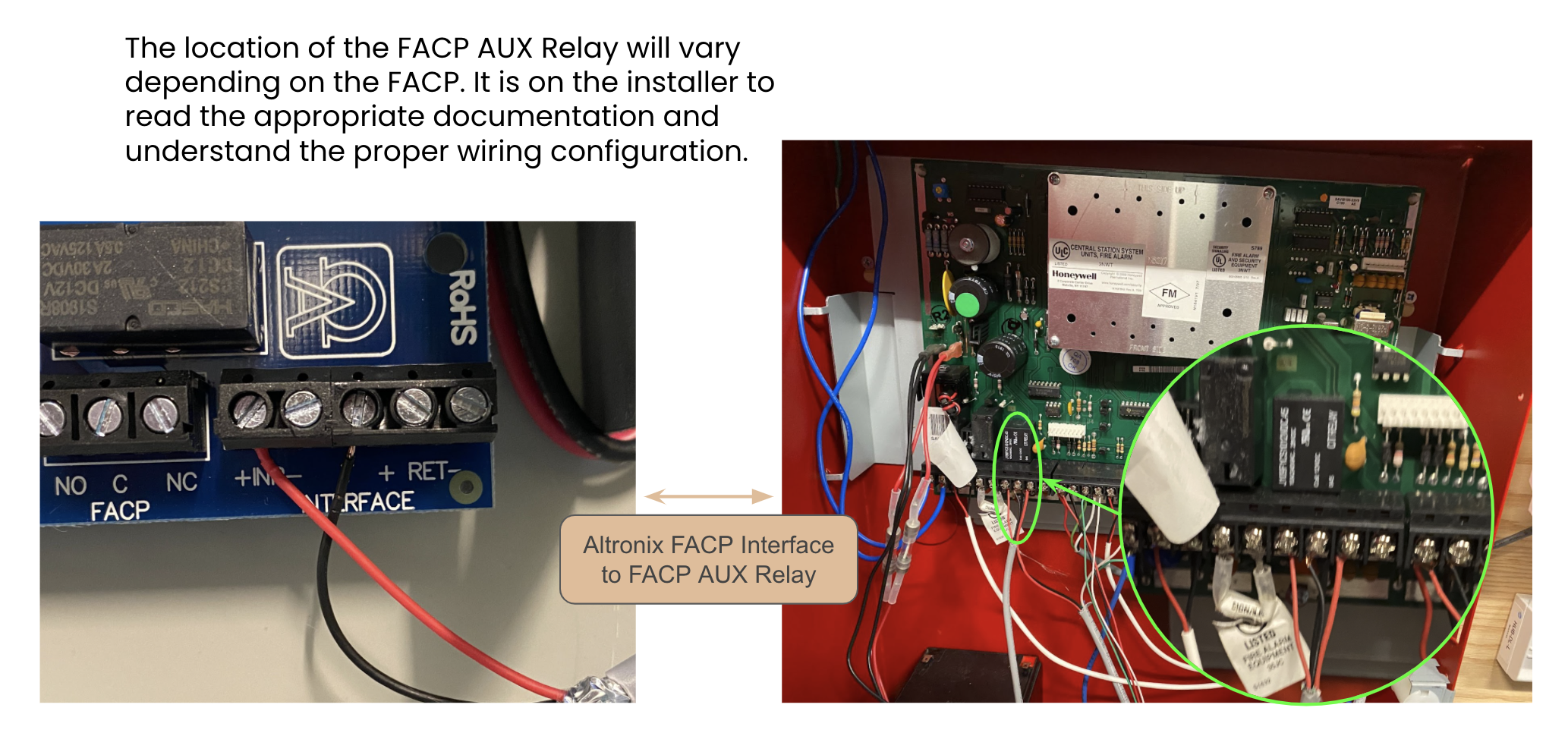
Some access control installations will require that the locks tie into the Fire Alarm Control Panel (FACP). This allows the FACP to unlock or drop power to certain doors during an active fire alarm. Usually, the set of unlocked doors includes emergency egress points, staircase doors, elevator lobby doors, and exterior entries or exits.
{% hint style="warning" %}
Every state, county, and municipality will have different requirements. Some may be more strict than others. **It is the installer’s responsibility to identify what requirements must be met.**
{% endhint %}
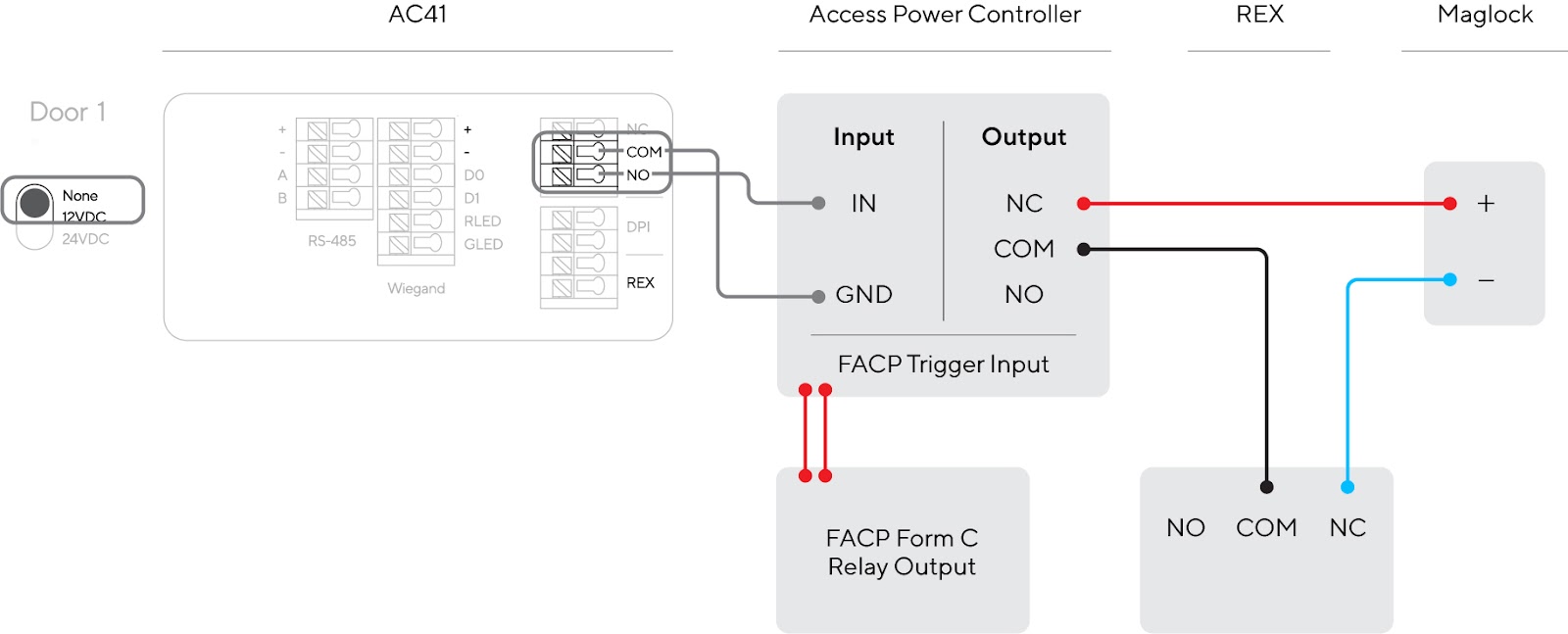
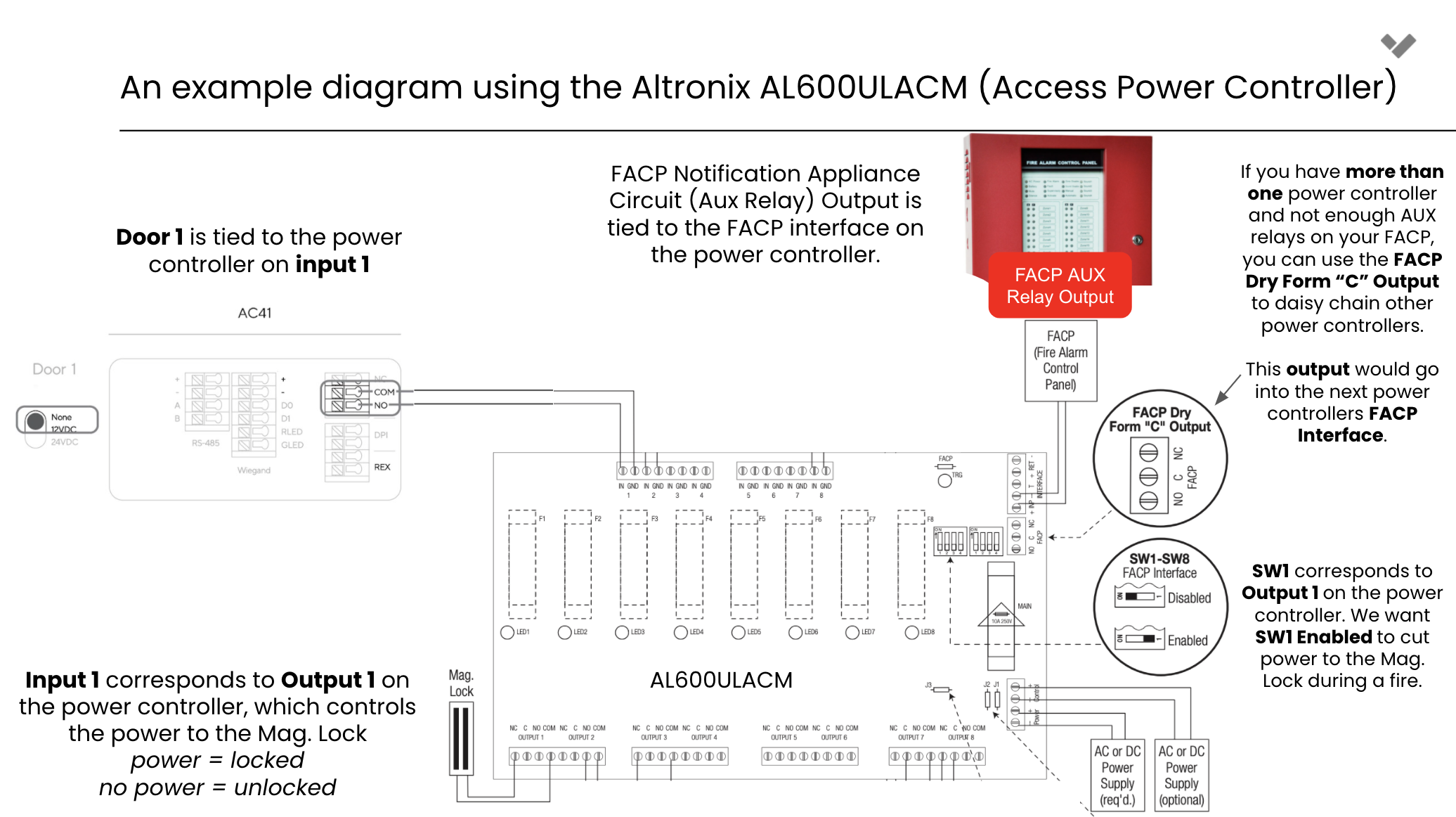
At a high level, the FACP relay is wired directly to the Access Power Controller FACP Trigger Input. Additionally, you can tie an emergency REX button to release the mag lock.
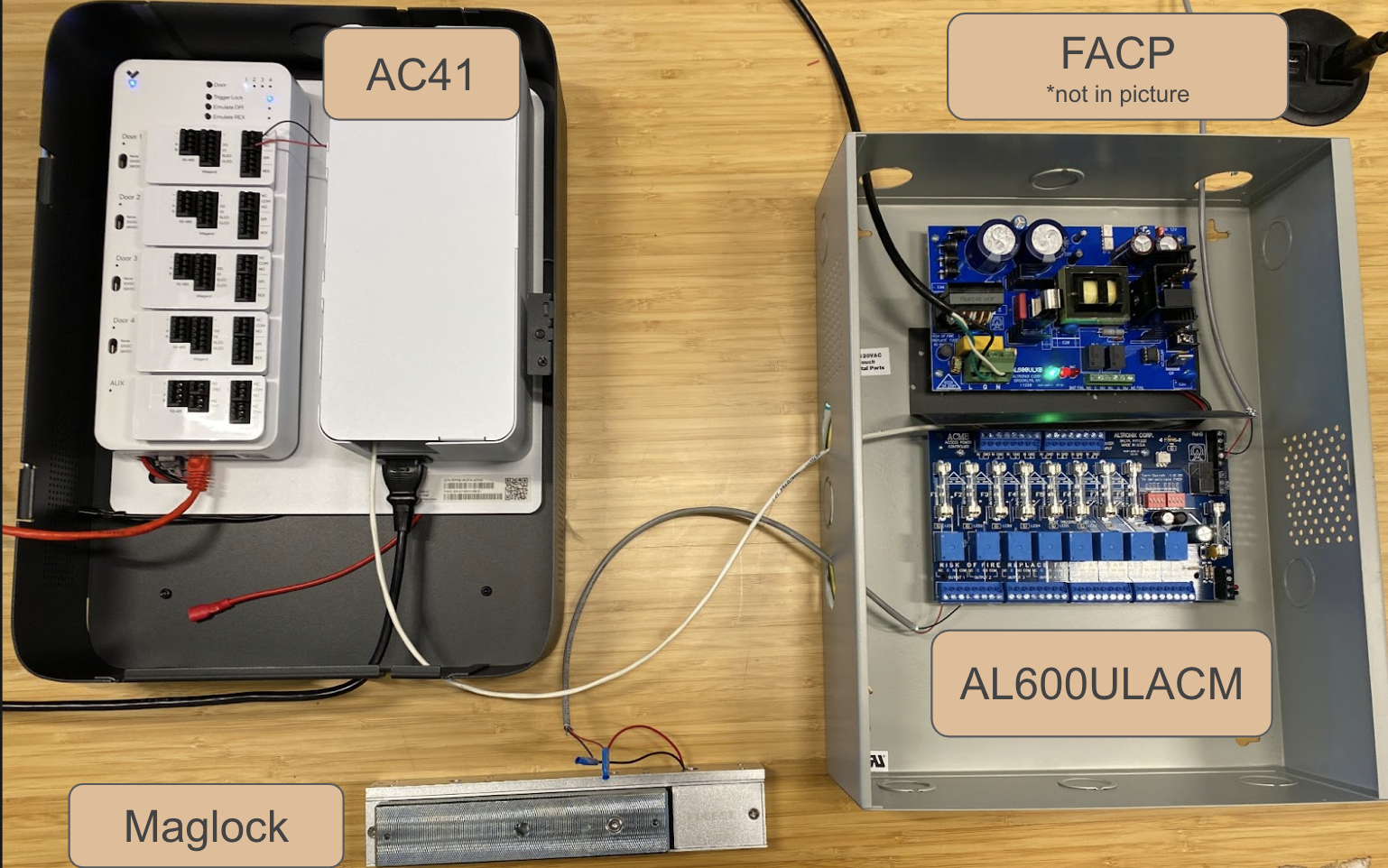
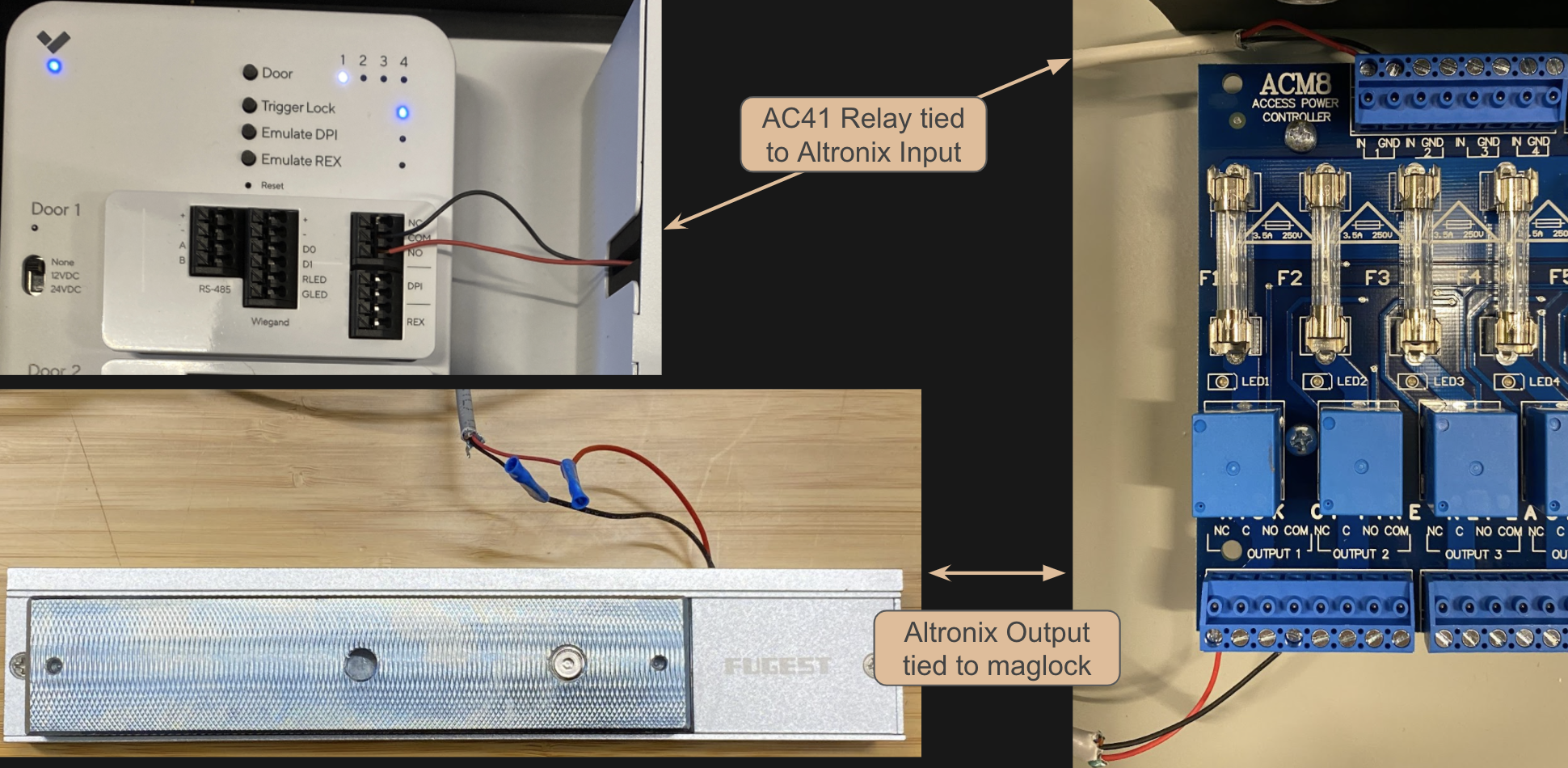
### FACP to Access Power Controller / Power Supply Wiring Diagram
How do Fire Alarm Control Panels work?
{% stepper %}
{% step %}
**When the FACP detects a fire, it begins to alarm, setting off sirens and calling the Fire Department.**
{% endstep %}
{% step %}
**In addition, it can be programmed to set off an auxiliary relay (or a series of relays).**
{% endstep %}
{% step %}
**The relay is then wired directly into the access power controller(s).**
{% endstep %}
{% step %}
**The access power controller/power supply will then drop power or unlock the configured locks.**
{% endstep %}
{% endstepper %}
Can I connect the FACP directly to the Verkada AC41?
**No**. The Verkada AC41 does **NOT** have a dedicated FACP input. Thus, if your installation requires FACP integration, you **cannot** use the Verkada AC41 to power your locks. This means you have to set the door controller to *None* and cannot use a wet configuration (12VDC and 24VDC).
In the wet configuration, there is no access power controller/power supply so there is no way to integrate your FACP input with your locks.
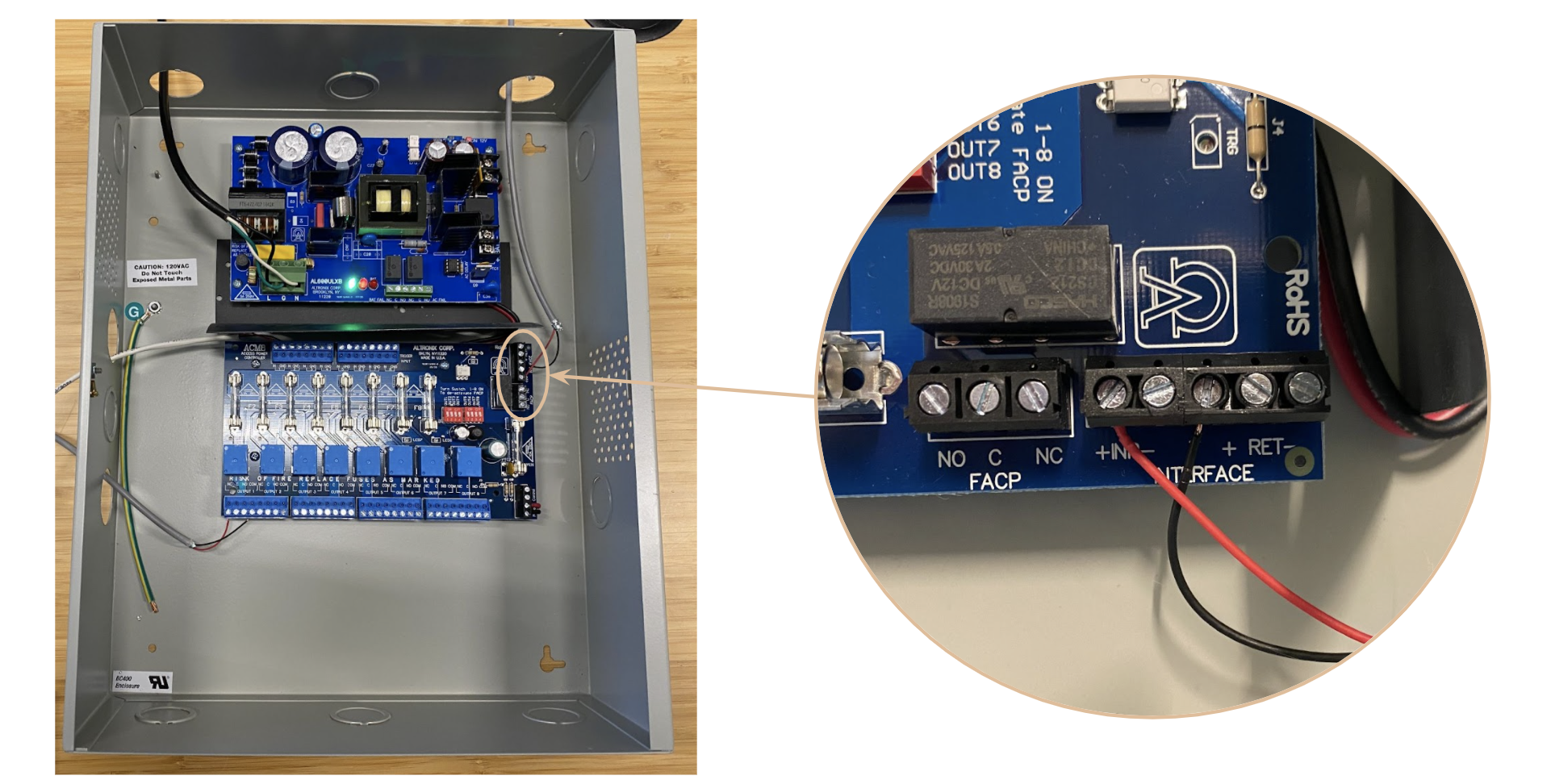
Where do I find the FACP Trigger Input on my Access Power Controller?
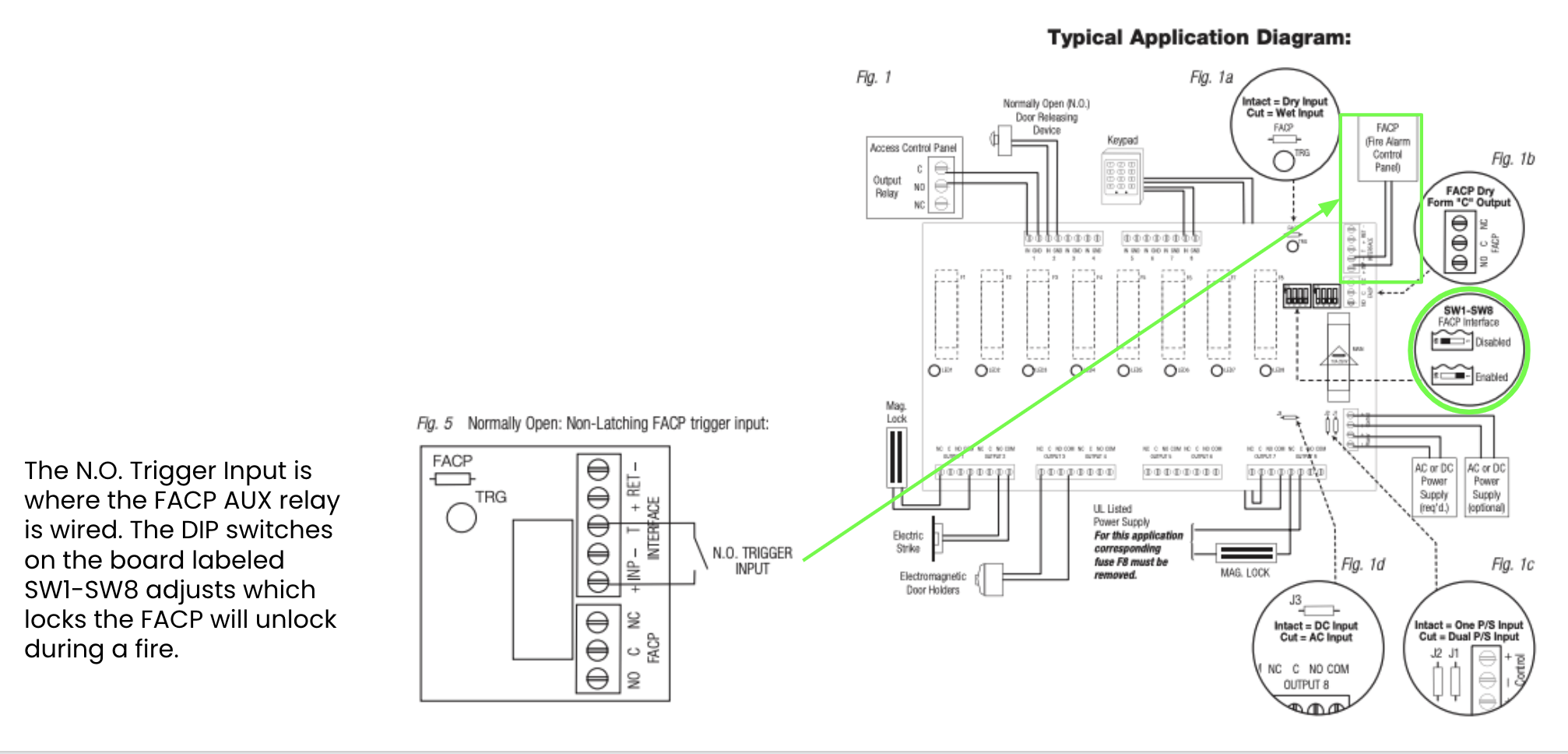
The location of the FACP Trigger Input will **vary** depending on the Access Power Controller/Power Supply you are using. It is the installer's responsibility to read the appropriate documentation and understand the proper wiring configuration. For example, on the Altronix AL600ULACM (a popular power controller), the [documentation](https://www.altronix.com/library/pdf/installation_instructions/ACMseries_DIP.pdf) shows where the FACP trigger input is located and how it should be wired:
---
# Agent Instructions
This documentation is published with GitBook. GitBook is the documentation platform designed so that both humans and AI agents can read, navigate, and reason over technical content effectively. Learn more at gitbook.com.
## Querying This Documentation
If you need additional information that is not directly available in this page, you can query the documentation by asking a question.
Perform an HTTP GET request on the following URL with the `ask` and `goal` query parameters:
```
GET https://help.verkada.com/access-control/installation/install-the-fire-alarm-interface/fire-alarm-control-panel-with-ac41.md?ask=&goal=
```
`ask` is the immediate question: it should be specific, self-contained, and written in natural language.
`goal` is what the user is ultimately trying to achieve, the reason they need the answer. Sharing it helps GitBook give you a better, more relevant answer. A goal is most helpful when it describes the outcome the user wants rather than restating the question. For example, with `ask=how do I create an API token`, a goal like `automate deployments from our CI pipeline` lets GitBook tailor the answer to that use case.
The response will contain a direct answer to the question and relevant excerpts and sources from the documentation.
Use this mechanism when the answer is not explicitly present in the current page, you need clarification or additional context, or you want to retrieve related documentation sections.